This rule has been archived
This rule may no longer be relevant or up to date.
Do you know whether you should use Click Once or MSI?
Loading last updated info...
- Check the following table whether ClickOnce is suit for your application.
This table compares the features of ClickOnce deployment with Windows Installer deployment. Read ClickOnce Deployment Overview for more details
| Feature | ClickOnce | Windows Installer |
|---|---|---|
| Automatic update<sup>1</sup> | Yes | Yes |
| Post-installation rollback<sup>2</sup> | Yes | No |
| Update from Web | Yes | No |
| Does not affect shared components or other applications | Yes | No |
| Security permissions granted | Grants only permissions necessary for the application (more safe) | Grants Full Trust by default (less safe) |
| Security permissions required | Internet or Intranet Zone (Full Trust for CD-ROM installation) | Administrator |
| Application and deployment manifest signing | Yes | No |
| Installation-time user interface | Single prompt | Multipart Wizard |
| Installation of assemblies on demand | Yes | No |
| Installation of shared files | No | Yes |
| Installation of drivers | No | Yes (with custom actions) |
| Installation to Global Assembly Cache | No | Yes |
| Installation for multiple users | No | Yes |
| Add application to Start menu | Yes | Yes |
| Add application to Startup group | No | Yes |
| Add application to Favorites menu | No | Yes |
| Register file types | No | Yes |
| Install time registry access<sup>3</sup> | Limited | Yes |
| Binary file patching | No | Yes |
| Application installation location | ClickOnce application cache | Program Files folder |
Notes
- With Windows Installer, you must implement programmatic updates in the application code.
- With ClickOnce, rollback is available in Add or Remove Programs.
- ClickOnce deployment can access HKEY_LOCAL_MACHINE (HKLM) only with Full Trust permission.
For more information, see Choosing a Deployment Strategy.
- Customize the Installation of the Application, including: Publish location, installation url, install mode, publish version, Download files on demand, Prerequisites, Updates, Options.
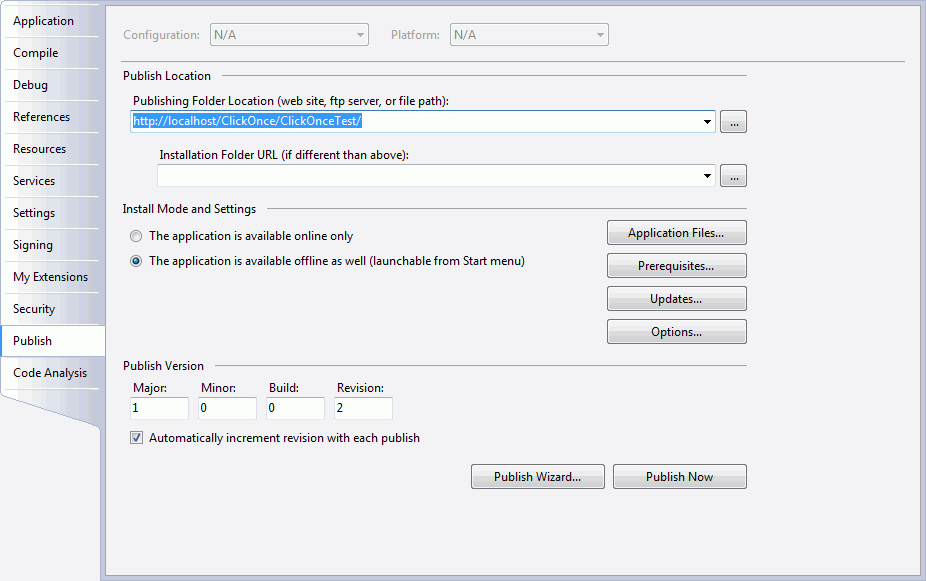
Figure: Publish tab of the application properties
- Specify the code access security permissions that the application requires in order to run.
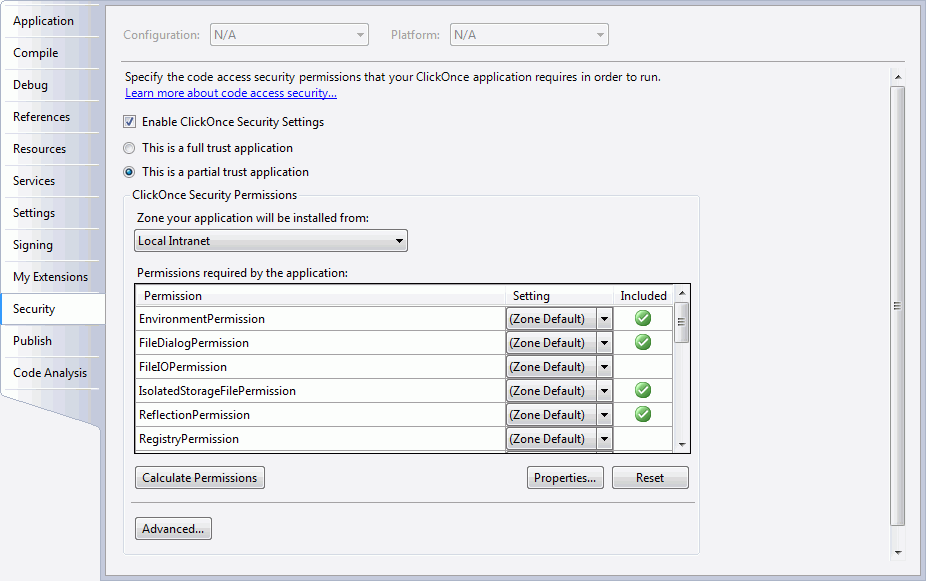
Figure: Security tab of the application properties
- Deploy the COM Components. Read Deploying COM Components with ClickOnce for more informations.
- Publish the application using Publish Wizard.
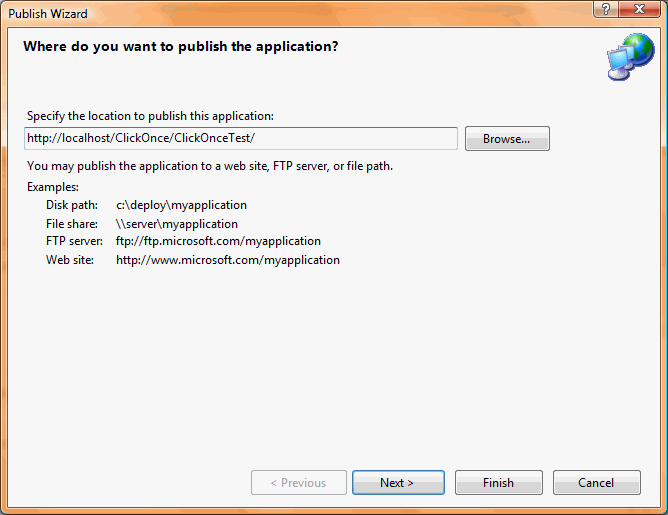
Figure: ClickOnce Publish Wizard