Do you use GitHub Discussions?
Loading last updated info...
Sometimes when working on a product, you need a way to communicate with the team and users of the software that isn't limited to known issues with the product. GitHub Discussions are a great way to provide an open forum for communication.
Here's a great video by the GitHub team that quickly explains GitHub Discussions!
Video: What is GitHub Discussions? (40 sec)
What can GitHub Discussions be used for?
GitHub Discussions have many uses, and it can be hard to know where to start. The following topics provide some good guidelines to follow.
- Potential improvements (features, bugs or ideas) e.g. Feature idea - Should products have a color field
- Customer support e.g. Login help - I forgot my password and am not sure how to reset it
- FAQ e.g. Customers - Can I import my customers from a CSV?
- Product announcements e.g. New feature - users can now have a profile picture
- Technical discussions e.g. Trouble running migration - has anyone seen this before?
- Polls - Gauging community sentiment e.g. Poll - Is this product screen a better UX?
- and much more...
However, try not to constrain yourself to only these topics. The point of GitHub Discussions is to provide an open forum for communication!
1. Potential project improvements (features, bugs or ideas)
New improvements can be simple or complex. Before implementing an improvement, think about how to communicate it to the team. Generally, an improvement will go through 3 stages:
- Stage 1 - GitHub Discussions
- Stage 2 - GitHub Issues
- Stage 3 - Pull Requests
However, sometimes a stage can be skipped depending on the certainty and difficulty of implementation, so those need to be established first.
GitHub's recommendation is:
"in any given project or Sprint, you have things you need to discuss and those you need to do. Discussions are for—no surprise here—discussing things. Issues are for cataloguing the work you need to do after you’ve reached a decision about how to move forward."
✨ Stage 1 - GitHub Discussions
GitHub Discussions is the right place to start when certainty is low. Raising it in this setting lets the whole team discuss the proposal and reach a consensus about what to do. Make sure to @mention any important stakeholders e.g. @BobNorthwind

Figure: SSW Rules | GitHub | Discussions
GitHub Discussions can be converted to GitHub Issues with a single click!

Figure: 1 of 2 - SSW Rules | GitHub | Discussions - Convert a Discussion to an issue

Figure: 2 of 2 - SSW Rules Content Discussion Converted To Issue
Using votes to prioritize community needs on GitHub
Voting up is available in GitHub Discussions, and they provide a great way to prioritize what the community wants most. By encouraging users to upvote feature requests, bug reports, or important discussions, maintainers can better understand which topics have the highest demand. Learn more about why reacting to GitHub Issues and Discussions matters.
✨ Stage 2 - GitHub Issues
Once things are clarified on the GitHub Discussion or if you are certain the issue doesn't need a discussion, then you need to evaluate the difficulty of implementation. If it is difficult to implement or you are unable to do it yourself, then GitHub Issues is the right place to put it since it provides a place to manage work.
✨ Stage 3 - Pull Requests
Once the work is complete or if it is an easy change you are certain you want to make (e.g. a spelling mistake), it can be turned into a Pull Request.
2. Customer support
GitHub Discussions provide a great forum for users to ask questions about how to use the product. Not only is it easy to access, but it will also help future users with the same problem.
3. FAQ
Provide new curious users with a list of the most important things they should know about the product.
4. Product announcements
GitHub Discussions are accessible to the entire user base, so when there is a new feature, let everyone know.
5. Technical discussions
The development team can discuss issues publicly. If they need help with a problem, and Stack Overflow has failed them, then GitHub Discussions offers a way to relay with their team.
6. Poll - Gauging community sentiment
Community engagement is hard to achieve but can provide invaluable insights into contentious parts of the application. A poll in GitHub discussions can be invaluable.
Categorization
GitHub Discussions allow you to set up categories. Getting these going is important to help users sift through the different topics. Keep the categories simple and easy to follow so that anyone who jumps in will know where to begin.
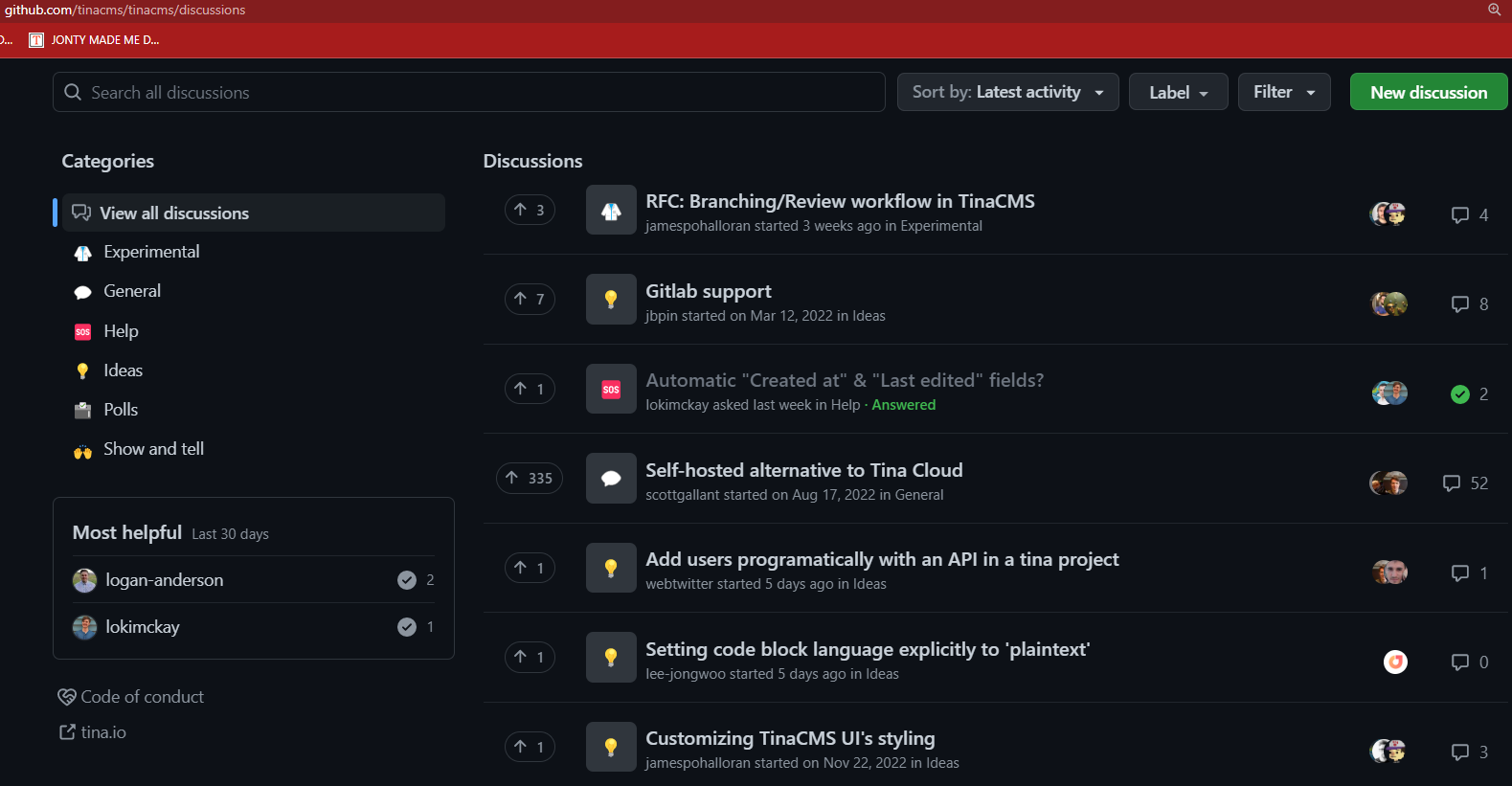
✅ Figure: Good example - TinaCMS use GitHub Discussions well
Source: TinaCMS