Do you use icons to support text in your UI?
Loading last updated info...
People may not notice important words or statuses in your interface at first glance. Adding a simple and clear icon beside the text helps users quickly understand the meaning without needing to stop and read every detail.
This improves clarity, reduces confusion, and helps users take the right action faster.
Tip: For emails and web content, using a simple emoji is an easy and friendly way to achieve the same result 🙂.
| Status | Icon | Meaning |
|---|---|---|
| Pass | ✅ | The message has passed successfully |
| Fail | ❌ | The message has failed or is incorrect |
| Warning | ⚠️ | The message needs attention or caution |
| Loading/Checking | 🔄 | The message is still being checked or processed |
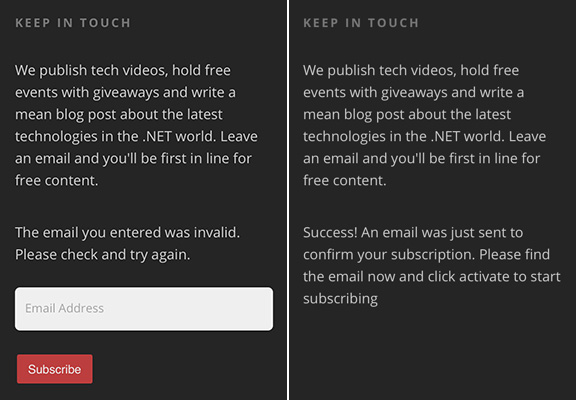
❌ Figure: Bad example - No icons to indicate the status
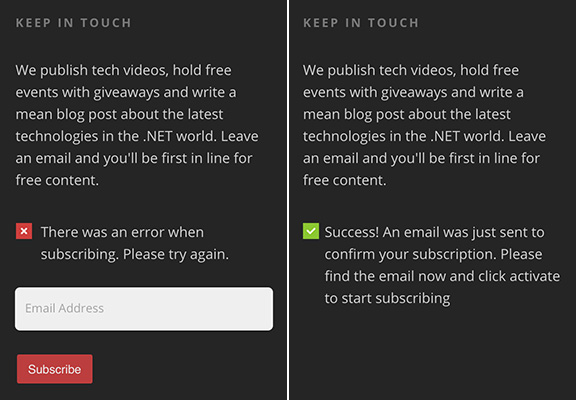
✅ Figure: Good example - Green tick and red cross help the user to know what's going on