Do you use Open Graph to control how your links are shared?
Loading last updated info...
Open Graph (OG) is a set of metadata tags that let you control what shows up when a page is shared on social media - the title, description, and preview image. Without them, platforms guess, and the result is usually an ugly, link-only preview that no one clicks.
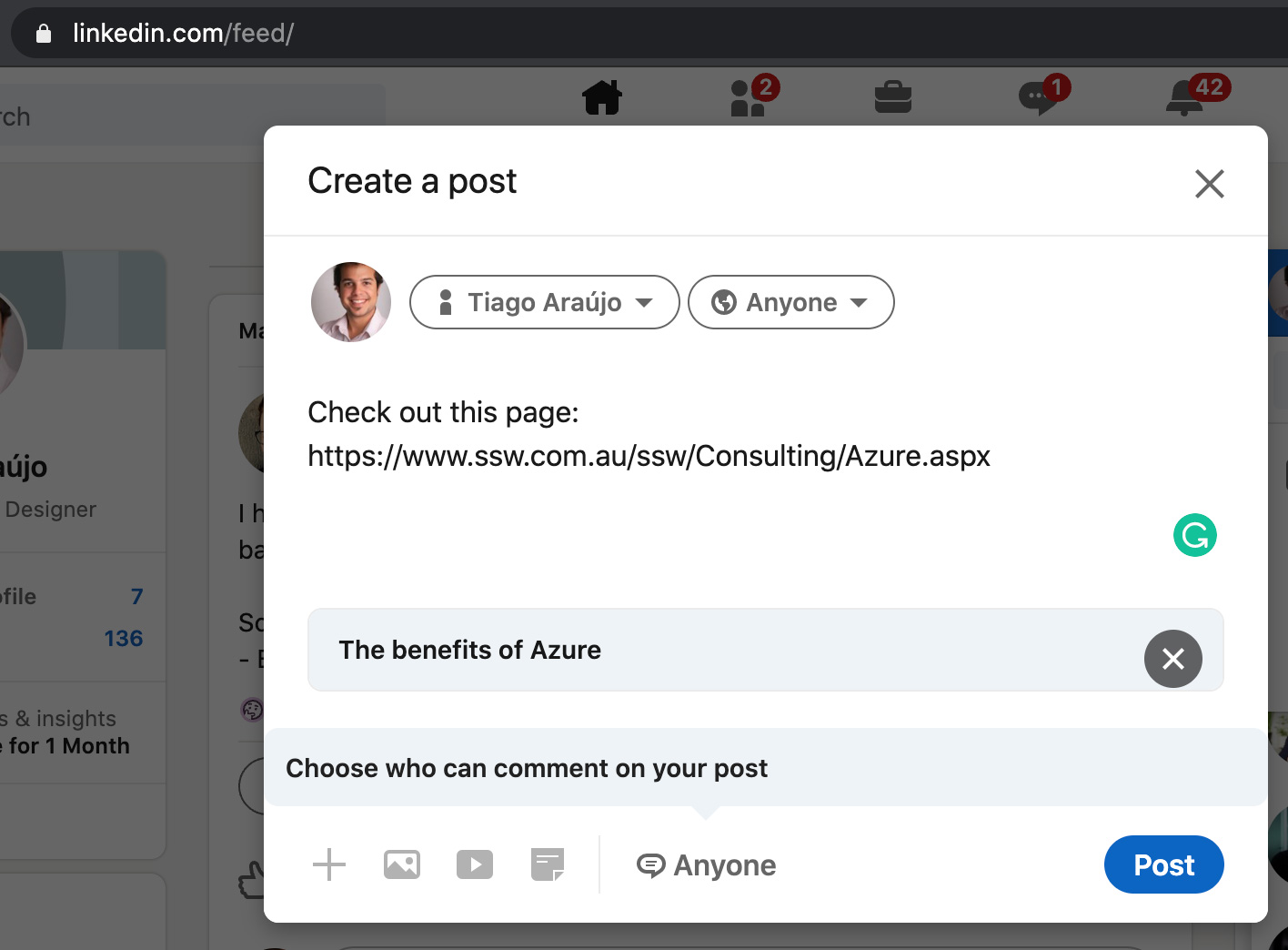
❌ Figure: Bad example - Shared link has no image and the title was "guessed" by LinkedIn
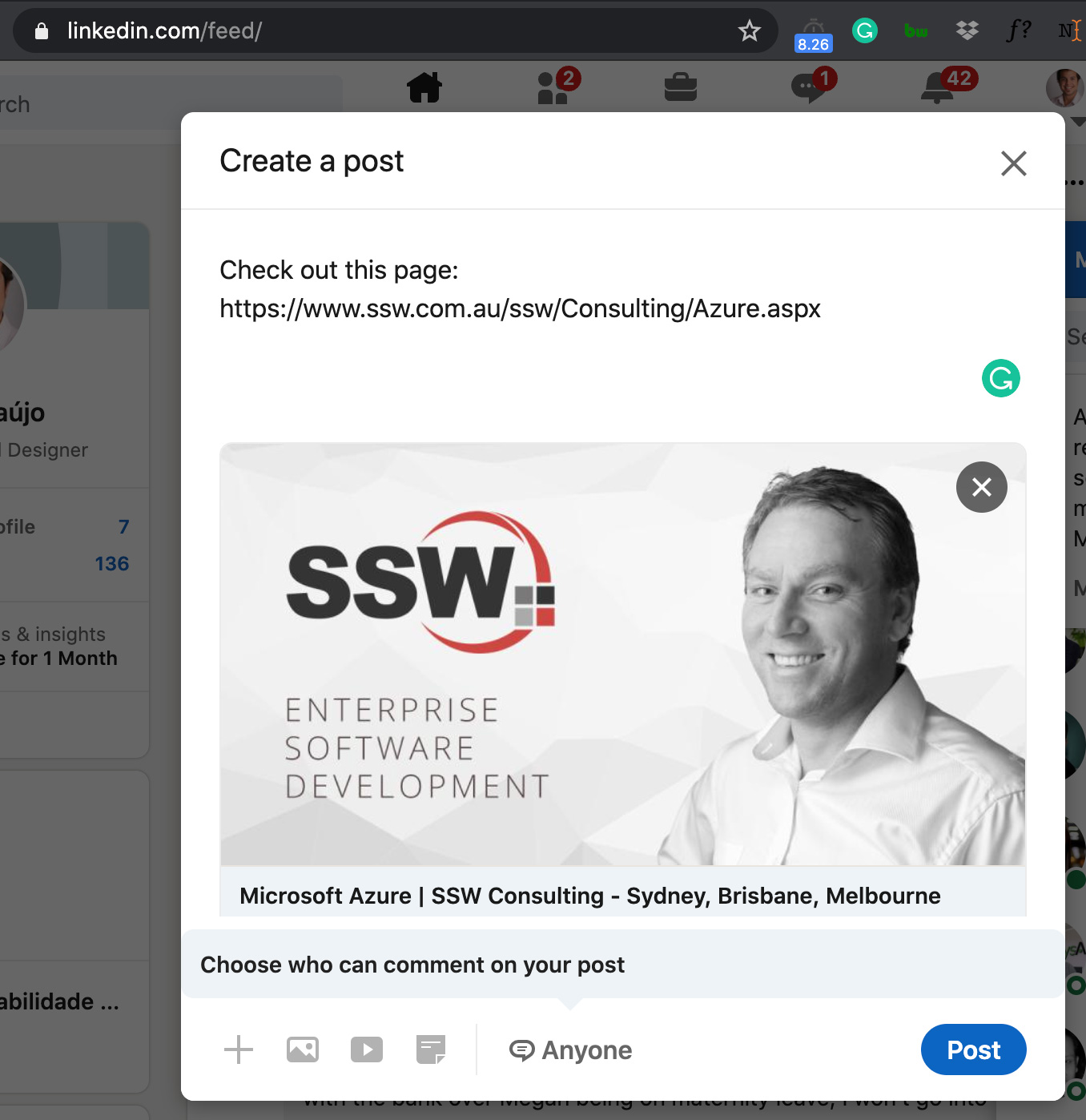
✅ Figure: Good example - Shared link has a nice image and title, both defined via Open Graph tags
The tags you need
Open Graph tags go in the <head> section of your page. The 3 most important are og:title, og:description, and og:image - but a few more make previews render reliably across Facebook, LinkedIn, X, Slack, Discord, and WhatsApp.
<!-- The essentials --><meta property="og:title" content="Do you use Open Graph? | SSW Rules" /><meta property="og:description" content="Control how your links look when shared on social media." /><meta property="og:image" content="https://www.ssw.com.au/rules/use-open-graph/og-image.jpg" /><!-- Recommended extras --><meta property="og:url" content="https://www.ssw.com.au/rules/use-open-graph/" /><meta property="og:type" content="website" /><meta property="og:site_name" content="SSW Rules" /><meta property="og:image:width" content="1200" /><meta property="og:image:height" content="630" /><meta property="og:image:alt" content="SSW Rules - Open Graph" />
✅ Figure: Good example - A complete set of Open Graph tags
A few things that trip people up:
- Use an absolute
https://URL forog:image- relative paths andhttp://are often ignored - Set
og:image:widthandog:image:heightso platforms render the large card immediately instead of a tiny thumbnail on first scrape - Keep
og:urlas the page's canonical URL to avoid duplicate previews
Add X (Twitter) Cards too
X reads its own twitter:* tags. It will fall back to your Open Graph tags, but adding a Card tag gives you the big, clickable image preview instead of a small one.
<meta name="twitter:card" content="summary_large_image" /><meta name="twitter:title" content="Do you use Open Graph? | SSW Rules" /><meta name="twitter:description" content="Control how your links look when shared on social media." /><meta name="twitter:image" content="https://www.ssw.com.au/rules/use-open-graph/og-image.jpg" />
✅ Figure: Good example - X Card tags for a large image preview
Get the image right
The preview image does most of the work, so size it for the link-preview card (this is different from a normal social post - see Do you follow image standard sizes on social media?):
- 1200 × 630px (1.91:1 aspect ratio) - renders cleanly on Facebook, LinkedIn, X, Slack, Discord, and WhatsApp
- JPG or PNG, kept under ~5 MB (ideally under 1 MB so it loads fast and survives compression)
- Keep key content (logos, text) near the centre - platforms crop the edges differently
A blog post's featured image is often a good source for the OG image.
Generate them dynamically
You don't need to hand-write these tags. Modern frameworks generate them for you - and can generate a unique preview image per page (e.g. a blog card with the post title, author, and date) instead of one static image for the whole site.
- Next.js - use the Metadata API (
metadata/generateMetadata) for the tags, and theopengraph-imagefile convention to render an image per route - Dynamic images - libraries like
@vercel/og(built on Satori) turn JSX/HTML into a 1200 × 630 image at request time - A CMS - a headless CMS like Tina CMS gives you title/description/image fields to author the content, but you still wire those into your framework's metadata layer (e.g. Next.js
generateMetadata) - Website builders - tools like Wix, Squarespace, and WordPress (with an SEO plugin) may already emit OG tags for you - check what comes out of the box before adding your own
This keeps every page's preview on-brand without anyone remembering to set tags by hand.
Test before you share
OG tags are easy to get subtly wrong, and platforms cache previews (LinkedIn for ~7 days), so always test before sharing widely:
- opengraph.xyz - paste a URL to preview how it looks across every major platform at once 👍
- Facebook Sharing Debugger - validates tags and force-refreshes Facebook's cache
- LinkedIn Post Inspector - previews and clears LinkedIn's cache so updated tags show immediately
Tip: Changed your tags but the old preview still shows? It's almost always cached. Run the URL through the relevant debugger above to force a refresh.
For the full list of properties, see The Open Graph protocol. For the SEO-focused <meta> tags that complement these, see Do you use meta tags?