Do you use Pull Request templates to specify the expectations and requirements for each PR?
Loading last updated info...
Pull Request templates are a great way to communicate expectations to developers. You should create different PR templates for different types of PRs. For example, you can have a PR template for bug fixes, a PR template for new features, and a PR template for refactoring. You are also able to create specific PR templates for specific code paths.
You can read how to implement PR templates in the GitHub Docs - Creating a pull request template for your repository.
When creating a PR template, think of how you can help developers create great PRs.
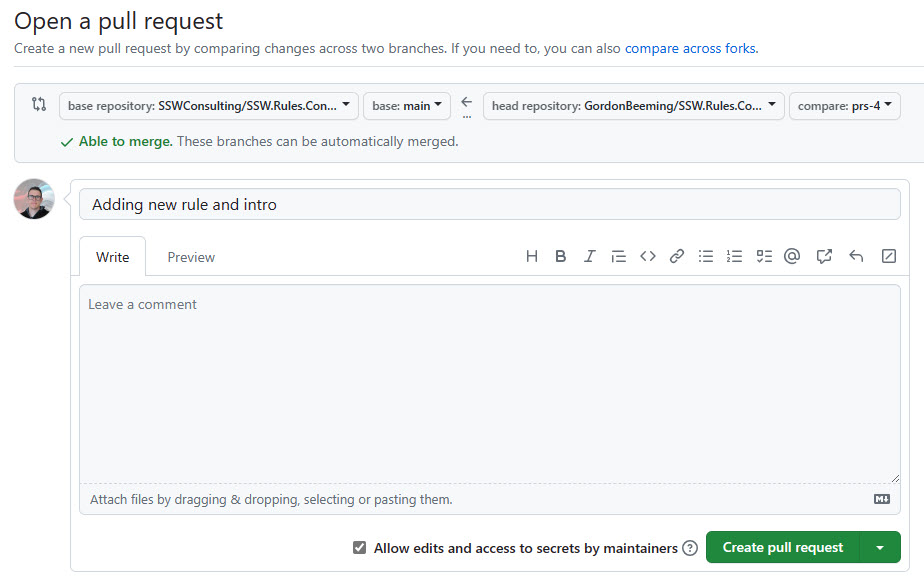
❌ Figure: Bad example - There is no information to guide developers
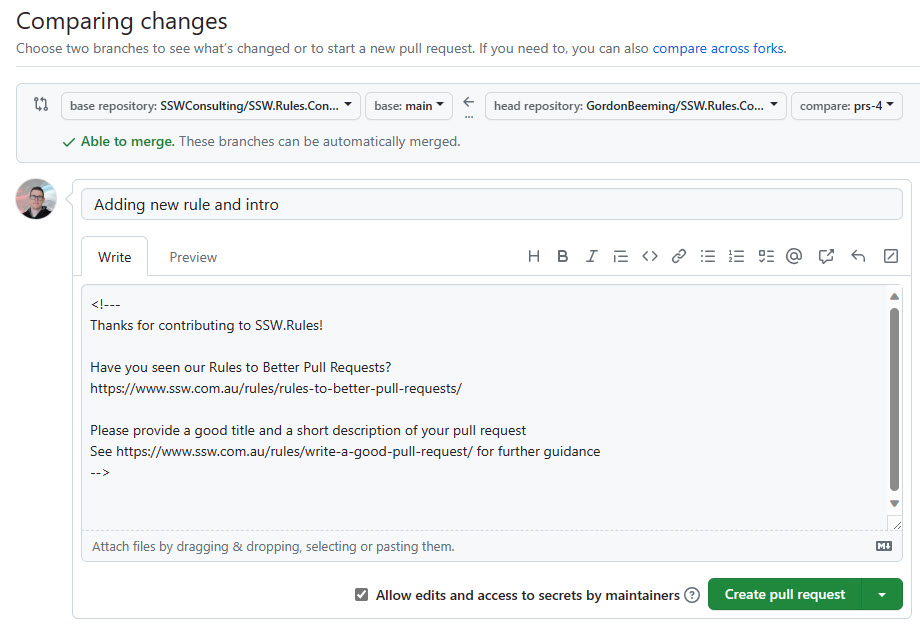
🙂 Figure: OK example - The PR template contains handy links to guidance for creating great PRs ⭐
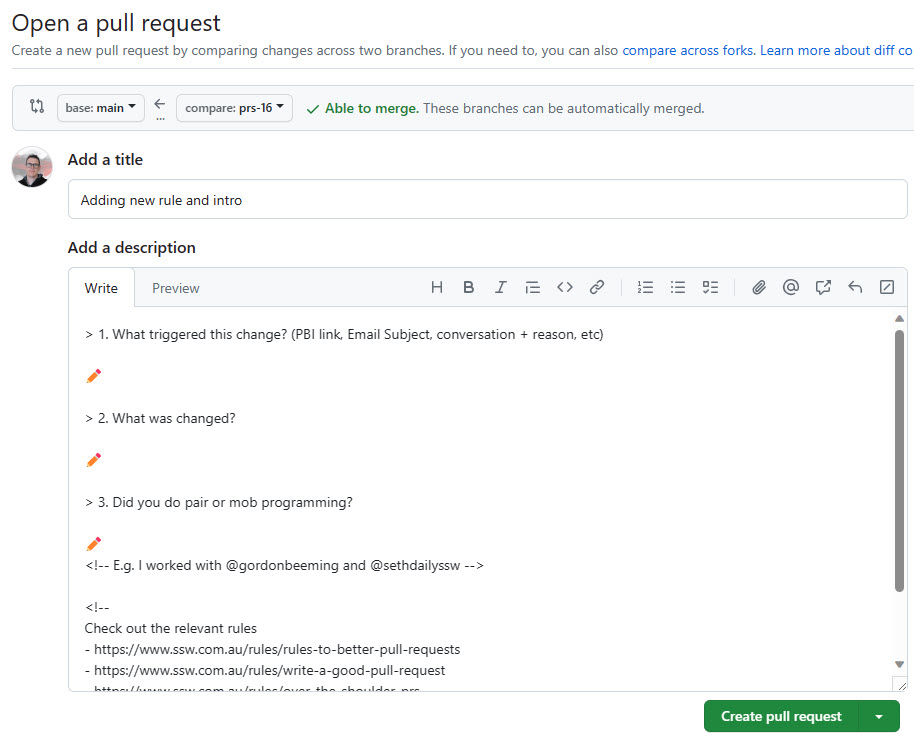
✅ Figure: Good example - This PR template asks for context (to help reviewers), along with guidance links for creating great PRs ⭐
Give bug-fix PRs their own structure
A bug-fix PR has a different job from a feature PR. The reviewer needs to confirm that you found the real cause and that the fix is proven, without rerunning the investigation. Four headings do that:
- The failure - What was observed, with the error text or the numbers
- Cause - The root cause and how you confirmed it, for example from logs or a reproduction
- Fix - What changed and why that is the right layer to change
- Verification - The test that was red before and green after, and anything tests cannot reach that you checked by hand
Fixed the slow orders page. Added a test.
❌ Figure: Bad example - The reviewer has to rerun the whole investigation to know whether this is right
The failure
GET /orders p95 rose from 210 ms to 11.8 s at 08:52 on 2 Sep. Customers with 50+ order lines timed out.
Cause
The 08:50 deployment added ShippingEstimateService, which calls the carrier API once per order line. Confirmed from the carrier request count in App Insights, which matches the line count per order.
Fix
Batch the estimate calls per order through IShippingEstimateBatcher. The cache layer was not the cause (hit ratio stayed at 94%), so it is unchanged.
Verification
Shipping_estimates_are_batched_per_order- red before the fix, green after, revert check confirms- Manually checked a 120-line order on staging: 380 ms
- Not covered by tests: the carrier's own rate limit. Monitored via the existing 429 alert
✅ Figure: Good example - The reviewer can confirm the cause, the fix, and the proof from the description alone
Put these headings in a bugfix.md template so they are there every time. See the GitHub docs above for how to offer more than one template.
Tip: You can use comments in the Markdown as above. These comments will not show when the PR is created, and is only visible when editing the description.
For a great Pull Request template, take a look at @SSWConsulting/SSW.GitHub.Template.