Do you create consistent and eye-catching video thumbnails?
Loading last updated info...
Thumbnails are a great way of telling your (potential) viewers what your video is about and why they should watch it. It is therefore important that these stand out from the others.
A thumbnail can draw attention by:
- Using bright colors and avoiding using the YouTube colors (white, black, red) so you don’t blend in
- Using big bold titles (30 characters maximum, remember a thumbnail is small)
- Feature your main keyword in the title
YouTube offers resources to create better custom thumbnails including image size and resolution, policies, etc.
Exception: Customized thumbnails are not required for unlisted videos. Since these videos are intended for a specific audience and won't appear in public search results or recommendations, the default auto-generated thumbnail is sufficient to save time and resources.
Creating a visual identity
Establishing a unique visual style for thumbnails is great for grouping similar videos together and encouraging click-throughs. This has the added benefit of increasing brand recognition and strengthening the connection between grouped content.
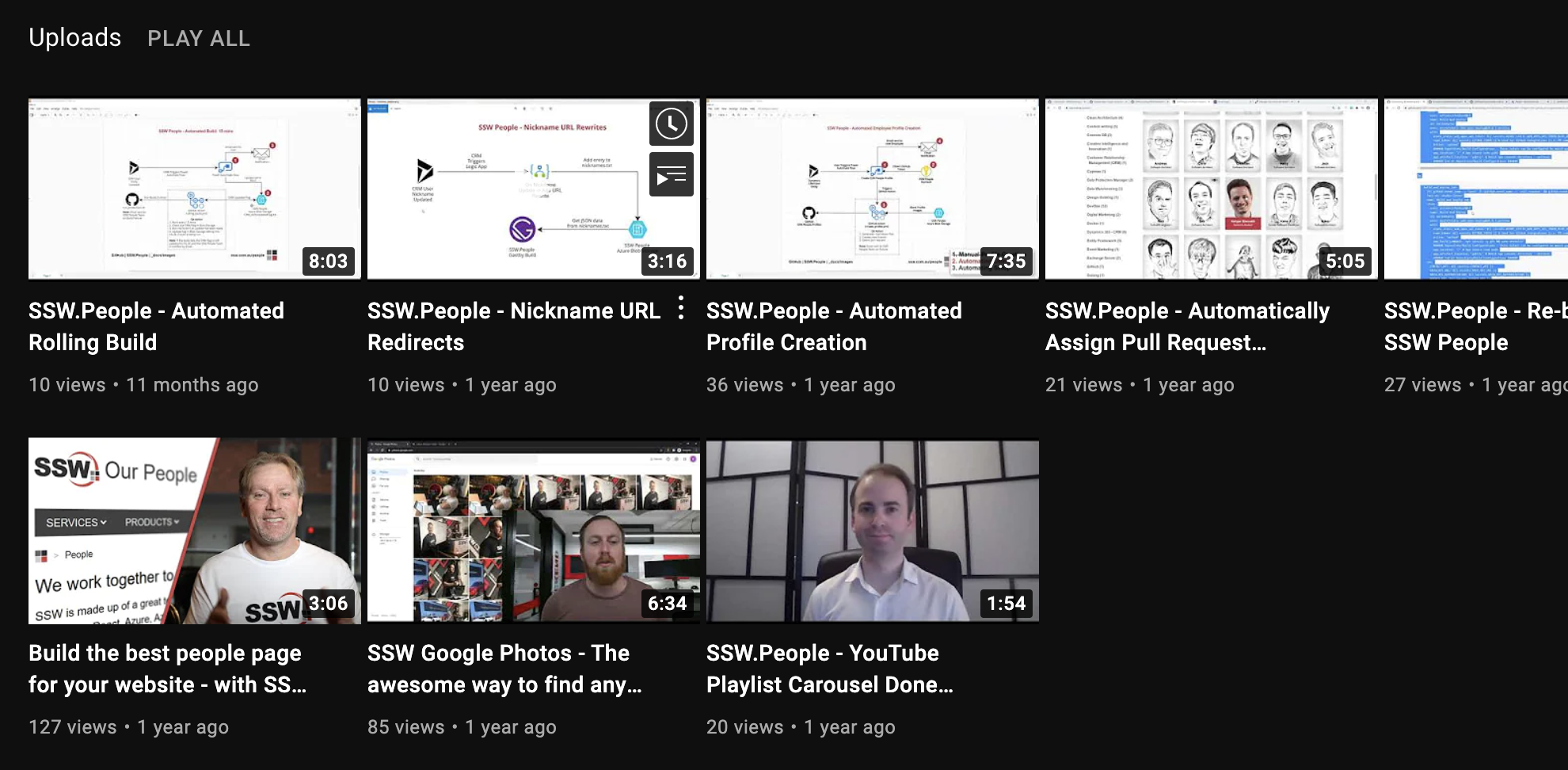
❌ Figure: Bad example - Automatically generated thumbnails are not engaging and inconsistent
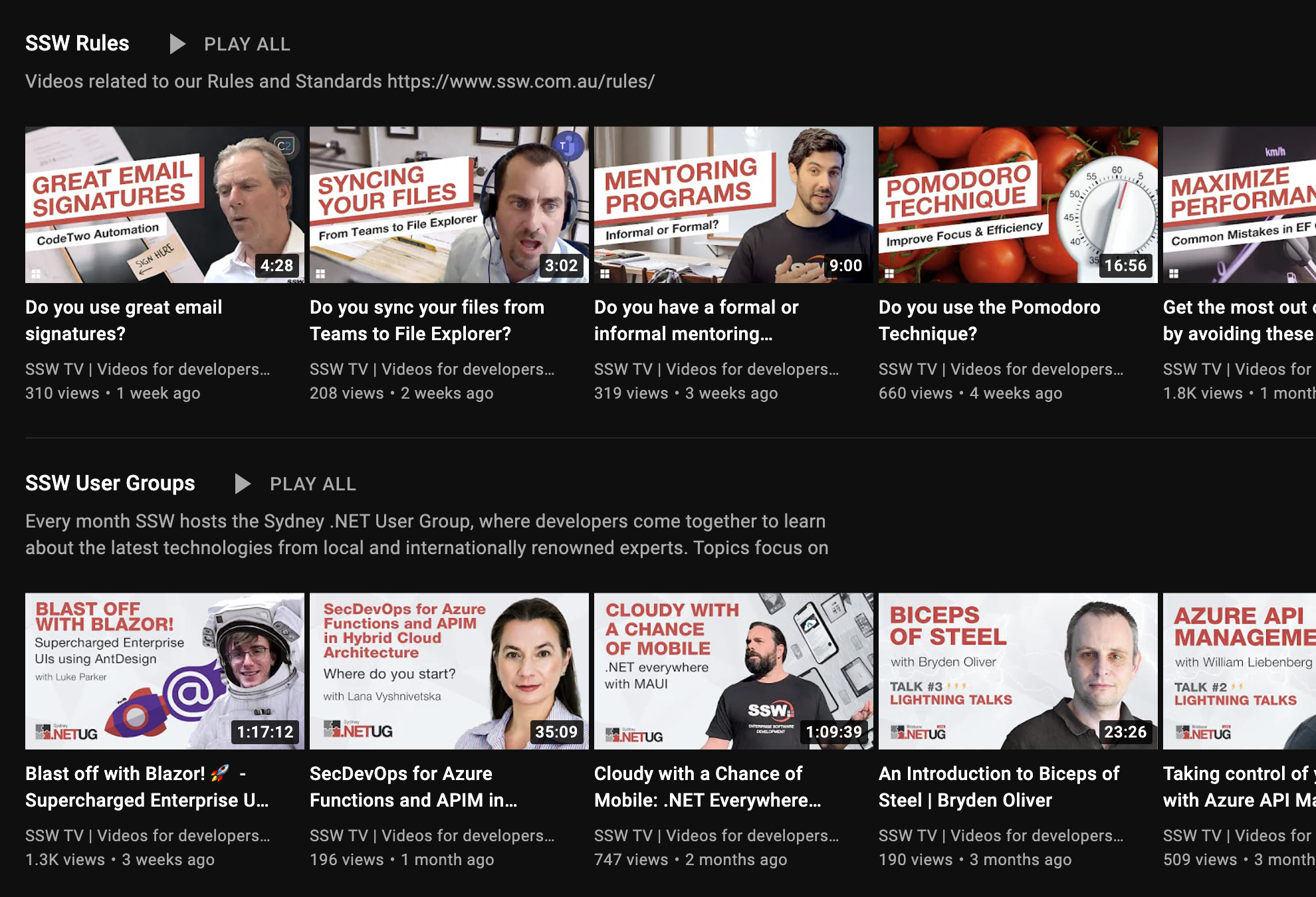
✅ Figure: Good example - Consistent thumbnail styles elevate branding and helps viewers identify similar content
Designing around the player's safe zones
Use the image below as an overlay when creating your thumbnail. Place it over your design at 1280 x 720 to see where the player's UI appears: playlist numbering, a play button (when embedded), and the timer. The timer zone is sized for the full timer on mobile, where it is largest, so a design that avoids the zones works on every device.
Keep your text, faces, and logos out of the way so nothing important gets covered.
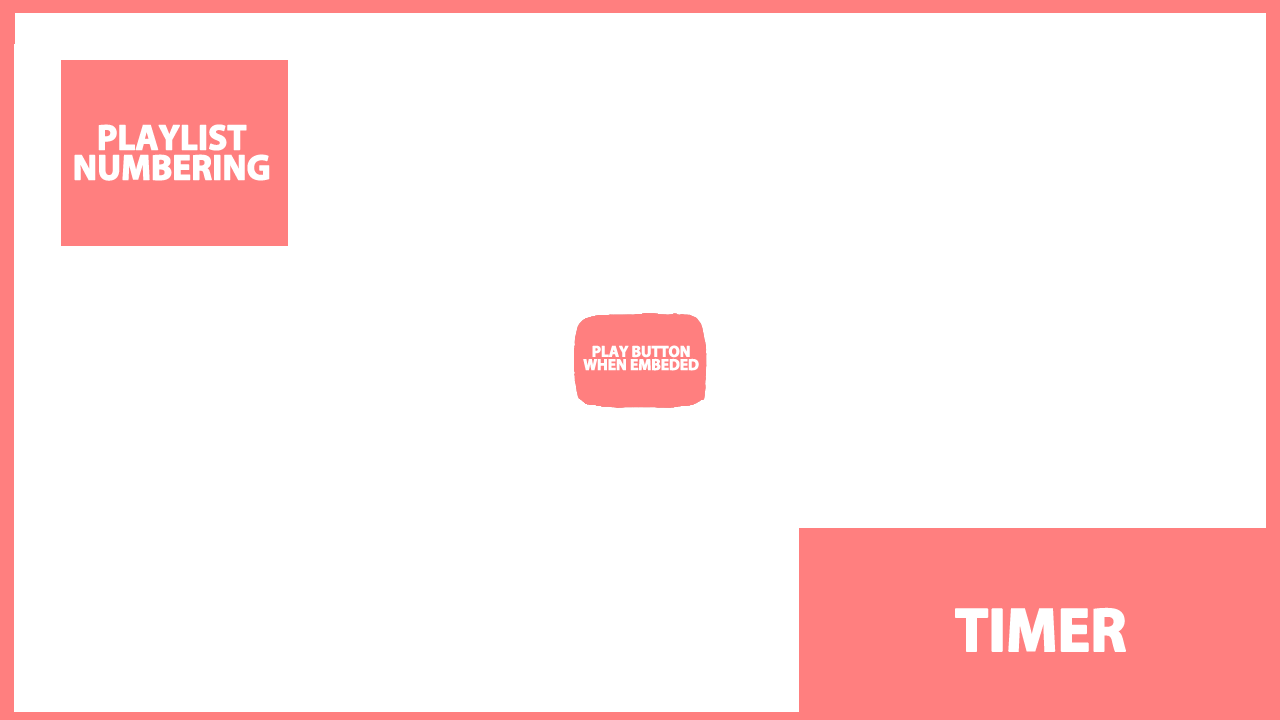
Figure: An overlay highlighting areas that can be covered by UI elements in red.