Home
>
Products
>
Agile Template
>
Using eXtreme Emails! to Manage Projects
This product is no longer supported.

-
How to generate Release Plan using the SSW Agile
Template for coding tester?
- Find the SSW.CodingTest project in TFS
-
Create iteration for tester
-
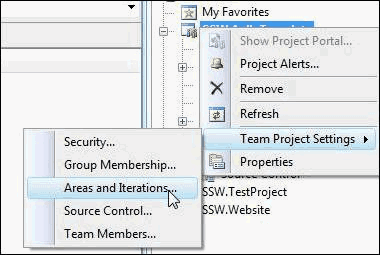
- Figure: Create iteration in TFS
-
Name the iteration as Release_01_TesterName e.g.
Release_01_AdamCogan
- Tell tester to use the iteration
-
After testing, close all the tasks in the
iteration
See our
Rules to Better Project Management with TFS
(Creating and Managing Release Plans)