This tutorial will show you how to fix the sample "10
Rules Fail Sample (10RulesFailSample_WindowsCS2010)"
project that came with SSW Code Auditor - VS Extension.
We will show you how to run Code Auditor on the sample
solution and step you through each of the violated
rules.
-
Getting started
Follow these steps to start auditing your sample
solution:
-
Download and install SSW Code Auditor - VS
Extension using the VS Extension Manager
- Restart Visual Studio
-
Click on the menu "Samples" to download the sample
solution
-
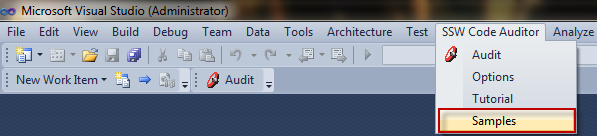
-
Figure: Download sample solution from button
"Samples"
-
Open
10RulesFailSample_WindowsCS2010.zip
in Samples folder, unzip it and run the
10RulesFailSample.sln
inside.
-

-
Figure: Unzip
10RulesFailSample_WindowsCS2010.zip and run
10RulesFailSample.sln
-
From the "SSW Code Auditor" Menu, Select
"Options", click on the "Code Auditor" tab and
then click on the "Add" button
-
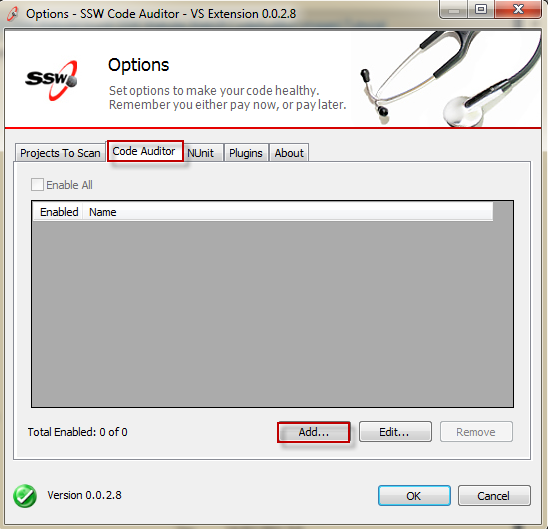
-
Figure: Select the "Options" Menu to add rules
-
Select "All" and then click on the "Add" button
-
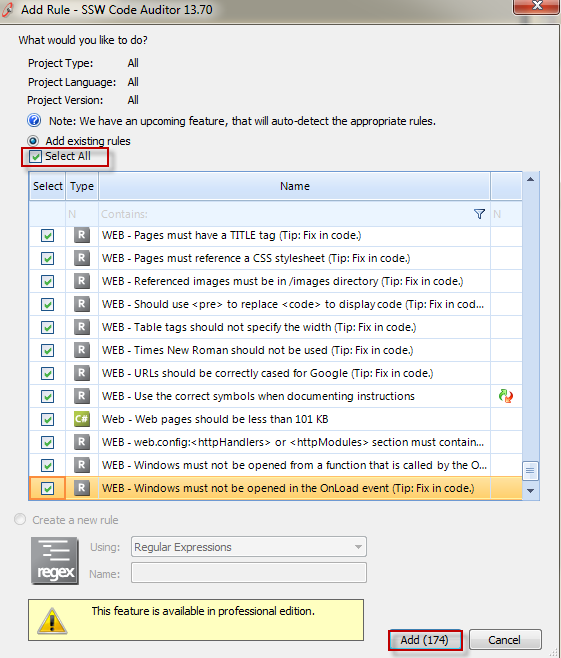
- Figure: Select all available rules
-
On the "Code Auditor" tab "Enable All" rules and
then click on the "Ok" button
-
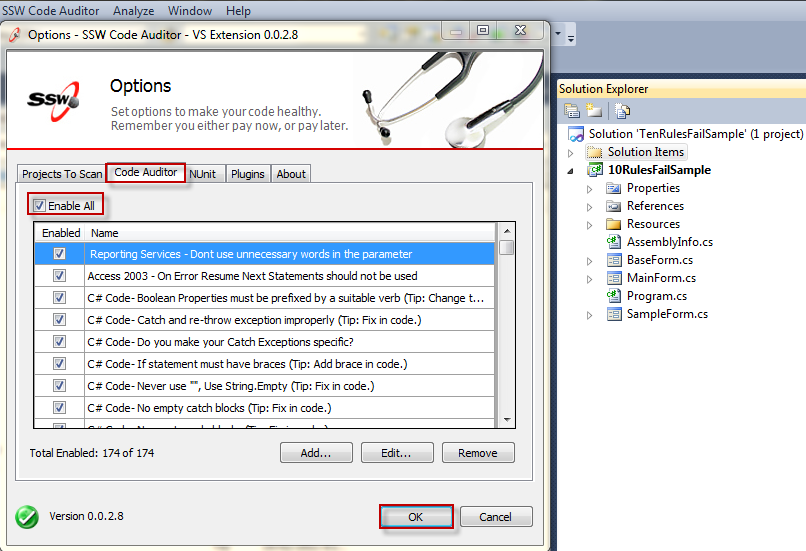
-
Figure: Enable rules in the "SSW Code Auditor"
project
-
Click "Audit" on the menu or toolbar in Visual
Studio.
-
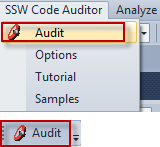
- Figure: Extension toolbar and menu
-
Select source code to scan and click "Start".
-
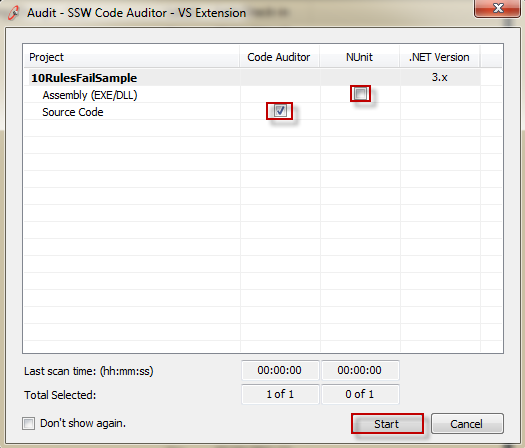
- Figure: Select project to scan
-
Scanning...
-
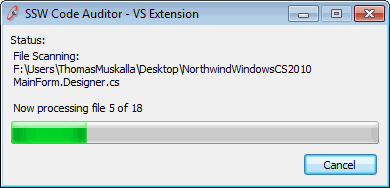
- Figure: Scanning in progress...
-
Finished
-
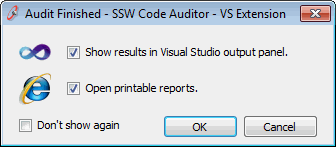
- Figure: Click "OK" to see the result
-
The report will now open.
-
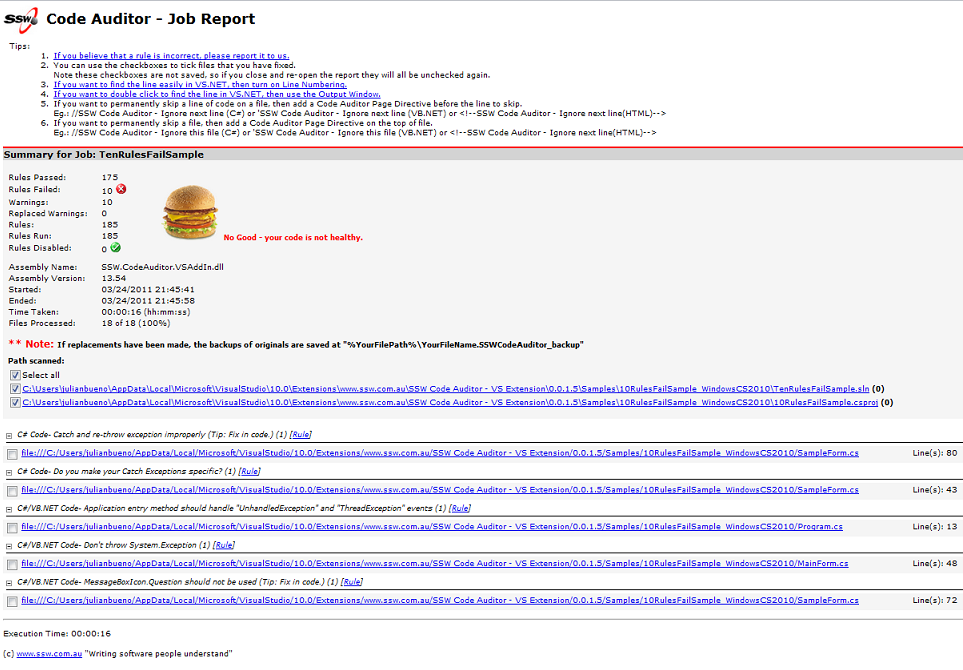
- Figure: Report in browser
-
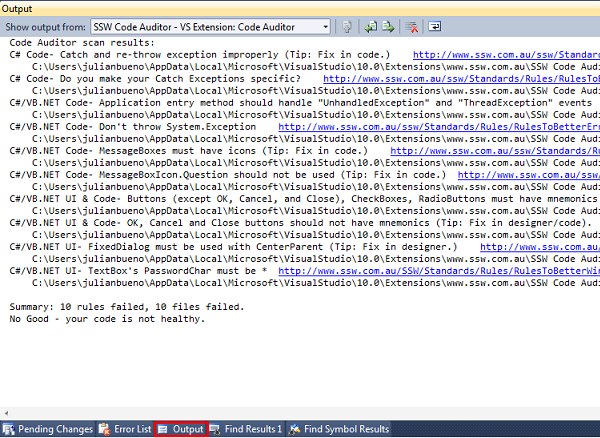
Close the report, go back to Visual Studio and see
the error report in Output panel.
-
-
Figure: The result in Visual Studio Output
panel
Note
: Make sure the Output panel is visible.
-
Continue with tutorial to start fixing code! :)
Note
: Double click on the error to navigate to error.
SSW Code Auditor - VS Extension - Improving your code
-
C# Code- Catch and re-throw exception improperly
Never re-throw exceptions by passing the original
exception object. Wrap the exception or use throw;
instead.
Change from:
throw ex;
to:
throw;
|
See rule
Do you catch and re-throw exceptions properly?
.
-
C# Code- Catch Exception must be more specific
When an invalid regular expression is parsed in
Regex.Match(), ArgumentException will be thrown -
and this is what we want to catch.
Change from:
catch (Exception ex)
to:
catch (ArgumentException ex)
|
See rule
Do you catch and re-throw exceptions properly?
.
-
C#/VB.NET Code- Application entry method should
handle "UnhandledException" and "ThreadException"
events
Application entry method should handle these
exceptions properly to minimize risk and make the
application more stable during runtime.
Add the highlighted line:
Application.ThreadException += new
System.Threading.ThreadExceptionEventHandler(Application_ThreadException);
AppDomain.CurrentDomain.UnhandledException
+= new
UnhandledExceptionEventHandler(CurrentDomain_UnhandledException);
|
And:
private static void CurrentDomain_UnhandledException(object sender, UnhandledExceptionEventArgs e)
{
    MessageBox.Show(e.ToString(), Application.ProductName + " " + new Version(Application.ProductVersion).ToString(2), MessageBoxButtons.OK, MessageBoxIcon.Error);
}
|
See rule
Do you use exception management application block?
.
-
C#/VB.NET Code- Don't throw System.Exception
While everyone knows that "catch (Exception ex)" is
bad, no one has really noticed that "throw
Exception()" is actually the root of all evil.
System.Exception is a very extensive class, and it
is inherited by all other exception classes. If you
throw an exception with the code "throw
Exception()", what you need subsequently to handle
the exception will be the infamous "catch (Exception
ex)".
Change from:
throw new Exception("Not implemented yet;
This is a test.");
to:
throw new NotImplementedException("Not
implemented yet; This is a test.");
|
See rule
Do you know that you should never throw an
exception using System.Exception?
.
-
C#/VB.NET Code- MessageBoxIcon.Question should not
be used
NEVER use the question mark icon!.
According to Microsoft, the Question mark is being
phased out, as any of the other three: Error,
Warning or Information can easily be reworded into a
Question, and Question does not show the user the
severity of the issue that has just occurred.
E.g. If you want to ask the user whether they want
to save a file before closing, you should use the
Warning Icon.
Change from:
MessageBox.Show("File
cannot be found.", Application.ProductName + "
" + new
Version(Application.ProductVersion).ToString(2),
MessageBoxButtons.OK, MessageBoxIcon.
Question
);
to:
MessageBox.Show("File
cannot be found.", Application.ProductName + "
" + new
Version(Application.ProductVersion).ToString(2),
MessageBoxButtons.OK, MessageBoxIcon.
Warning
);
|
-
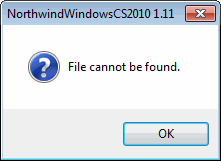
- Figure: Bad - MessageBox with question icon
-
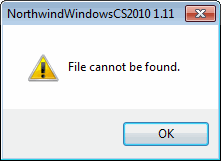
- Figure: Good - MessageBox with warning icon
See rule
Do you know how to make message boxes user
friendly?
.
SSW Code Auditor - VS Extension - Improving your UI
-
C#/VB.NET Code- MessageBoxes must have icons
Message boxes should have consistent and informative
titles and descriptions, and icons should be used
appropriately.
Change from:
MessageBox.Show("An
error has occurred:" + Environment.NewLine +
Environment.NewLine
+
ex.ToString(),
Application.ProductName + " " + new
Version(Application.ProductVersion).ToString(2),
MessageBoxButtons.OK);
to:
MessageBox.Show("An
error has occurred:" + Environment.NewLine +
Environment.NewLine
+
ex.ToString(),
Application.ProductName + " " + new
Version(Application.ProductVersion).ToString(2),
MessageBoxButtons.OK
, MessageBoxIcon.Error
);
|
-
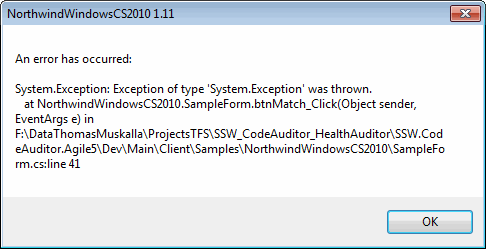
- Figure: Bad - MessageBox without icon
-
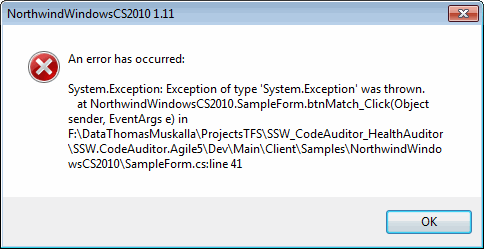
- Figure: Good - MessageBox with icon
See rule
Do you know how to make message boxes user
friendly?
.
-
C#/VB.NET UI & Code- Buttons (except OK, Cancel,
and Close), CheckBoxes, RadioButtons must have
mnemonics
A mnemonic for a button is the letter which has an
underscore, and the user can press the button using
Alt-"Char".
This enables the user to navigate through the form
quicker and is a must for Buttons (except OK, Cancel
and Close), Checkboxes and Radiobuttons.
Change from:
this.btnOpen.Text =
"Open";
to:
this.btnOpen.Text = "
&
Open";
|
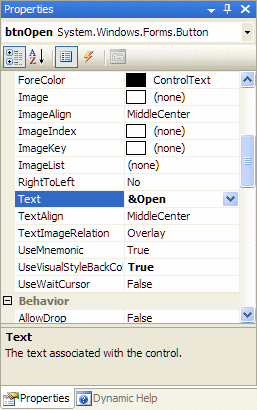
You can also do this using VS IDE designer:
-
-
Figure: Add the Mnemonic using VS IDE designer
-
-
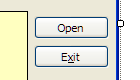
Figure: Bad - "Open" button does not have mnemonic
-
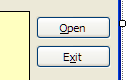
- Figure: Good - "Open" button has mnemonic
See rule
Control - Do your buttons have a mnemonic?
.
-
C#/VB.NET UI & Code- OK, Cancel and Close
buttons should not have mnemonics
OK, Cancel, Close, and Apply buttons should not have
mnemonics, because they should be associated with
Accept and Cancel buttons.
Change from:
this.btnClose.Text = "
&
Close";
to:
this.btnClose.Text =
"Close";
|
You can also do this using VS IDE designer
-
-
Figure: Remove the Mnemonic using VS IDE designer
-
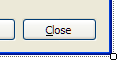
- Figure: Bad - "Close" button has mnemonic
-
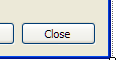
-
Figure: Good - "Close" button does not have
mnemonic
See rule
Control - Do your buttons have a mnemonic?
.
-
C#/VB.NET UI- FixedDialog must be used with
CenterParent
FixedDialog must be used with CenterParent to
prevent multi-monitor confusion.
Change from:
this.StartPosition =
System.Windows.Forms.FormStartPosition.CenterScreen;
to:
this.StartPosition =
System.Windows.Forms.FormStartPosition.
CenterParent
;
|
See rule
Do you use inherited forms for consistent
behaviour?
.
-
C#/VB.NET UI- TextBox's PasswordChar must be *
If you want to work with sensitive data on textboxes
is always good practice to set PasswordChar to (*).
Change from:
this.txtPassword.PasswordChar
= '#';
to:
this.txtPassword.PasswordChar
= '
*
';
|
You can also do this using VS IDE designer
-
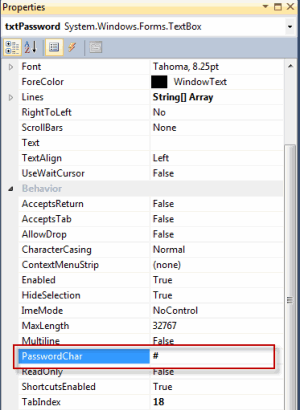
-
Figure: Change the password char using VS IDE
designer
-

- Figure: Bad - Password character is "#"
-

- Figure: Good - Password character is "*"
See rule
Do you set PasswordChar to (*) on a TextBox on
sensitive data?
.