The following is the steps:
Go to
Copilot Home Page
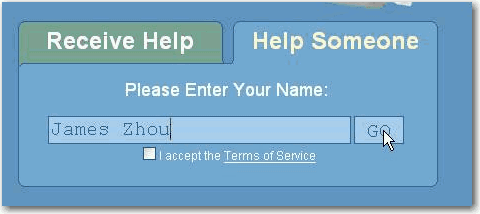
select the Help Someone tab and enter your name then GO
-
-
Figure: fill up the Help someone form with your name
Accept the terms of service
-

- Figure: terms of service
Choose options of charge type
-
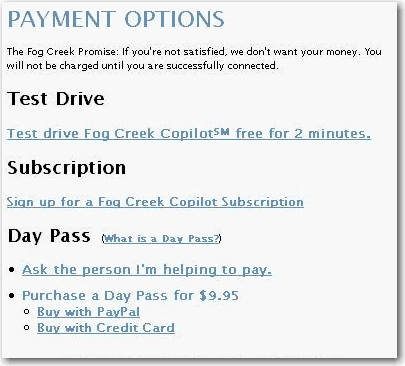
- Figure: options of charge type
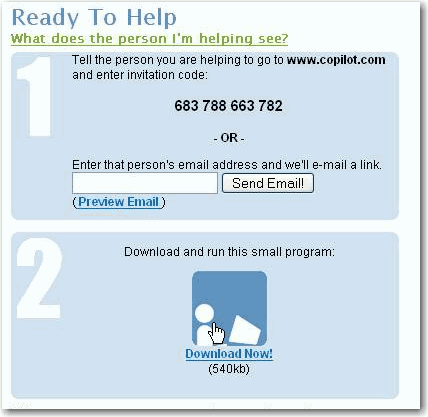
Download the .exe file and send the invitation code to
your client
-
-
Figure: invitation code needed to sent to your client
Tell your client to go to
Copilot Home Page
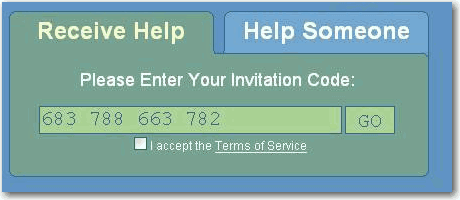
and fill up the Receive Help form with the invitation code
-
-
Figure: fill up Receive Help form at client side
Your client also needs to accept the terms of service
-
- Figure: terms of service
Then your client can download the exe file
-
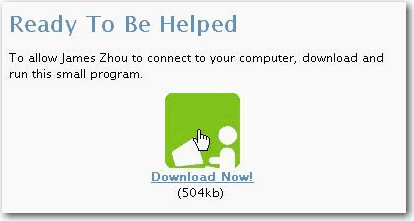
- Figure: download page for your client
Then you can start your remote connection once both of you
execute the .exe files
-
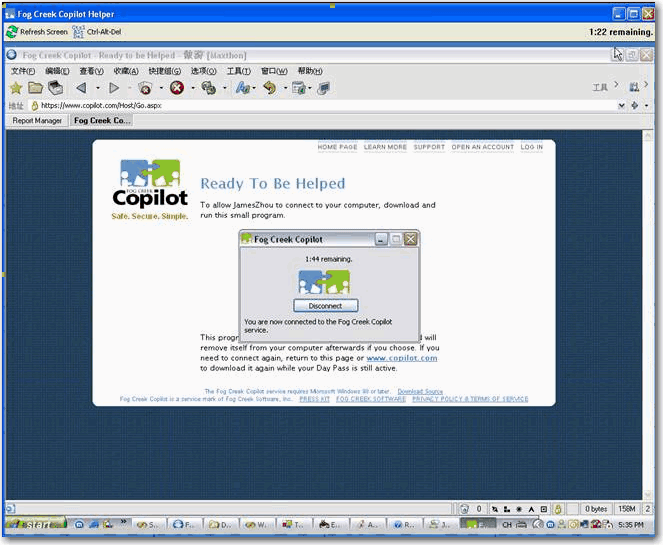
- Figure: connected to the remote pc
Acknowledgements
James Zhou