There was an error displaying the testimonials. Please
report this error
to SSW and include the following text:
- A network-related or instance-specific error
occurred while establishing a connection to SQL
Server. The server was not found or was not
accessible. Verify that the instance name is correct
and that SQL Server is configured to allow remote
connections. (provider: Named Pipes Provider, error:
40 - Could not open a connection to SQL Server)
SQL Server Migration Assistant for Access (SSMA Access)
This tool is Microsoft's new Upsizing Wizard,
unfortunately it doesn’t work on databases more
complicated than Northwind. Microsoft still try to force
an Access database into SQL Server instead of providing
a validation report (like SSW Upsizing PRO does) to fix
the .mdb issues first
Here is an example where you will see that the database
is not migrated to SQL Server – we hope Microsoft
fix this soon
Software Suggestions for MS Access
SSMA Access uses Wizard style interface.
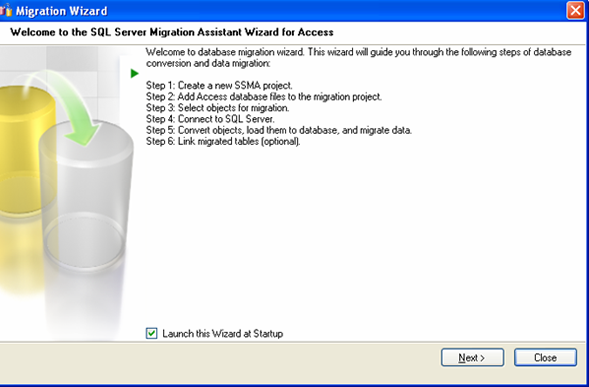
Figure: The first screen on start-up
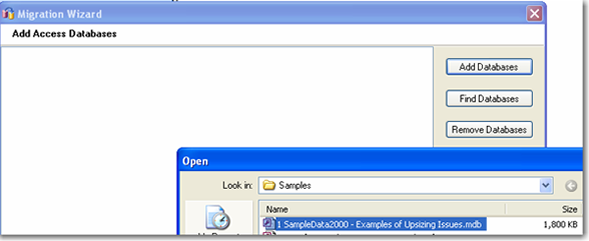
Figure: Create a new project and add an Access
database
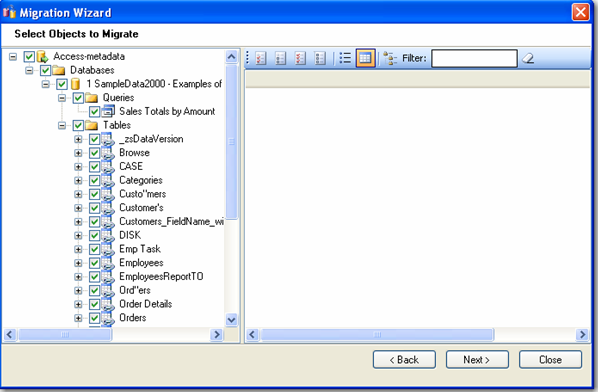
Figure: Select objects to migrate
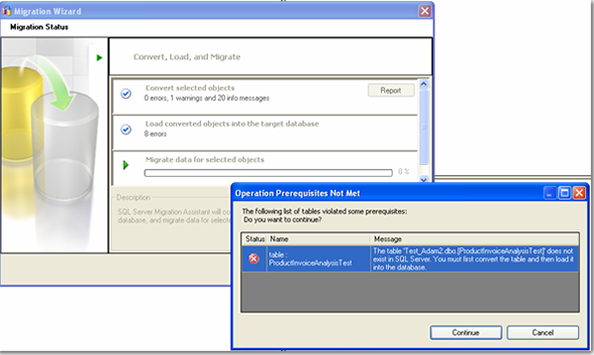
Figure: A table will not be upsized if it does not
meet prerequisites (no reason provided)
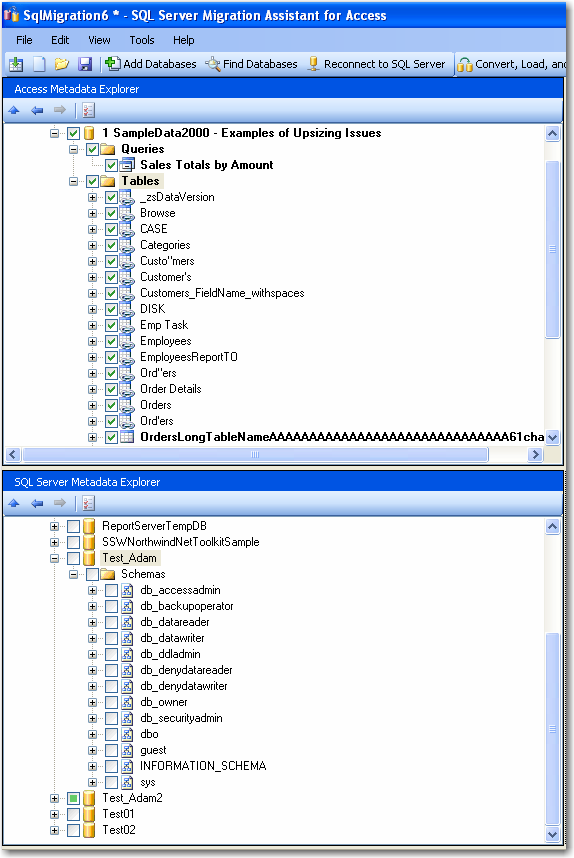
Figure: Strange inteface. It does not show SQL
Server tables after upsizing
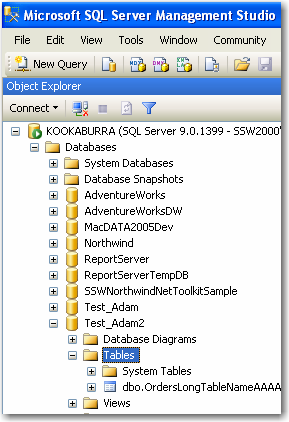
Figure: There are upsized tables in Test_Adam2
database. However, they are not shown in SQL Server
2005 database
Unfortunately this Microsoft utility is not ready. I
guess I should be grateful that developers still need
SSW Upsizing PRO!