Do you give yourself a second chance by not sending emails immediately?
Loading last updated info...
How many times have you clicked “Send” and within a minute or so realized you made a mistake and wished that email had not sent yet?
Microsoft Outlook has the option to "recall the message", but this is not recommended mainly because you cannot guarantee the recipient hasn't seen the message already. If your recall does work, then the recipients don't know the reason the email was recalled as there is no spot for an explanation.
Also, it's not a good experience for the users who receive a recall, as it does not even send it on the same thread.
What you need to do is to set a rule to delay sending your emails in 15 minutes for example, which gives you time enough to correct it in most of the cases. If you only realize your mistake after this amount of time, just use "reply to all", mentioning your changes or send a v2 when changes are too substantial.
How you do it in Outlook
- Click the File tab
- Click Manage Rules & Alerts
- Click New Rule
- In the Step 1: Select a template box, under Start from a Blank Rule, click Apply rule on messages I send, and then click Next
- In the Step 1: Select condition(s) list, select the check boxes for any options that you want, and then click Next When you don't select any check boxes, a confirmation dialog box appears to confirm that the rule you are creating will be applied to all messages that you send
- In the Step 1: Select action(s) list, select the "defer delivery by a number of minutes" check box
- In the Step 2: Edit the rule description (click an underlined value) box by entering the number of minutes you want the messages to be held before it is sent. Delivery can be delayed up to 120 minutes
- Click OK, and then click Next
- Select the check boxes for any exceptions that you want. Click Next
- In the Step 1: Specify a name for this rule box, type a name for the rule (E.g. "Delay sending emails")
- Select the Turn on this rule check box
- Click Finish
Now when you click Send, each message remains in the Outbox folder for the time that you specified and you can make changes to it until then.
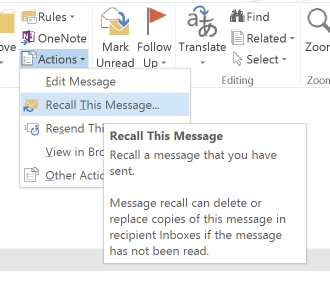
❌ Figure: Bad example - Recalling a message when you want to change an email after sending
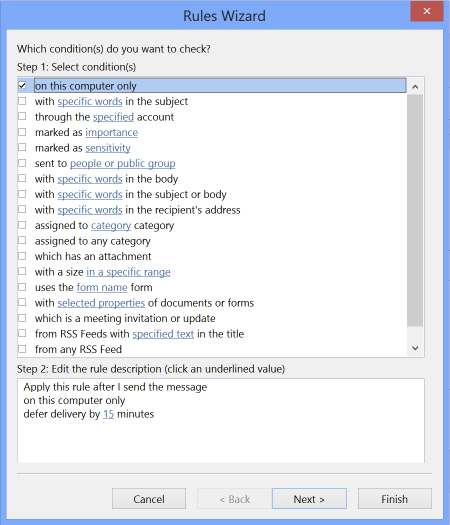
✅ Figure: Good example - Delay sending in 15 minutes (make it less or more if necessary)
For Mac
Follow these steps to set a 120-second delay on all outgoing emails:
- Click Outlook in the menu bar
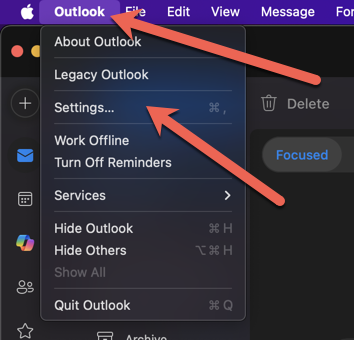
Figure: Outlook | Settings
- Go to Settings or press
cmd+, - Under the Email group | Click Composing
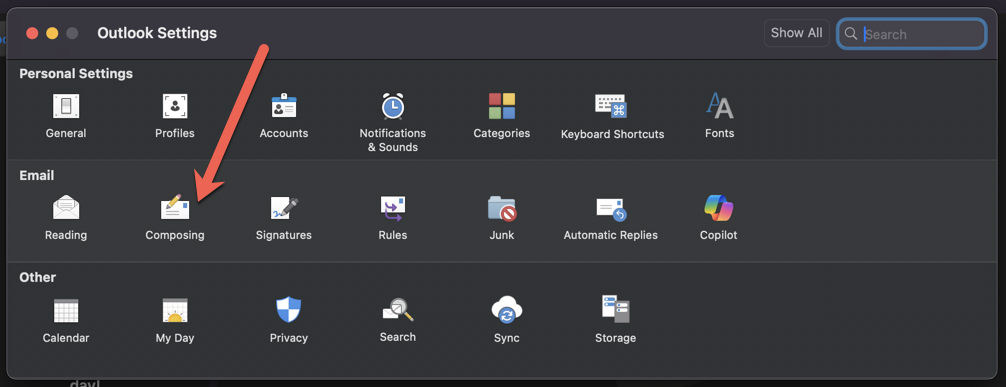
Figure: Email | Composing
- In the Undo Send | Set Wait to send messages for: to 120 seconds
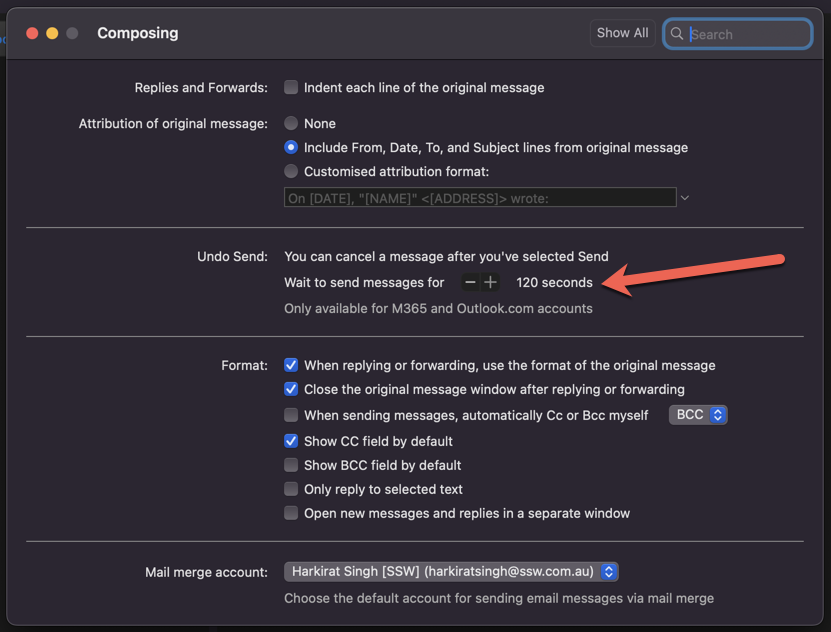
Figure: Undo Send | 120 Seconds
- Send a test email to yourself – you'll see it remain in Drafts with a scheduled send time
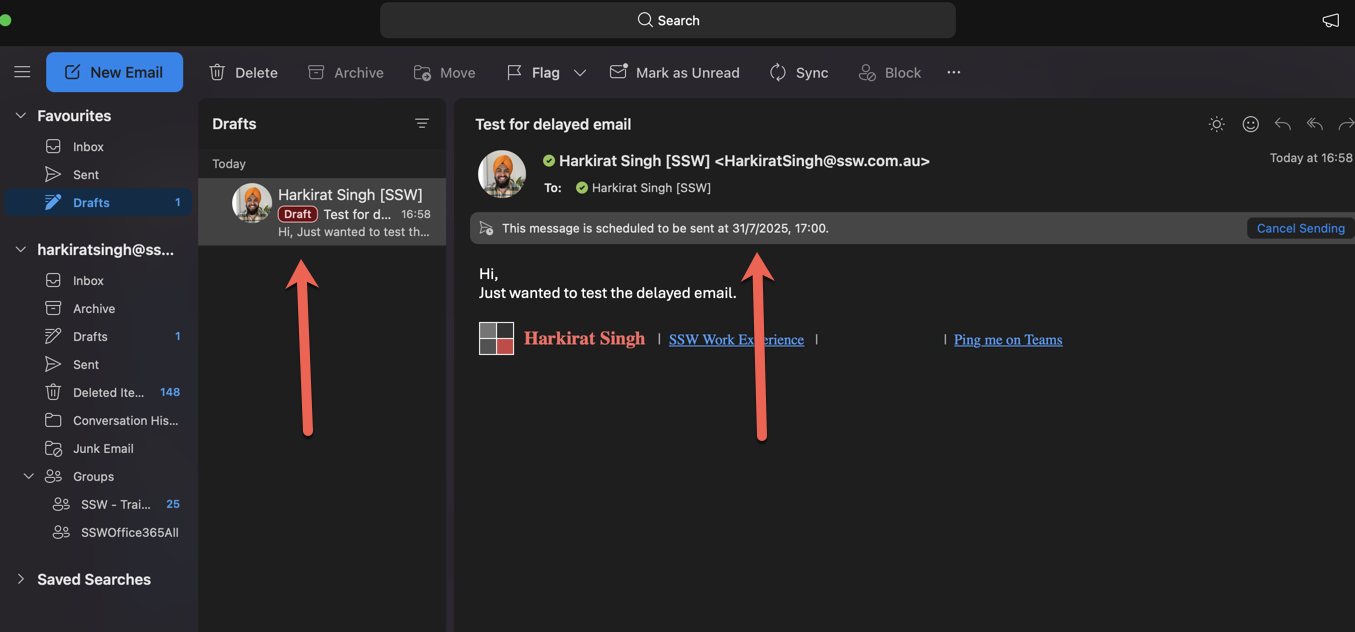
Figure: Test email to yourself. See the delayed email in drafts