Do you have Azure DevOps Events flowing through to Microsoft Teams?
Loading last updated info...
You can see details about your Azure DevOps Server (formerly known as TFS) projects directly in your Microsoft Teams channel. Examples of what you can monitor:
- Work item updates
- Pull requests
- Code commits
- Builds
- Release deployments and approvals
Also bring your Azure DevOps Services Kanban board directly into Microsoft Teams as a tab.
For more info, follow this link: https://docs.microsoft.com/en-us/azure/devops/service-hooks/services/teams?view=vsts&WT.mc_id=AZ-MVP-33518
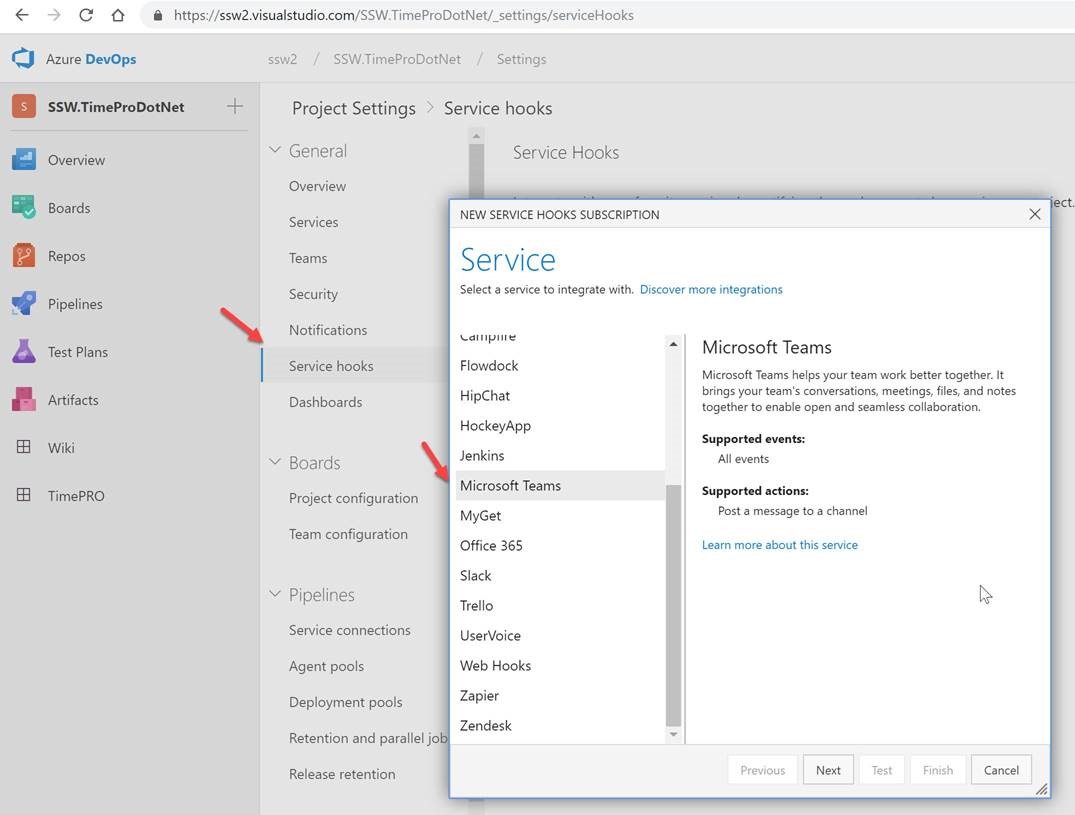
Figure: How to setup Azure DevOps Events on Microsoft Teams
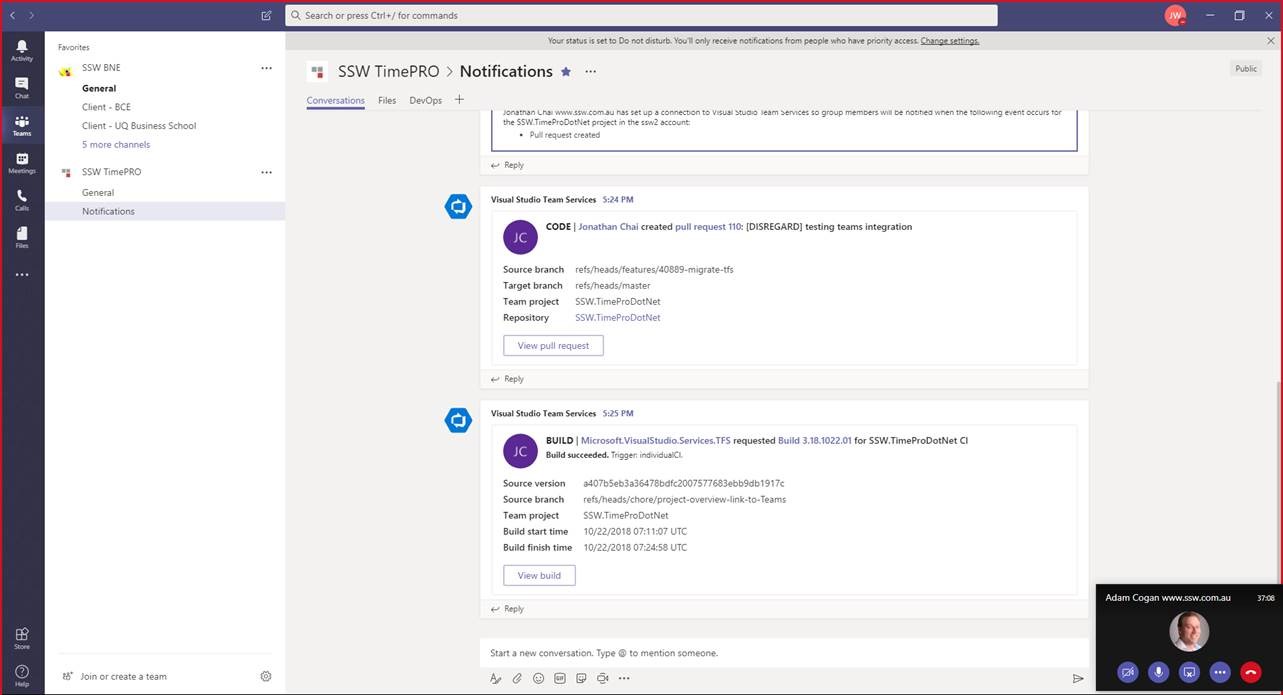
Figure: It's nice to be able to converse about the project and see notifications such as PR coming through