Do you name your Azure resources correctly?
Loading last updated info...
Video: Hear from Luke Cook about how organizing your cloud assets starts with good names and consistency!


❌ Figure: Bad example - The scariest resource name you can find
Organizing your cloud assets starts with good names. It is best to be consistent and use:
- All lower case
- Include a resource type abbreviation (so it's easy to find the resource in a script)
- Include which environment the resource is intended for i.e. dev, test, prod, etc.
- If applicable, include the intended use of the resource in the name e.g. an app service may have a suffix api
Azure defines some best practices for naming and tagging your resource.
Having inconsistent resource names across projects creates all sorts of pain
- Developers will struggle to find a project's resources and identify what those resources are being used for
- Developers won't know what to call new resources they need to create.
- You run the risk of creating duplicate resources... created because a developer has no idea that another developer created the same thing 6 months ago, under a different name, in a different Resource Group!
Keep your resources consistent
If you're looking for resources, it's much easier to have a pattern to search for. At a bare minimum, you should keep the name of the product in the resource name, so finding them in Azure is easy. One good option is to follow the "productname-environment" naming convention, and most importantly: keep it consistent!
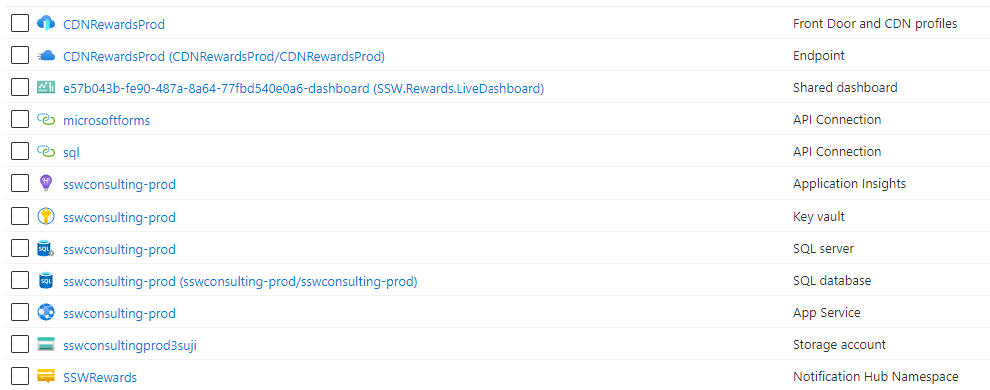
❌ Figure: Bad example - Inconsistent resource names. Do these belong to the same product?
Name your resources according to their environment
Resource names can impact things like resource addresses/URLs. It's always a good idea to name your resources according to their environment, even when they exist in different Subscriptions/Resource Groups.
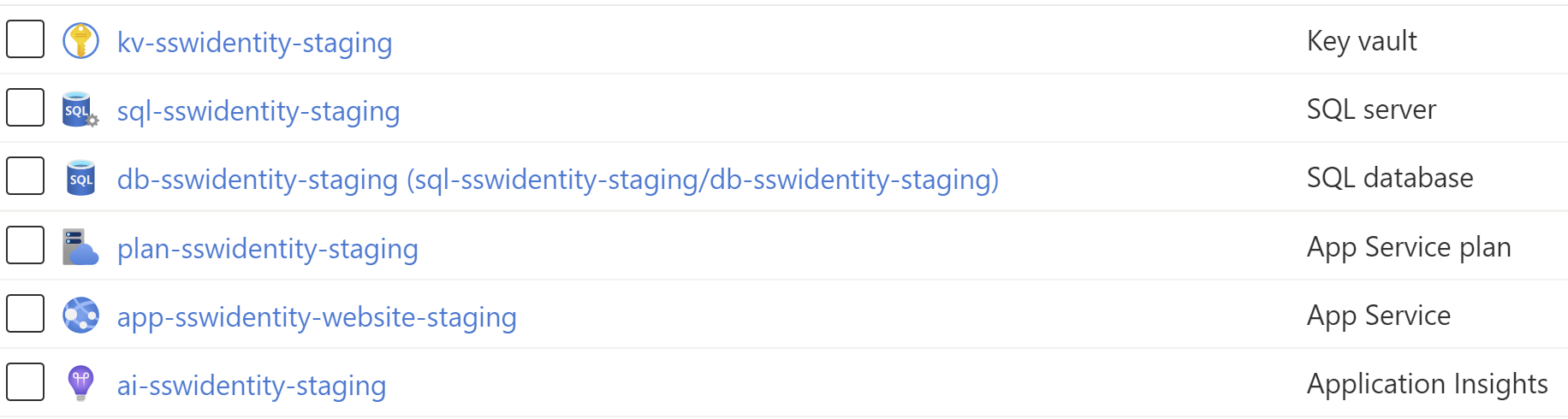
✅ Figure: Good example - Consistent names, using lowercase letters and specifying the environment. Easy to find, and easy to manage!
Plan for the exceptions
Some resources won't play nicely with your chosen naming convention (for instance, storage accounts do not accept kebab-case). Acknowledge these, and have a rule in place for how you will name these specific resources.
Automate resource deployment
ClickOps can save your bacon when you quickly need to create a resource and need to GSD. Since we are all human and humans make mistakes, there will be times when someone is creating resources via ClickOps are unable to maintain the team standards to consistent name their resources.
Instead, it is better to provision your Azure Resources programmatically via Infrastructure as Code (IaC) using tools such as ARM, Bicep, Terraform and Pulumi. With IaC you can have naming conventions baked into the code and remove the thinking required when creating multiple resources. As a bonus, you can track any changes in your standards over time since (hopefully) your code is checked into a source control system such as Git (or GitHub, Azure Repos, etc.).
You can also use policies to enforce naming convention adherance, and making this part of your pipeline ensures robust naming conventions that remove developer confusion and lower cognitive load.
For more information, see our rule: Do you know how to create Azure resources?
Want more Azure tips? Check out our rule on Azure Resource Groups.