Do you use an analytics framework to help manage exceptions?
Loading last updated info...
The ability to see the overall health (performance counters, exceptions, data usages, page hit counts etc.) of your application ensures you are well in control of it and have all the necessary information at your hands to action any bugs or performance issues. An analytics framework allows you to do all of that in a consistent and centralised manner.
An analytics framework puts you in control of your application and allows you to do the following:
- Capture, log and action exceptions
- Analyse performance issues and identify bottlenecks
- Track application usage down to individual components
- View and create performance reports
- Analyse user demographics
There are a number of existing Analytics frameworks available on the market, so there is no need to "re-invent the wheel". Why would you write your own if someone else has already taken the trouble to do it? We recommend using one of these frameworks or services:
- Application Insights (preferred)
- Telerik Analytics (this no longer exists)
Each one of those frameworks has a fairly extensive set of tools available and are easy to integrate into your application.
PostHog - A case study for great product analytics
PostHog is an open-source analytics platform that combines product analytics, session recording, feature flags, and user feedback in one place. It's particularly useful for understanding how users interact with your application.
Key benefits include:
- Session replays - Watch exactly what users did before encountering issues
- Feature flags - Test features with specific user groups and track their impact
- User surveys - Gather direct feedback from users at key moments in your application
- Exception reporting - Capture and track errors with full context and stack traces
- Event logging - Track custom events throughout your application for detailed analytic
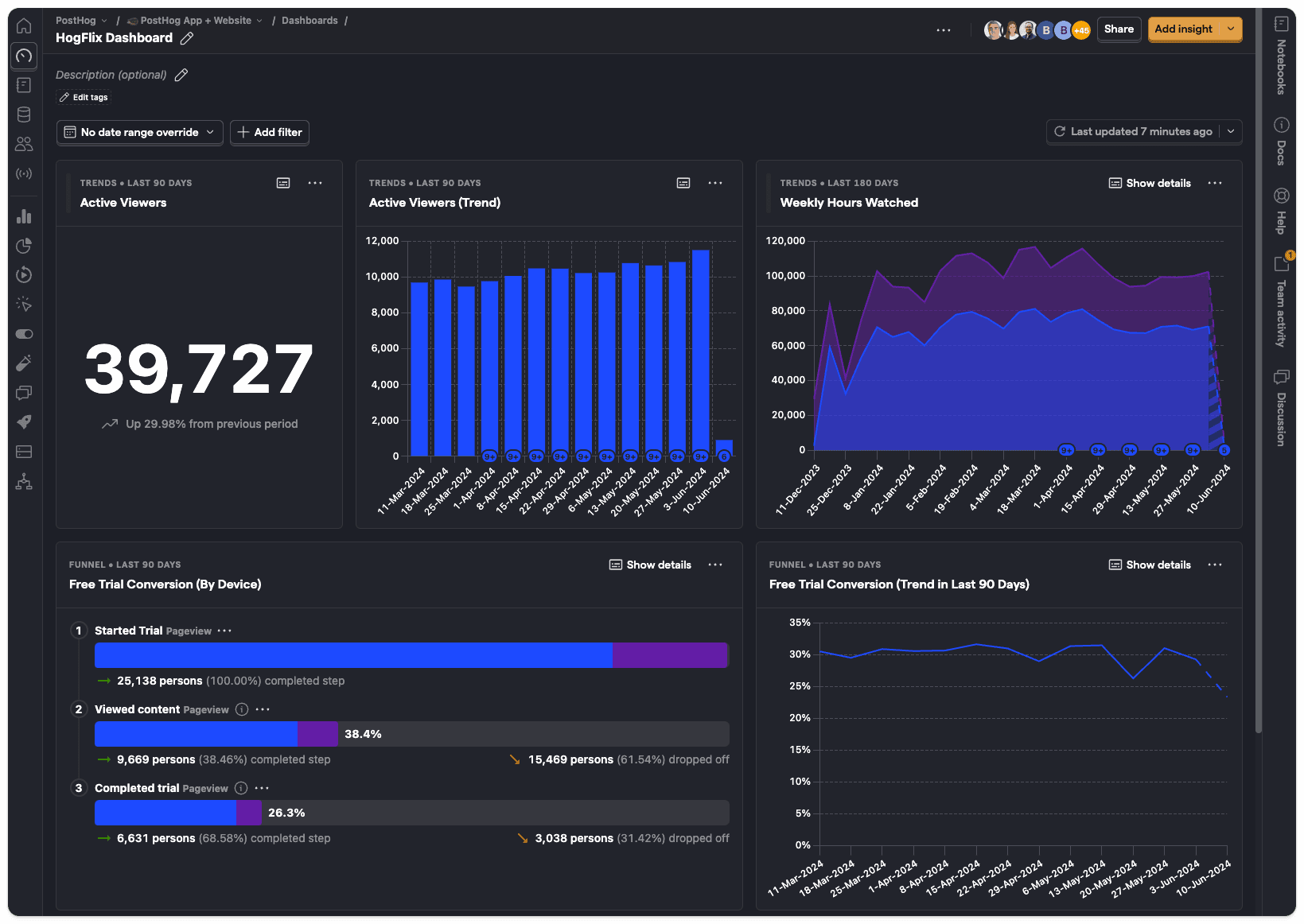
Figure: PostHog dashboard showing key metrics at a glance
PostHog excels at answering questions like "Which features are users actually using?" and "Where do users drop off in our workflow?" The session replay feature is particularly valuable for debugging user-reported issues, while exception reporting ensures you're notified immediately when errors occur
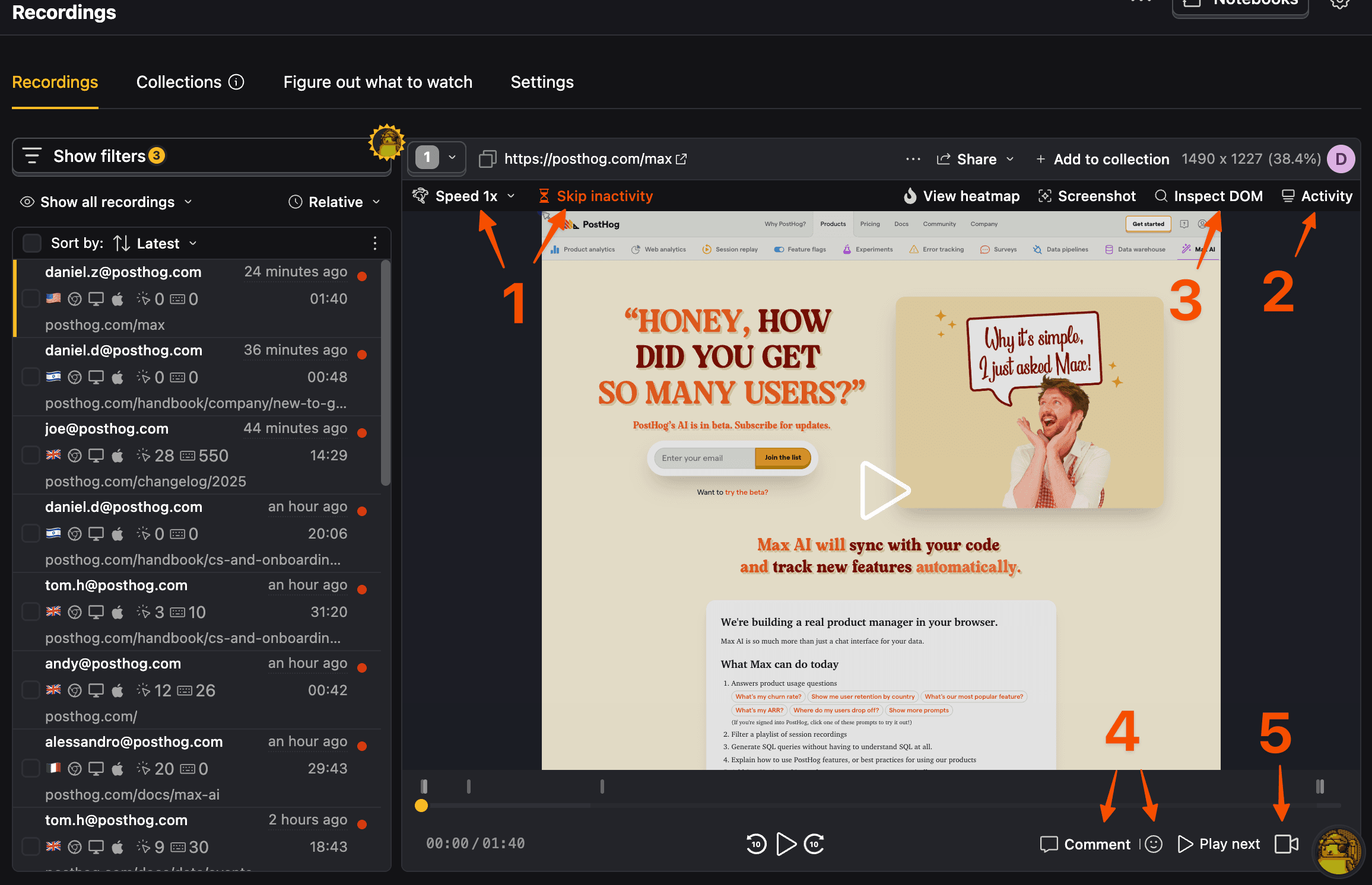
Figure: Session replay in PostHog helps you see exactly what the user experienced
Event logging allows you to track any custom action in your application - from button clicks to API calls - giving you complete visibility into user behavior. Combined with user surveys, you can correlate what users do with what they think.
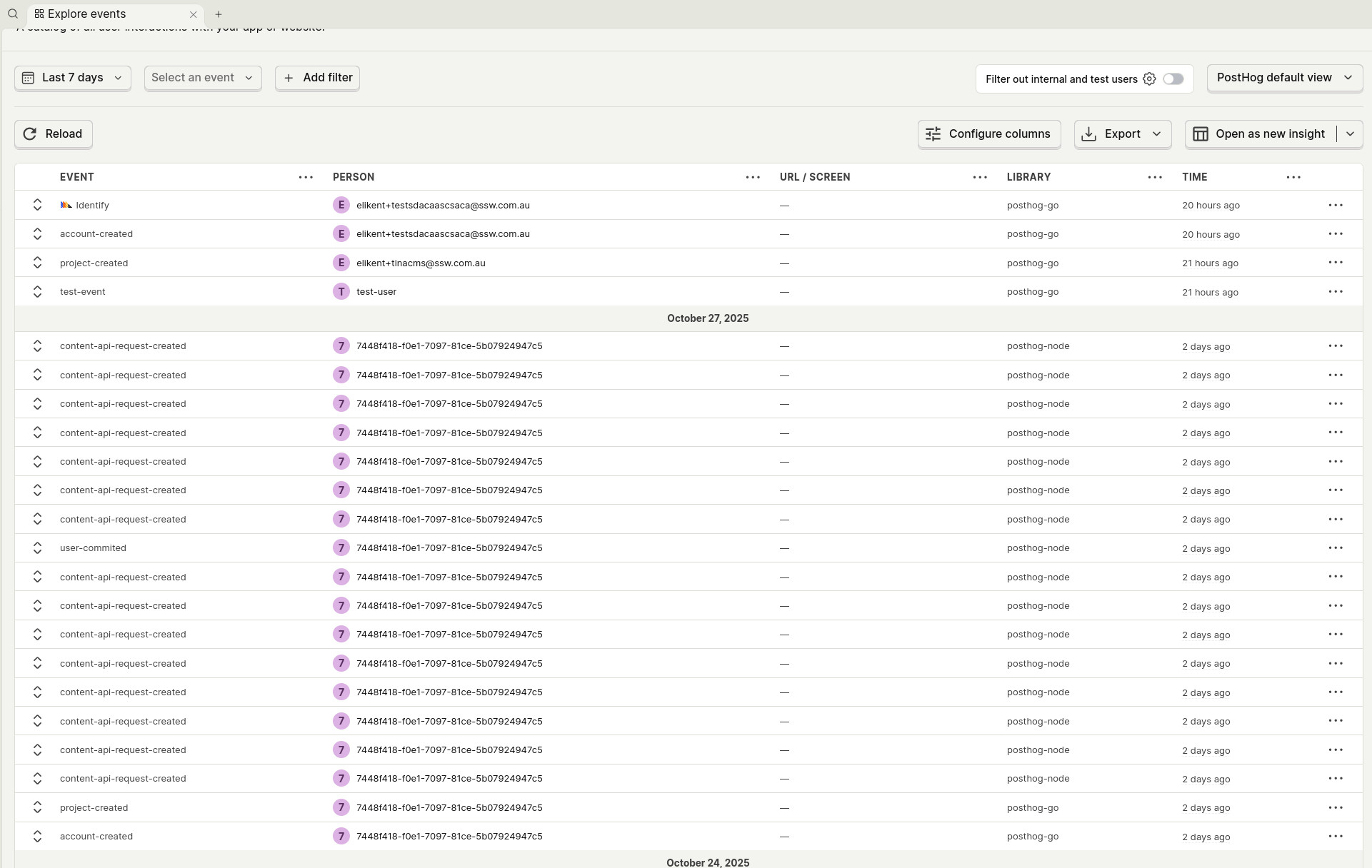
Figure: Track feature adoption and performance in real-time with custom events
The combination of analytics, feature flags, and exception reporting means you can safely roll out changes, immediately see their impact on user behavior and application performance, and catch any issues before they affect your entire user base.
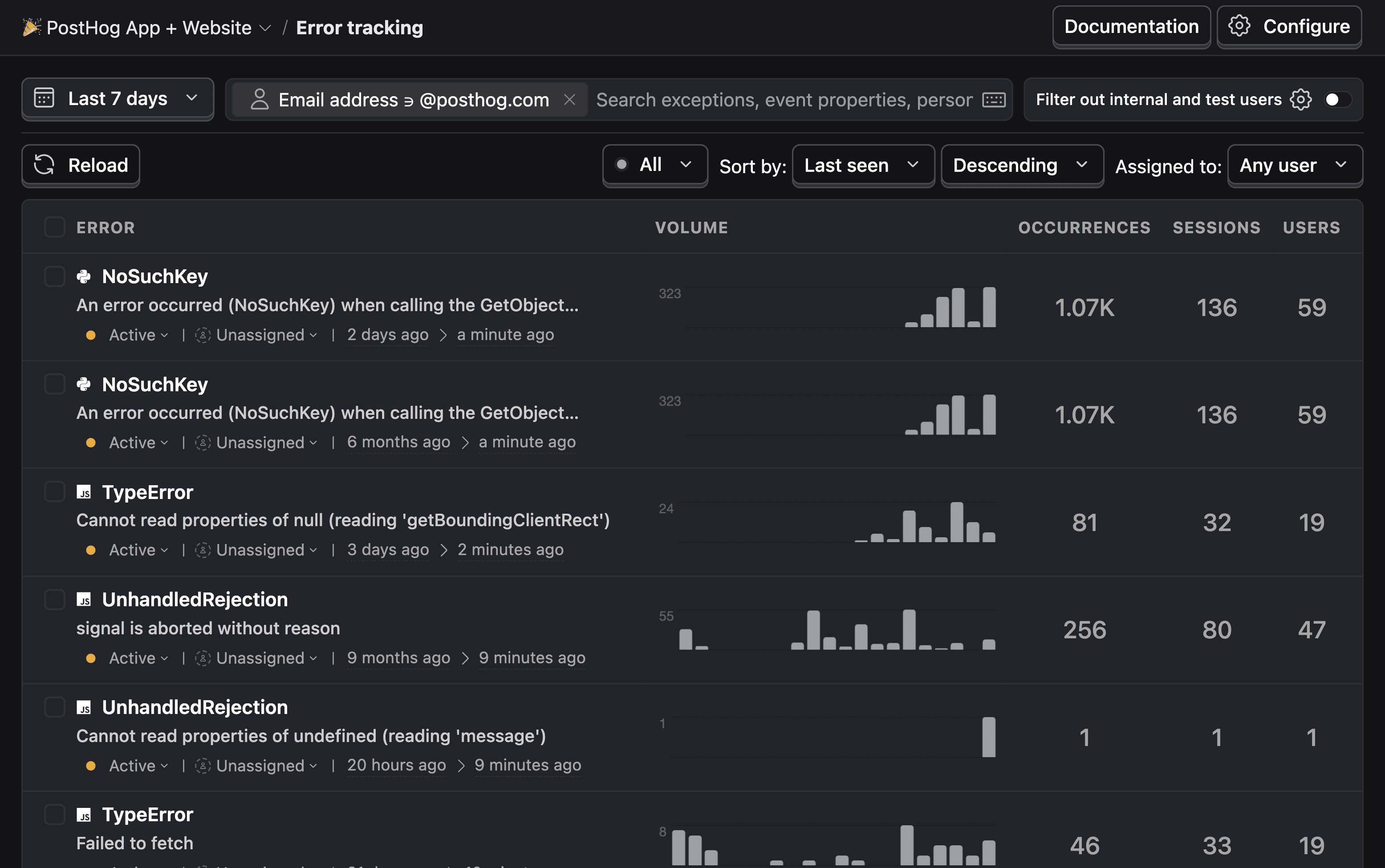
Figure: Exception reporting with full context helps you fix issues faster