Do you use Architectural Decision Records (ADRs)?
Loading last updated info...
Architectural Decision Records (ADRs) are lightweight documents used to record important decisions in your project, and the reasons behind them.
These records aren't limited to architectural choices but can encompass any crucial decision made by the team, making ADRs versatile as "Architecture/Any Decision Records".
Video: Architecture Decision Records (ADRs) | Daniel Mackay (9 min)
What goes into an ADR?
Typically, this is the data it will have:
- Title
- Deciders
- Problem / Context
- Decision
- Decision Drivers
- Options and Pros/Cons
What are the dangers of not documenting important decisions?
- Lack of transparency and communication
- Loss of intellectual property
- Loss of historical context
- Risk of repeating mistakes
- Difficulty in auditing and governance
What are the advantages of using ADRs?
- Providing documentation and historical context
- Collaboration and communication
- Informed decision making
- Decision re-evaluation
- Avoiding blind acceptance or reversal
The act of documenting an important decision forces developers to think more objectively about their decision. If the decision is likely to cause contention, it may be quicker to document it via an ADR and get feedback than it would be to implement the change and let the reviewer try to infer your reasoning.
Additionally, documenting decision 'deciders' ensures that we have a 2nd pair of eyes across the decision, just like we do with the checked by rule, test please rule, and pull requests.
ADRs can also help with knowledge sharing across teams, as other Solution Architects will have access to a succinct explanation of the problem and the decided solution.
Another benefit is that future developers joining the project now have access to the historical context as to why certain decisions were made.
Where should ADRs be stored?
They should be stored wherever the technical documentation for your project lives. Storing them in Git along with your code works well, but alternatively wherever your technical documentation lives (i.e. a wiki).
What decisions go in an ADR?
- High impact decisions
- Irreversible or costly to change
- Decisions with long term implications
- Anything that needs to be discussed with others
- Choosing between multiple options with different pros and cons
What can you use to create and manage ADRs?
An ADR can be in any format, but it should be easily readable and accessible. Some options are:
- ⭐ Recommended - A dedicated ADR tool like Log4Brains (see details below)
- Markdown files in your git repo
- Wiki (e.g. GitHub or Confluence)
- Loop
Log4Brains
Log4Brains can help to create and view ADRs.
This can be installed by running:
npm install -g log4brains
You can then initialize your git repo by running:
log4brains init
Which will guide you through a simple setup process.
To create a new ADR, run:
log4brains adr new
Lastly, to preview your ADRs, run:
log4brains preview
What do ADRs look like?
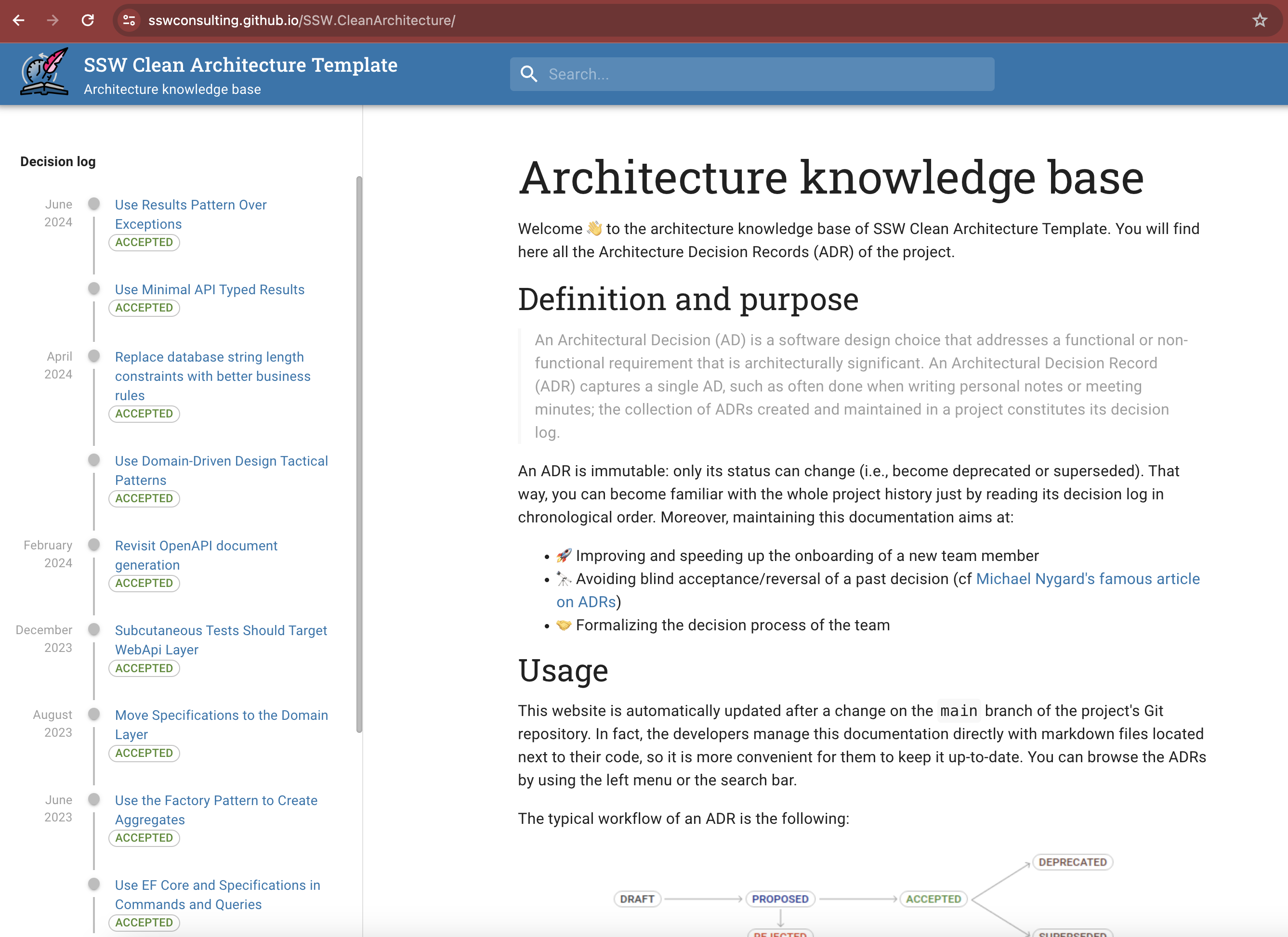
Figure: SSW.CleanArchitecture KB showing all ADRs
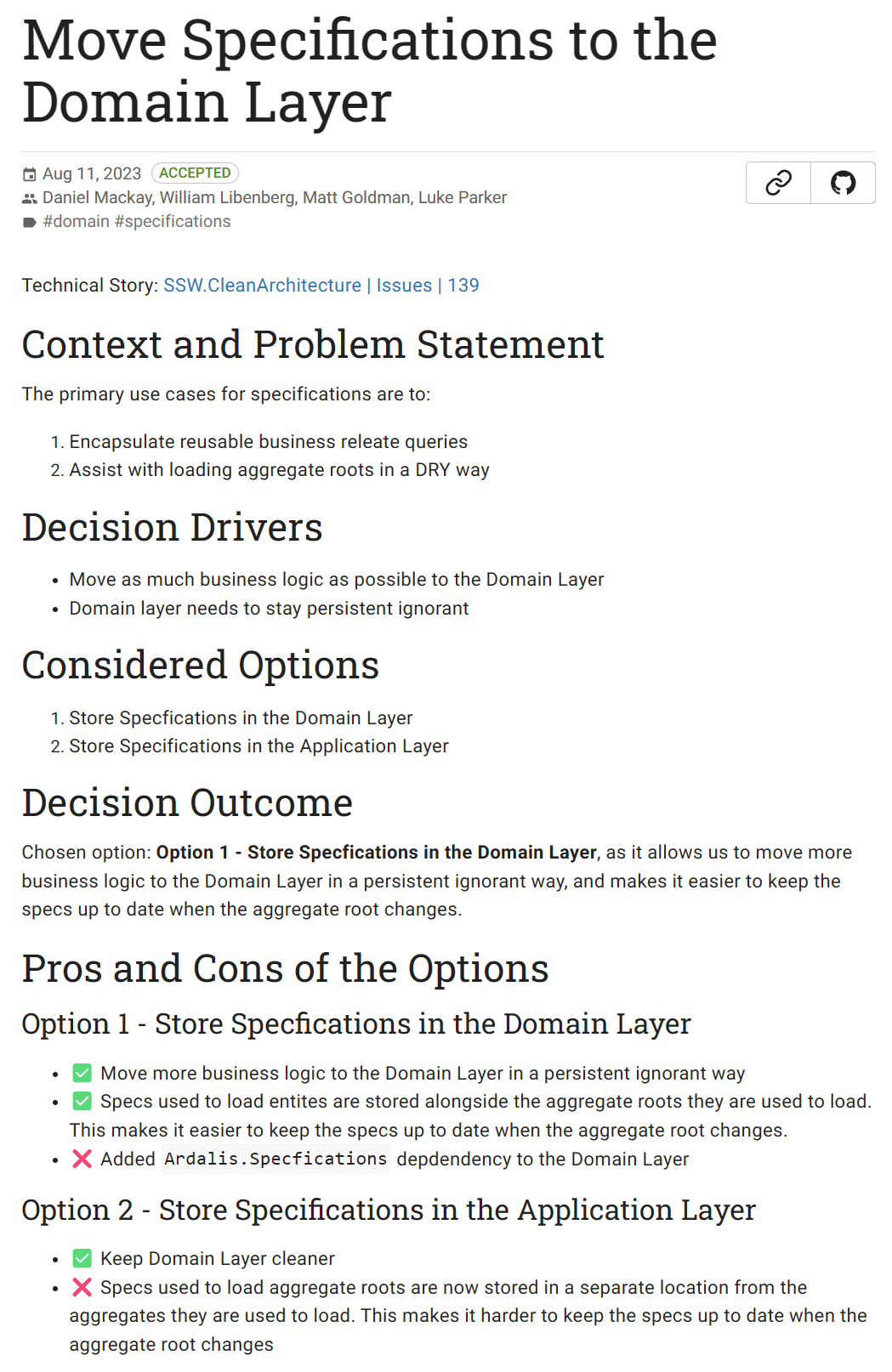
Figure: Example of a single ADR from SSW.CleanArchitecture
You can see more examples of ADRs with log4brains in action on our SSW.CleanArchitecture template.
Other uses for ADRs
ADRs aren't just for code. Any change that is hard to reverse, or that someone will question in 12 months, deserves a record of who decided it and why. That includes SysAdmin and DevOps changes that never touch the codebase.
Some examples include:
- Changing a repository's visibility - Migrating a repository from private to public (or public to private) affects licensing, secrets, and who can see the history. Record who approved it, what was checked before flipping the switch, and why
- Moving hosting or infrastructure - Migrating from one cloud provider, region, or hosting model to another
- Changing access or permissions - Granting a third party access to production, or changing who can approve deployments
- Retiring a service or environment - Decommissioning a staging environment or an old integration
For the smaller day-to-day decisions that only affect one Work Item, see Do you document discoveries and decisions?.
Learn more
- Dan Does Code - Demystifying Architectural Decision Records: Why Every Project Needs Them - The long-form version of this rule
- Log4Brains on GitHub - The recommended tool for creating and viewing ADRs
- SSW.CleanArchitecture ADRs - Real ADRs from a real template
- Do you document discoveries and decisions? - Where Work Item level decisions belong