Do you know how to modernize .NET applications?
Loading last updated info...
With outdated NuGet packages, legacy C# styles, and older architectures, keeping .NET Framework applications up to date can be painful—especially when you want to jump from .NET Framework to modern .NET for better performance and compatibility.
Luckily Microsoft provides excellent tooling for supporting your great leap into the latest version of .NET.
.NET Modernization Tools
GitHub Copilot app modernization
GitHub Copilot app modernization is an AI-powered agent in Visual Studio that helps upgrade projects to newer versions of .NET (and can also assist with Azure migration tasks).
✅ Pros:
- Guided Migration Experience - Provides a staged, reviewable upgrade process (assessment → plan → execution)
- Comprehensive assessment report - Performs a thorough pre-upgrade analysis of your projects to identify potential issues and provides a detailed assessment report
- Broad project support - Works with common .NET project types (ASP.NET Core, Blazor, Windows Forms, WPF, console apps, class libraries)
- Automated code remediation - Can apply fixes to address incompatibilities, build errors, and some vulnerabilities
- IDE integration - Runs inside Visual Studio for a smoother migration experience
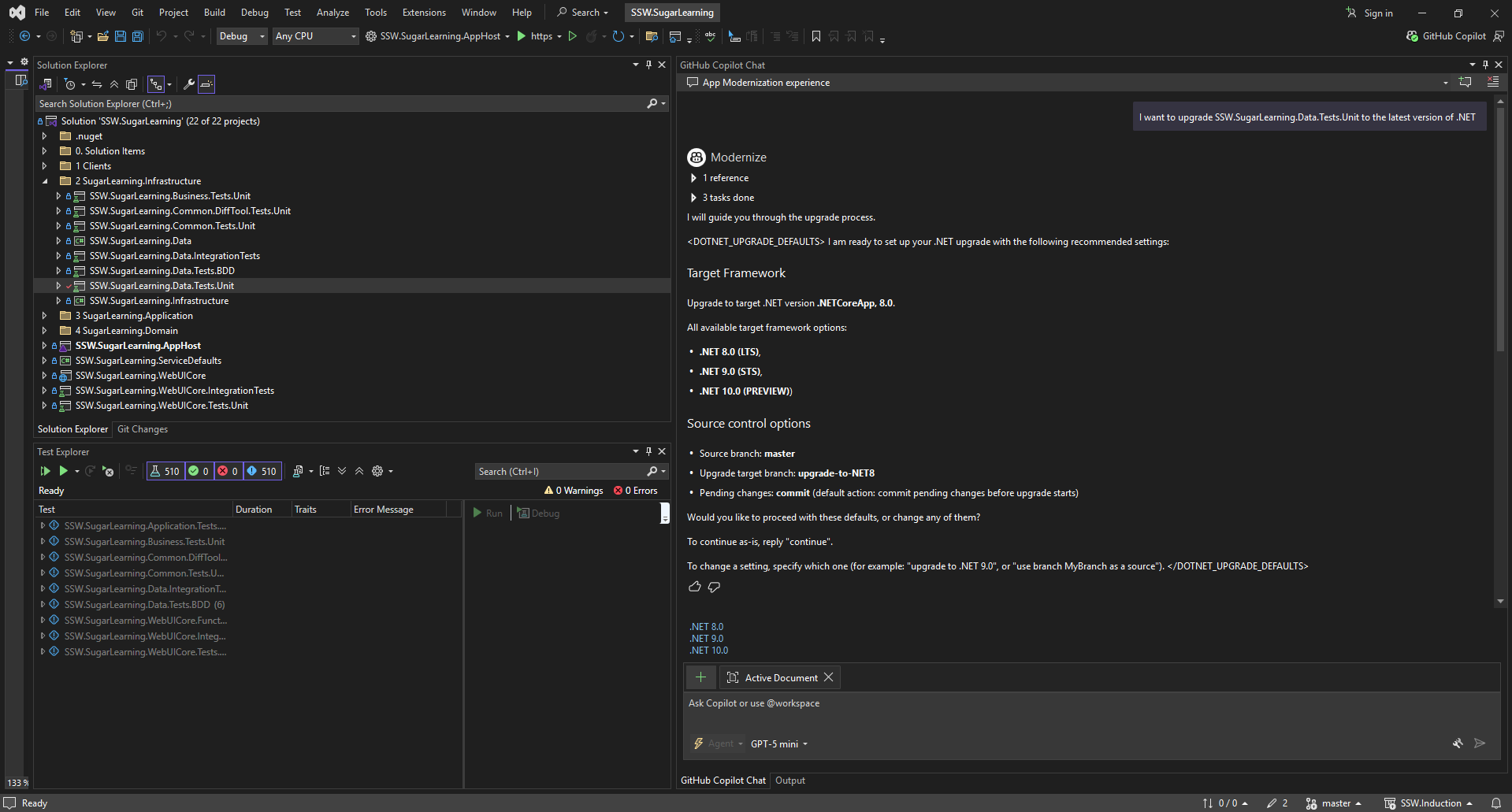
Figure: GitHub Copilot App Modernization in Visual Studio
❌ Cons:
- AI limitations - Suggestions and refactors still require developer review
- Prerequisites - Requires Windows + a supported Visual Studio version, and currently supports C# projects
- Plan limits - Requires a GitHub Copilot subscription (paid or free). More advanced agent capabilities and larger premium request allowances require paid plans
.NET Upgrade Assistant (Free)
The .NET Upgrade Assistant is a free, open-source .NET tool for upgrading projects. Microsoft has officially deprecated it and recommends using GitHub Copilot app modernization instead, but it can still be useful for some teams and workflows. It's available on GitHub.
✅ Pros:
- Purpose-built modernization tool for upgrading .NET Framework applications to the modern .NET architecture
- Automates parts of the modernization process, including converting projects to SDK-style
- Stay agile - Receive immediate feedback on your migration progress
- Guided steps - Get recommended steps and apply them as you see fit
- Multiple project types and languages - Supports C# and Visual Basic projects, including:
- ASP.NET
- Azure Functions
- Windows Forms
- Windows Presentation Foundation
- Console
- Libraries
- UWP to WinUI 3 (Windows App SDK)
- Xamarin.Forms to .NET MAUI
- Extensible - Customize the .NET Upgrade Assistant as you see fit
- Open source - Contribute features and bug fixes to help others achieve the same goal
- Upgrading to modern .NET - Provides more opportunity for the future of your application
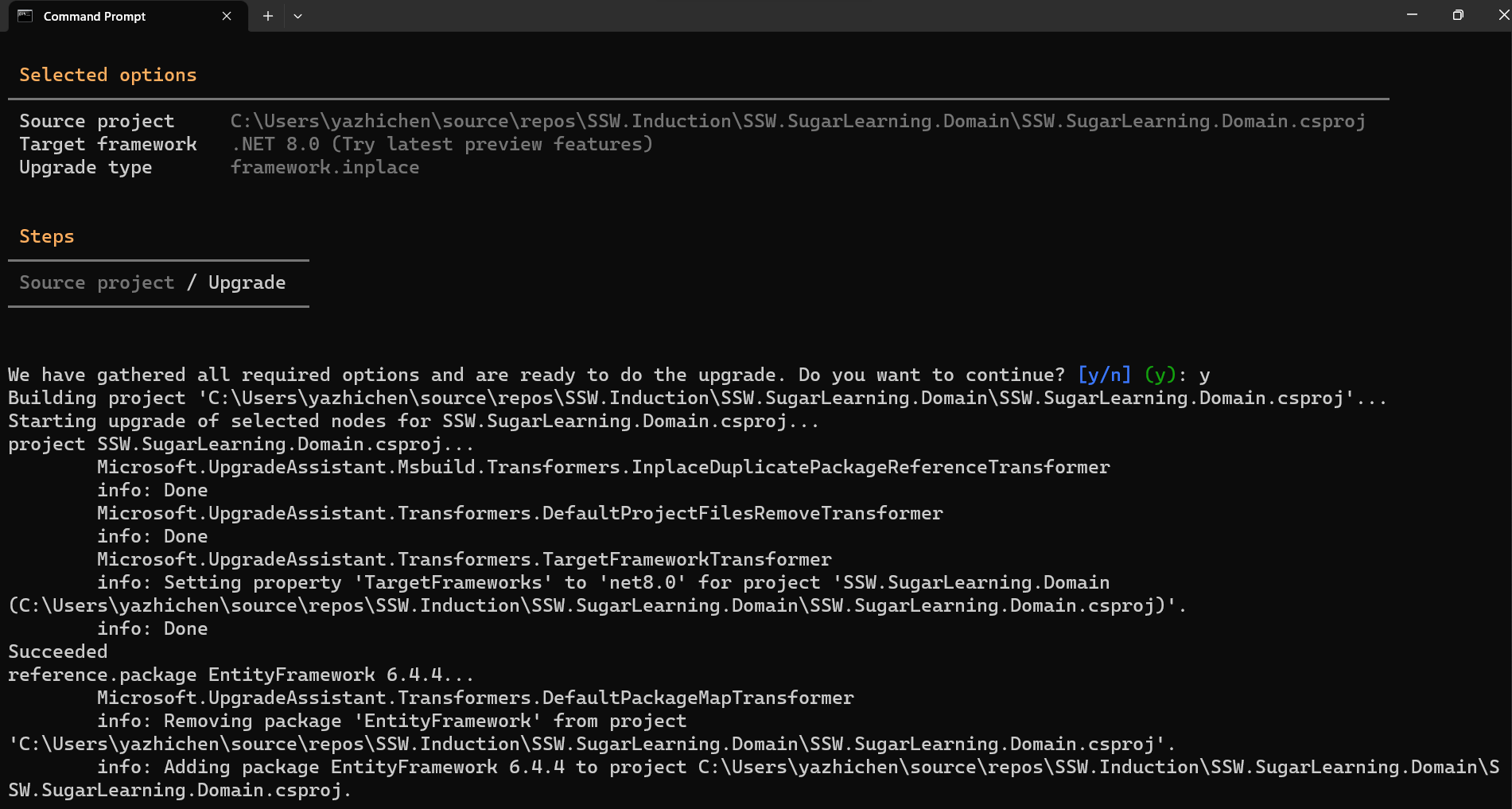
Figure: Use the CLI version of Upgrade Assistant
❌ Cons:
- Complex applications may still require manual adjustments post-conversion
- Generic - May not understand proprietary NuGet packages, you may need to upgrade/replace these dependencies separately
- Time-consuming - Can still take significant time on real-world projects
- Code modernization - Doesn't automatically adopt modern C# patterns, much of the code may still look “.NET Framework-like” after the upgrade
If your project is highly complex or encounters significant challenges, you may want to first take a look at the migration planning strategies highlighted in "Do you create a migration plan?".