This rule has been archived
We use GitHub now. Check out the wiki - https://github.com/SSWConsulting/SSW.Rules.Content/wiki
SharePoint - Do you know how to move a rule? (internal only)
Loading last updated info...
Moving a rule page from a folder to another is not needed anymore. All rule pages are staying in the same library (folder called "Pages") since we moved the rule pages from 100+ subwebs into the root one.
If you want a rule page to be shown on a different rule summary page, simply change the "Rule Category" field value to the relevant one (see step #7 on Do you know how to create a rule?)
--
Sometimes you might need to move a rule from a category to another. You can do this by following these steps:
- Click on "Site Settings":
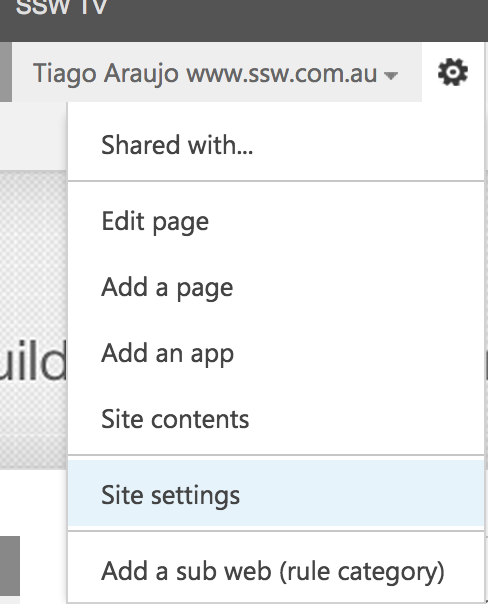
Figure: Make sure you are logged in and click on "Site Settings"
- Under "Site Administration", click on "Content and structure":
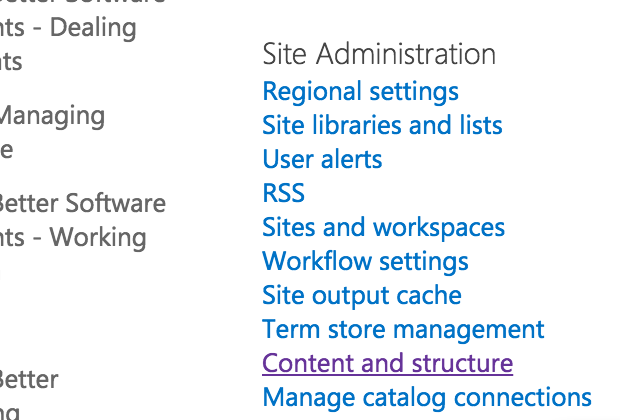
Figure: Go to "Content and structure"
- Navigate on the categories and pages to find the rule you want to move:
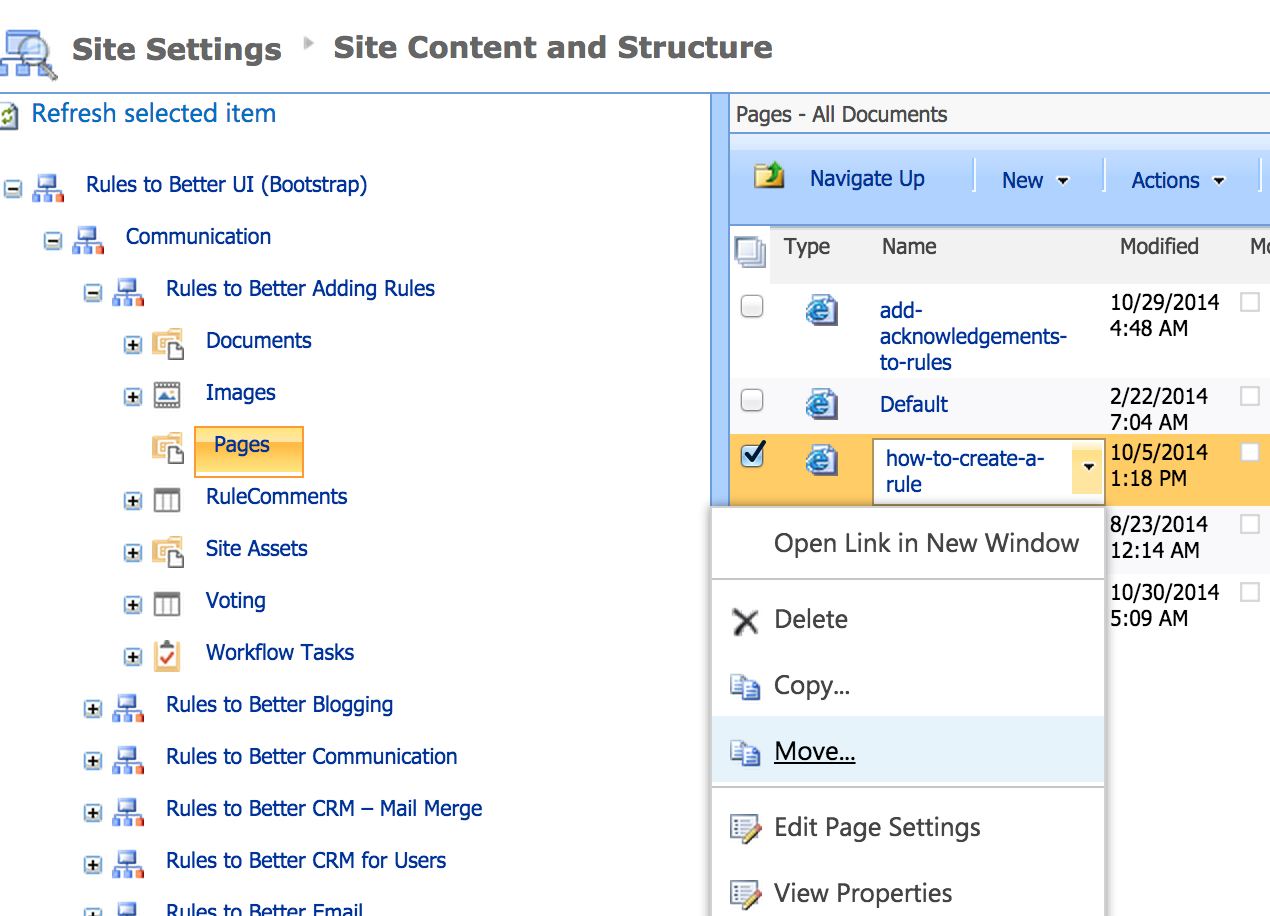
Figure: Find the rule to be moved and click on the small arrow beside it, then click on "Move..."
- Select the new location where the rule should be:
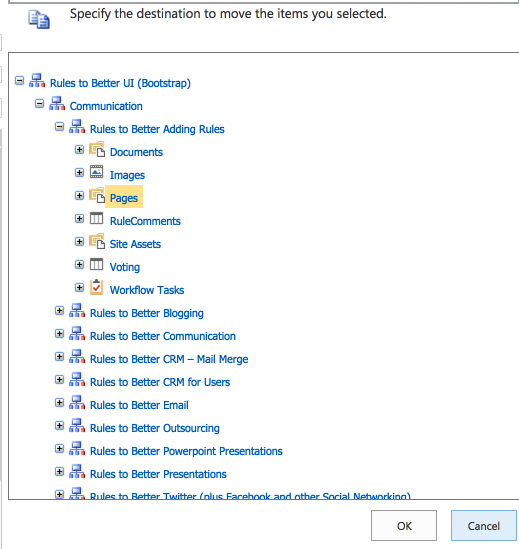
Figure: Navigate through categories and click on the place the rule should be moved to and click "OK"