Do you link directly to the message when chasing an action in Teams?
Loading last updated info...
Following-up is key to get things done.
When you need someone to act on something buried in a busy chat or channel, don't make them hunt for it. Copy the link to the exact message and paste it into your follow-up, so they are one click from where they need to act.
In Microsoft Teams, hover over the message, click the Meatball menu (...), and then choose Copy link. Paste that link into a short follow-up message.
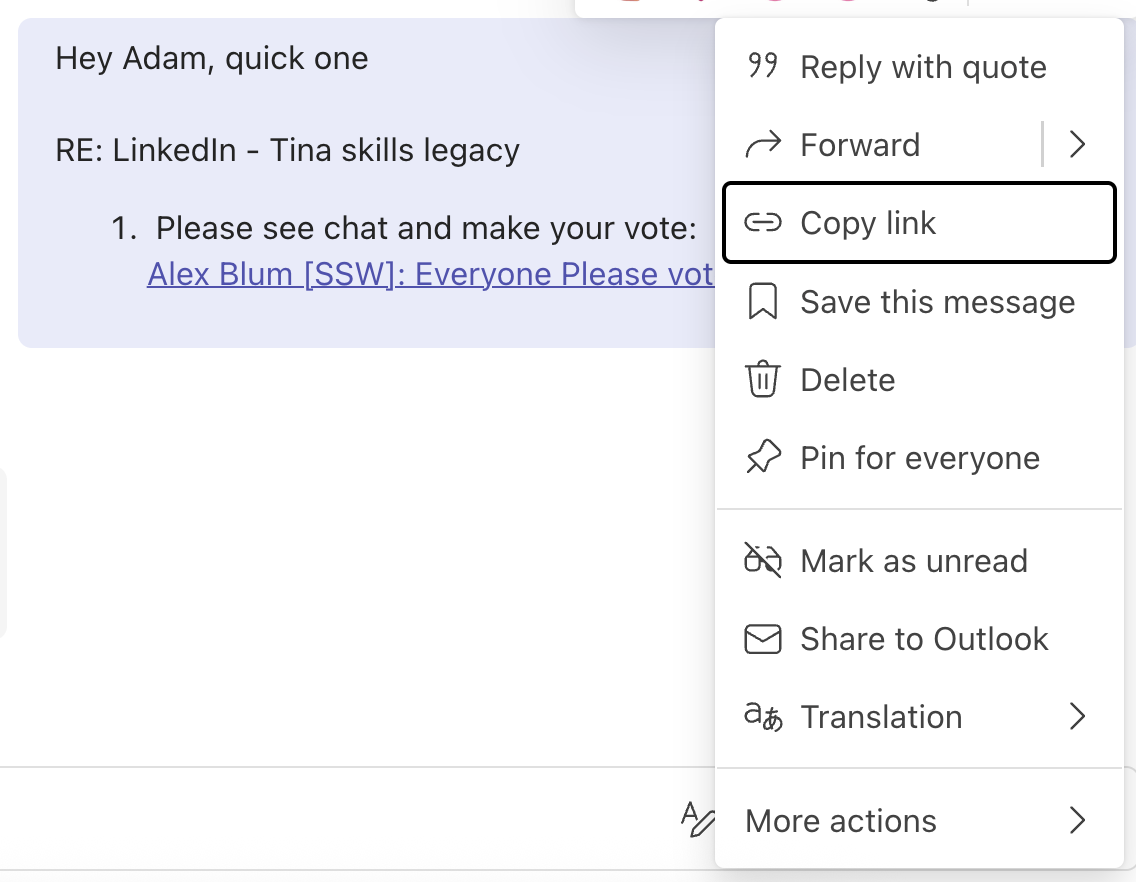
Figure: Creating a direct link to a message in Teams
Hi Adam,
Can you check the chat and action when you get a chance?
❌ Figure: Bad example - No context and no link, so the reader has to scroll the channel to find the right message
Hi Adam,
RE: {{ SUBJECT }}
- Please see chat and action:
{{ LINK TO MESSAGE }}
✅ Figure: Good example - Clear context, a numbered ask, and a direct link to the exact message that needs the vote
Why this works
- The reader does not waste time scrolling a channel to find what you're referring to
- The subject line gives instant context, so they know what it relates to before opening anything
- The numbered task makes the required action unambiguous
- A permalink survives even when the channel keeps moving, so the message is still findable later