Do you know how to connect with people on LinkedIn?
Loading last updated info...
Networking platforms like LinkedIn are essential for connecting with professionals in your industry. As your network grows, recalling the specifics of each interaction becomes increasingly challenging. To foster meaningful relationships, personalize your connection requests!
When Connecting with someone on LinkedIn
For this example, imagine that you've met someone at a user group and would like to connect with them.
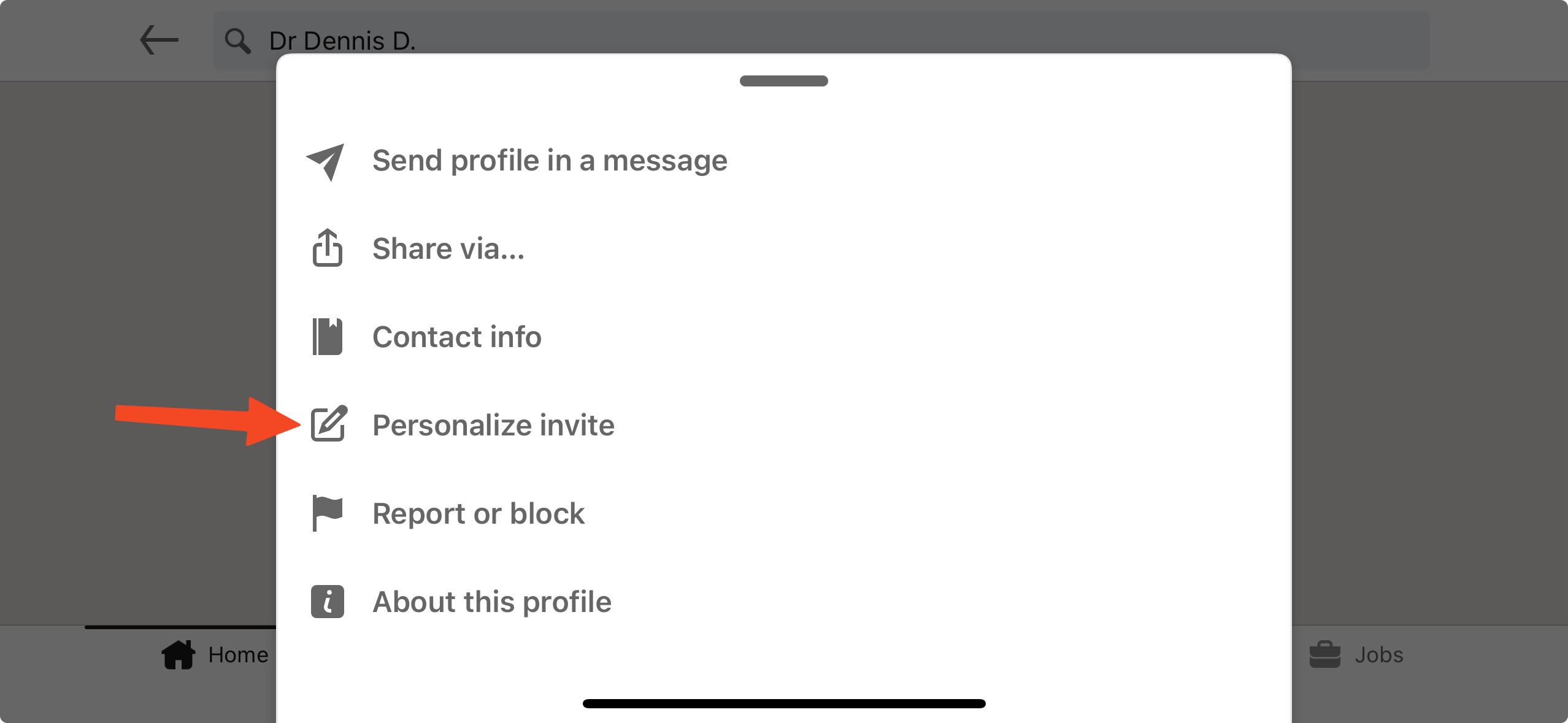
✅ Figure: Good example - Use "Personalize invite" instead of "Connect" or "Follow"
On LinkedIn mobile app:
- Avoid using the default "Connect" or "Message" buttons - Instead, use the "ellipsis | Personalize invite" button to craft a custom message
- Tailor your custom message - Begin your message with a friendly greeting. Provide context for yourself and for them by mentioning where and how you met and if applicable, mention shared interests or topics discussed to help both parties recall the conversation
Note: On the LinkedIn website - click "Connect | Add a note".
Hi Bob 👋,
It was cool to chat. Let's chat more some time!
❌ Figure: Bad example - You won't recall how you met this person and have no clue who they are!
Hi Bob 👋,
It was great to meet you at the user group this week! It's great to know that a Vue dev has interest in Angular as well 😀
What benefits do you think Angular might have over Vue?
✅ Figure: Good example - You can recall how you met this person, and what they're interested in!
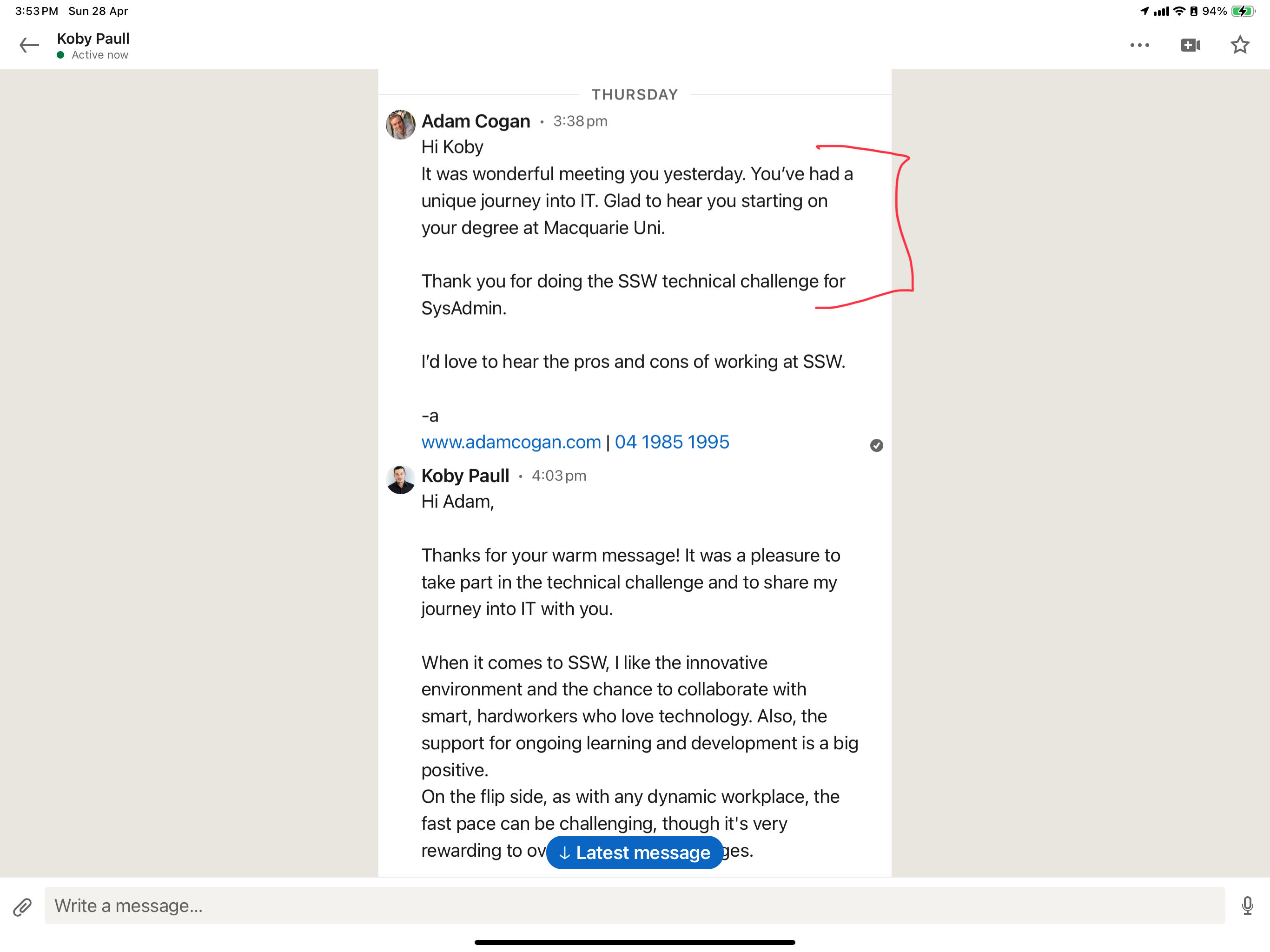
✅ Figure: Good example - The red part will be useful to remember the person, the rest is to create a soft engagement
By using this technique, you can create memorable connection experiences, making it easier to build and maintain professional relationships down the track.
Monthly limit
By default you can only send 5 custom messages per month, which should be enough. If you want to be able to send more customized messages you will need to upgrade your LinkedIn plan to Premium.