Do you use Adaptive Cards Designer?
Loading last updated info...
An Adaptive Card that looks right in Teams can render badly on your website and come out as an empty box in a live chat widget. Hosts support different schema versions, and hand-editing JSON tells you nothing about which ones.
The Adaptive Cards Designer previews a card against each host before you ship it.
Where should you design your cards?
- Copilot Studio's built-in designer - the fastest path when the card belongs to a Copilot Studio agent, carrying the most useful features of the standalone tool
- The standalone designer - adaptivecards.microsoft.com/designer for cards not tied to one agent, with a host picker so you can switch preview targets
- The Designer SDK - embed the designer in your own application when your users author their own cards
Which schema version can you use?
Design against the version your target host supports, not the newest one available.
| Host | Schema version |
|---|---|
| Microsoft Copilot Studio | 1.6 and earlier |
| Web Chat, the default website integration | 1.6, but no Action.Execute |
| Live chat widget for Omnichannel for Customer Service | 1.5 |
Warning: Reaching for an element the host does not understand is the usual reason a card renders perfectly in Teams and as a blank box everywhere else.
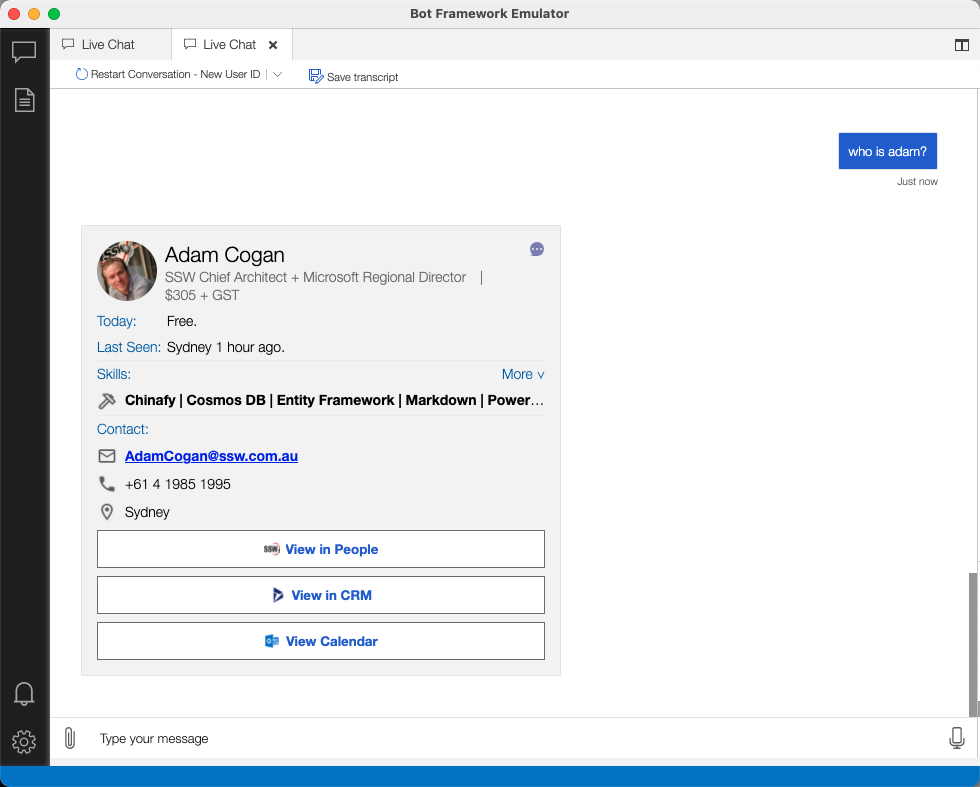
❌ Figure: Bad example - Editing card JSON and redeploying just to see how it looks
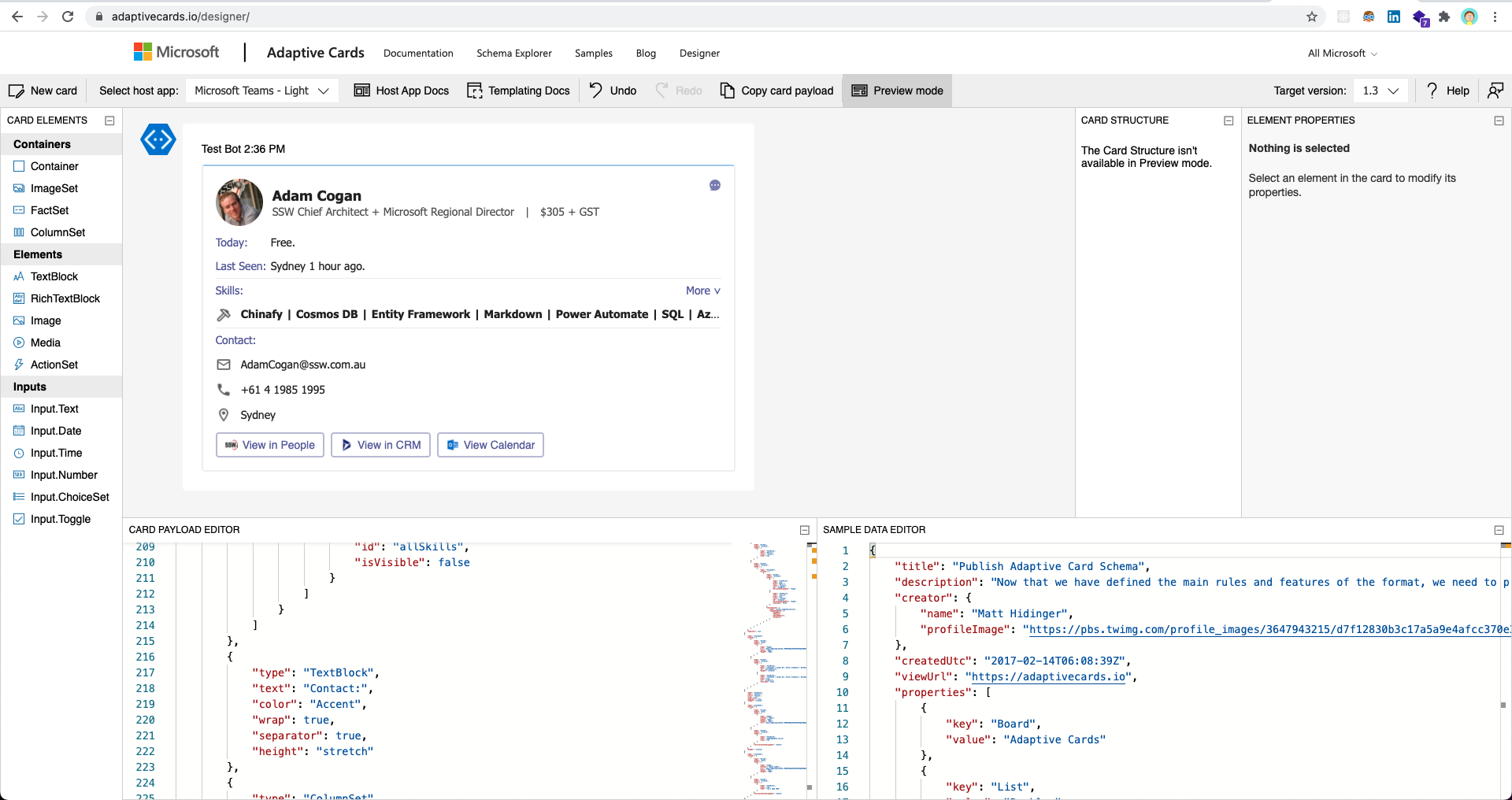
✅ Figure: Good example - Using Adaptive Cards Designer to preview the card against its target host
Learn more
- Designing Adaptive Cards for your app - Teams design guidance and the Card Design Toolkit
- SSW: Do you choose the right platform for your AI agent? - where cards fit across Copilot Studio, the Agents SDK, and Foundry