SSW .NET Toolkit
>
User Guide

Clean standard data entry forms
The SSW Data Entry Standard Form
This is what the new SSW Standard Form for Data Entry
looks like.
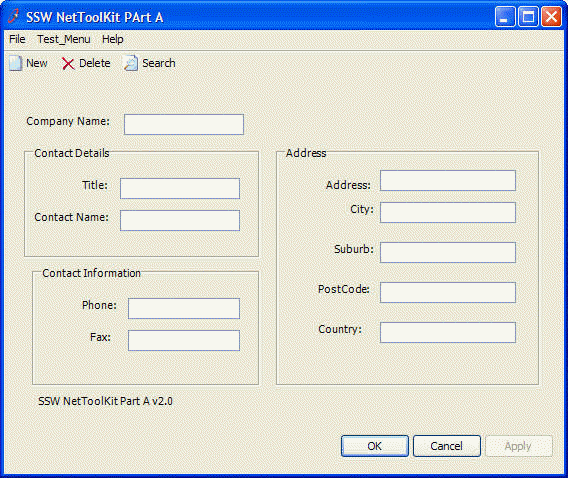
Figure: SSW Standard Form
This form provides a form from which you should inherit
for your data entry projects. It provides the OK, Cancel
and Apply button on the bottom right hand corner and the
New, Delete and Search Toolbar on the top with File and
Help menu Item on the menu bar. The inherited form is
used to keep a consistent look and feel throughout our
applications.
To add this look and feel to your application, carry out
the following simple steps:
-
Add the
SSW.Framework.WindowsUI
project to your solution
-
Add a reference to that project in your current
project.
-
Change the inheritance of your form from:
System.Windows.Forms.Form
to:
SSW.Framework.WindowsUI.StandardForm