Home
>
Archive
>
SSW Standards
>
Developer General
>
SSW The Best 3rd Party Outlook tools
Believe it or not 70% of the average user's day is spent in Outlook
- that is why I put it first.
Do you agree with them all? Are we missing some?
Let us know
what you think.
-
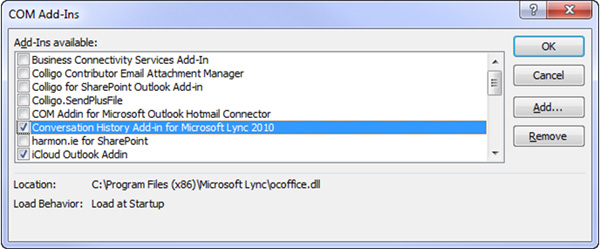
- Figure: Outlook Add-Ins
Do you agree with them all? Are we missing some? Email me your tips,
thoughts or arguments.
Let me know
what you think.
Would you like your software to be considered for this list?
Give us your details
-
Attachment Options for Outlook
In Outlook you are unable to view attachments that have certain file
extensions. With this update you are able to specify which
extensions you want outlook to hide and which ones to view.
A COM add-in by Outlook MVP Ken Slovak that adds an Attachment
Security Options page to the Tools | Options dialog in Outlook to
allow you to manage which file attachments are blocked.
STS Attachment Options

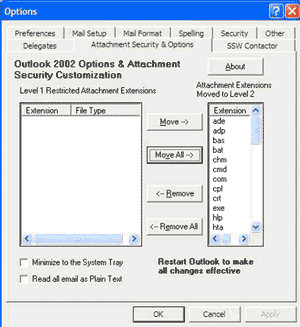
Figure: Click the "Move All->" button to enable you to
receive all attachments in Outlook
Others solutions
-
SSW LookOut
Whenever you receive an email, SSW LookOut searches and matches
people from your database. It clearly tags every email you
receive, telling you where the details of the contact can be
found. And LookOut will let you know if no contact exists, which
is especially helpful in the case of sales databases, when you
want to be sure that every person who emails you and your
colleagues exists in your database.
SSW is a simple plug-in tool for all your users - it simply adds a
field to your existing Outlook view to let you know who is
contacting you! So, for your users, no technology needs to be
learnt, no view needs to change and no changes need to be made!
Simple!
-
Outlook Redemption
Outlook Redemption works around limitations imposed by the Outlook
Security Patch and Service Pack 2 of MS Office 2000 and Office XP
(which includes Security Patch) plus provides a number of
functions to work with properties and functionality not exposed
through the Outlook object model.
With Outlook Redemption you can
-
Make your VB and VBA code run unaffected by the Security
Patch.
-
Access properties not exposed by the Outlook Object Model
(Internet message headers, sender email address and hundreds
more properties)
- Directly access RTF body of any Outlook item
- Import .MSG files
-
Directly access message attachments as strings or as arrays
without saving them as files first
- Display Address Book
-
Force immediate Send/Receive (
Tools | Send/Receive
in Outlook)
-
Track new email events with (unlike Outlook) new email item
passed to your handler.
Outlook Redemption Website
-
Plaxo
Plaxo helps you to stay connected with people that is most
important to you. Plaxo can update your address book quickly and
automatically, and keep it current without the hassle.
-
SMSOfficer
SMSOfficer is a service that connects Microsoft Office Outlook
2007 with any mobile phone.
It allows you to easily send SMS to any mobile phone using the
built-in Outlook 2007 option.It also allows you to receive
Calendar meetings reminders and incoming email alerts to your
mobile phone
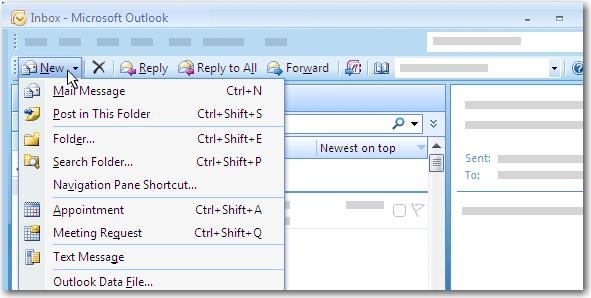
Figure: SMSOfficer
-
Red Oxygen OutlookSMS
Red Oxygen OutlookSMS, as the name suggested, it allows you to
send instant SMS messages from Outlook to any mobile phone using
your personal address book, Global Address List or direct number
entry, and receive SMS directly from your Outlook Email inbox.
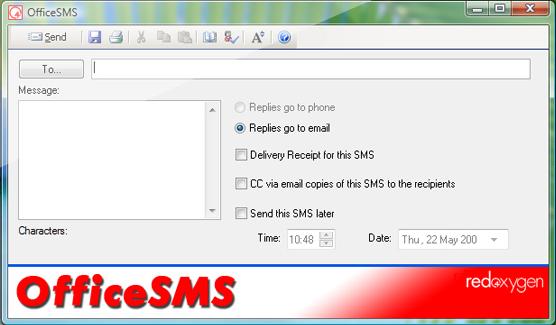
Figure: Red Oxygen
With Red Oxygen you can
- Send/Receive SMS message in your outlook
- Use Smart Tags to send an SMS
- Send scheduled SMS
- Send long messages
- Receive recurring reminders
- CC SMS to Email address
Red Oxygen Website
Today, most of people are still using SMS from their mobile
phone, so it makes sense to use outlook to send/receive SMS via
your Windows Mobile phone because the receiver can always see
your mobile number.
Jeyo Mobile Extender

-
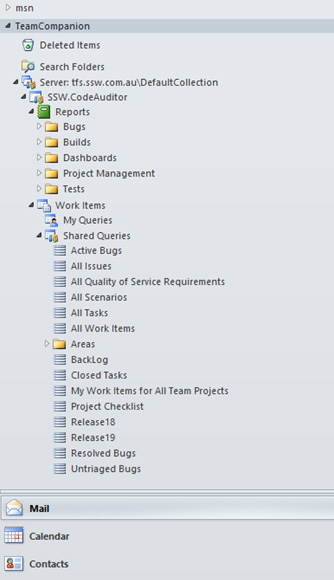
TeamCompanion
Integrate Outlook and TFS with TeamCompanion and manage your
Application Lifecycle more efficiently.
For all Outlook and Team Foundation Server (TFS) users
TeamCompanion is a must-have tool that provides for better
collaboration, efficient Agile Project Management and increased
productivity in daily tasks.
-
-
Figure: Teamcompanion allows access to your Team projects hosted
in TFS from Outlook
-
OnePlaceMail
OnePlaceMail connects Microsoft Outlook, Microsoft Office and
Windows Explorer to Microsoft SharePoint and Office 365.
Oneplacemail by
Scinaptic
promotes the adoption of SharePoint as your enterprise information
management and collaboration platform.
-
Promote user adoption and capitalise on the investment made in
Microsoft SharePoint.
-
Unlock valuable information assets trapped in personal inboxes.
-
Reduce compliance and records management risk through better
email management.
-
Increase information visibility across project teams. Securely
manage enterprise information with SharePoint.
-
OnePlaceMail simply feels like a natural extension to the
desktop applications. Reduce training and have a common,
intuitive experience across all applications from Outlook/Office
2003 through to Outlook/Office 2010 and File Explorer.
-
Minimises change for end users by providing an Outlook style
experience for SharePoint
-
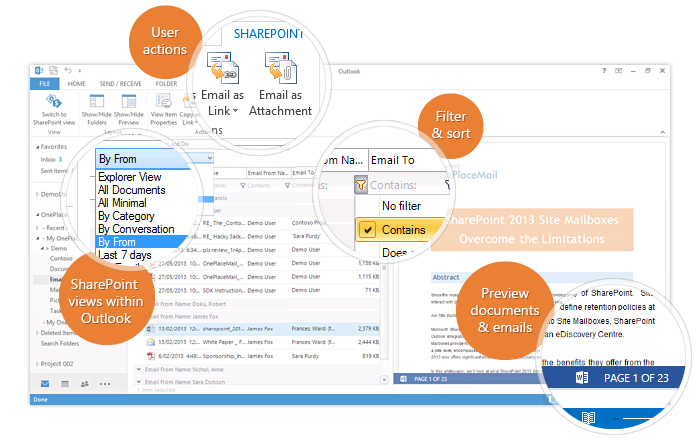
- Figure: OnePlaceMail features
-
CRM Toolbar
Microsoft Dynamics CRM
for Outlook enables access to the same data through Outlook as the
Microsoft Dynamics CRM Web application.
Acknowledgements
Adam Cogan