Do you apply a grey background to cells containing formulas in Excel?
Loading last updated info...
Applying a grey background to formula cells makes it easy to spot them at a glance, reducing the risk of errors and improving the overall organization of your spreadsheet. It helps you quickly distinguish between data and formulas, saving time and making your work more efficient.
Use visual cues to separate formulas from inputs
To make Excel spreadsheets clearer and more robust, it's best practice to apply a light grey background to all formula cells. This helps:
- Prevent accidental overwriting of formulas
- Make the structure of the spreadsheet easier to understand
- Save time for others (and your future self) when maintaining the file
How to apply the formatting
- Identify formula cells – Use
Go To Special(Ctrl + G → Special → Formulas). - Apply a light grey fill – Use a consistent and subtle fill color like
RGB(217, 217, 217)or use the built-in 20% - Accent1 gray theme in the fill color palette. - Lock the formula cells and protect the worksheet if you want to enforce this at a technical level (optional but recommended).
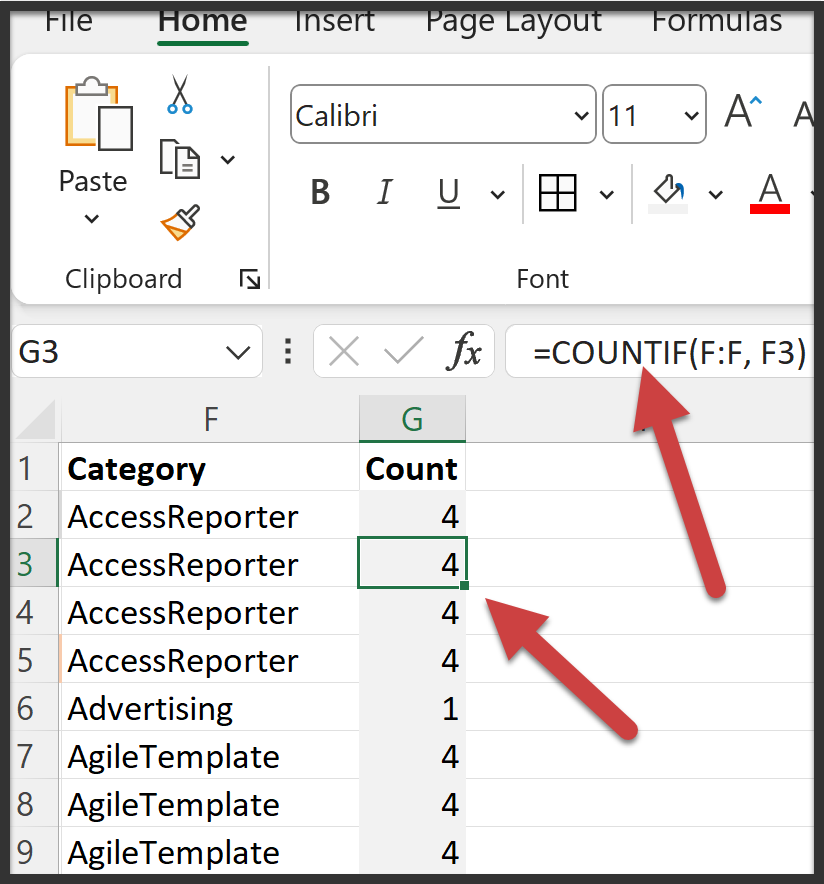
✅ Figure: Good example - The cell value generated by a formula has a gray background
Bonus tip
Also consider using cell styles to standardize this across your organization. Create a custom style for "Formula Cell" with the grey fill, and train your team to use it.
This visual convention goes a long way in creating clean, maintainable, and user-friendly Excel sheets.