Do you use bots to track the people you learn from?
Loading last updated info...
You learn from a handful of experts whose tools, posts and talks shape your work. Checking each person's repositories and blog every morning takes time. A daily digest that repeats old items soon becomes another message to ignore.
Use a bot to follow their public work: record what exists once, then notify only about new releases or publications. Keep the list short so each alert gives you something worth reading or trying. Apps and services change; the pattern stays the same.
Choose the simplest subscription that works
Start with 1–5 people whose work you use, then list their relevant public repositories and feeds. Follow selected work, rather than every action on every account.
For one repository, GitHub's custom watch settings may be enough. Use an RSS reader for new posts. Build a custom bot when you need one feed across several people's releases, blogs and videos, with consistent filtering and duplicate suppression.
For a bot, define what counts as a new item before choosing the automation tool:
- Tools: published releases from selected repositories; decide whether to include prereleases
- Writing: new posts from the author's official RSS feed
- Talks: new videos from selected public channels, using a supported feed or API
Skip stars, forks and routine commits unless they serve a specific learning goal. Use official feeds and APIs, respect their access terms, and leave a source out if you cannot access it through a supported method. Implement the pattern however you like (e.g. a scheduled task in your AI assistant, a small workflow, or a script with persistent storage).
A few SSW people to start with:
- Calum Simpson, SSW VP of AI — follow his profile and GitHub for his AI agent work and talks, including AI: It's a Skill Issue.
- Matt Wicks (Wicksy), SSW Solution Architect — read Wicksipedia for CI/CD, DevOps, cloud-native architecture and clean code.
- Adam Cogan, SSW Chief Architect and Microsoft Regional Director — follow his blog for AI, agents and developer productivity.
Track public work, not private activity. Exclude private repositories, direct messages, calendars and location data. Respect requests not to be monitored. Share alerts only with the people who opted into the feed, and do not impersonate the author or contact them automatically.
Figure: A learning feed follows deliberately published work, with a limited audience
Record a baseline, then send only new items
The essential behaviour is the same whichever tool you choose:
- Baseline without notifying. On the first successful read of each source, save the IDs of the items it already contains. Repeat this baseline step when adding a source, so an old archive does not arrive as new work.
- Check at a useful interval. A daily check in your timezone is a reasonable starting point. Prefer supported event subscriptions when available; otherwise follow the provider's polling, conditional-request and rate-limit guidance.
- Compare stable IDs. Save each source and item ID, using the canonical URL when no stable ID is available. Read every page since the last successful check so two releases between checks are both found.
- Send a concise alert. Include the tool or publication, version or title, a short source-backed description, and a direct link for each new item. Use the original title if you cannot verify a summary. If no new items exist, send nothing.
- Record delivery. Keep pending items until delivery succeeds, then mark them delivered. Use stable item keys to suppress duplicates on retries; check whether your destination supports idempotent delivery before assuming retries cannot repeat a message.
A failed source request is not an empty feed. Preserve its saved state, back off as instructed, and report repeated failures to the bot's owner separately from learning alerts. Store any required credentials in the automation tool's secret store, with only the permissions needed.
Compare the same three days
Northwind's learning feed follows its fictional Demo Editor app. All releases and features in this example are invented. On Monday it starts with v2.3. Tuesday has no change. On Wednesday, v2.4 adds split panes and v2.5 adds theme packs.
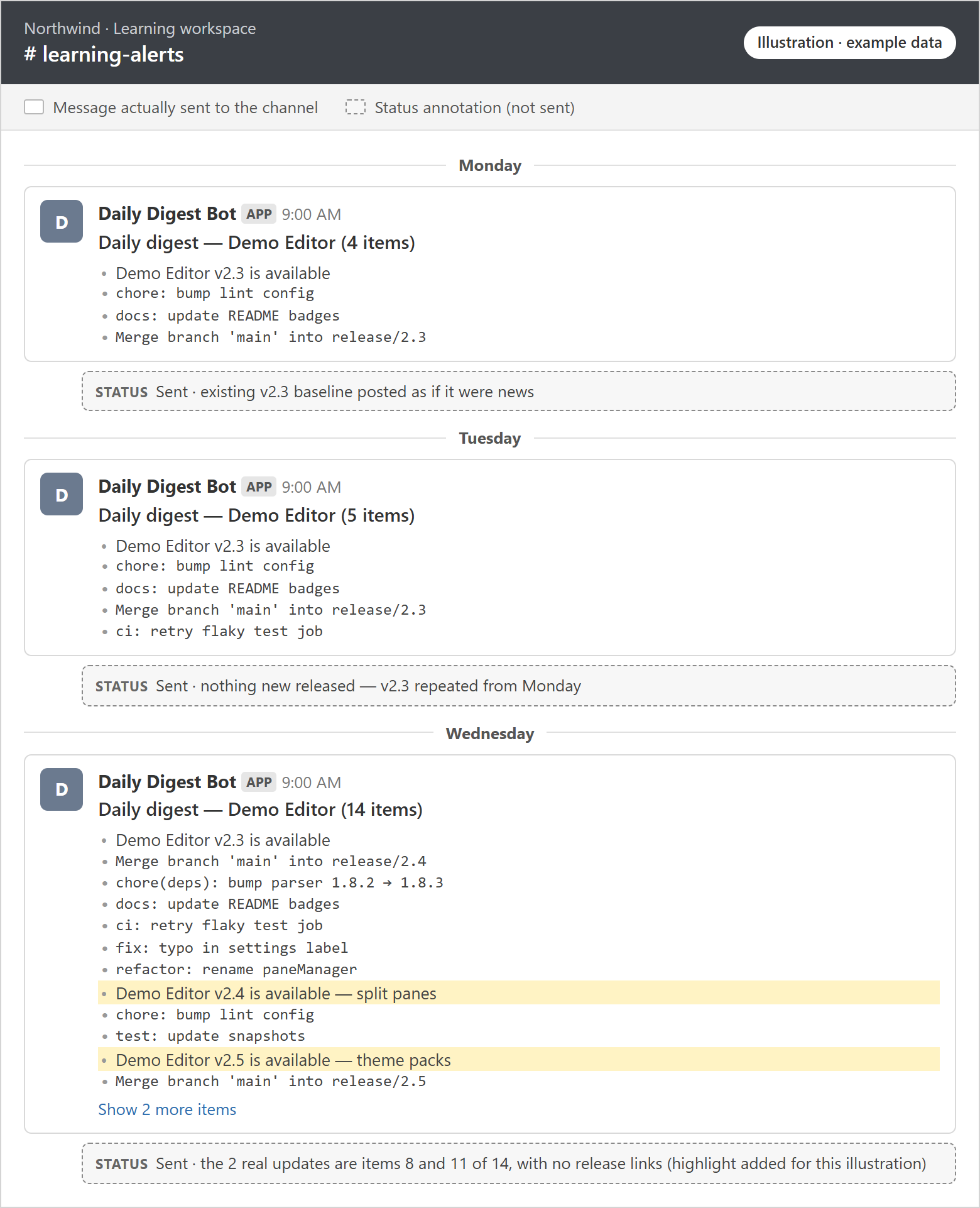
❌ Figure: Bad example - Repeating the baseline and unchanged items makes the two new releases harder to find
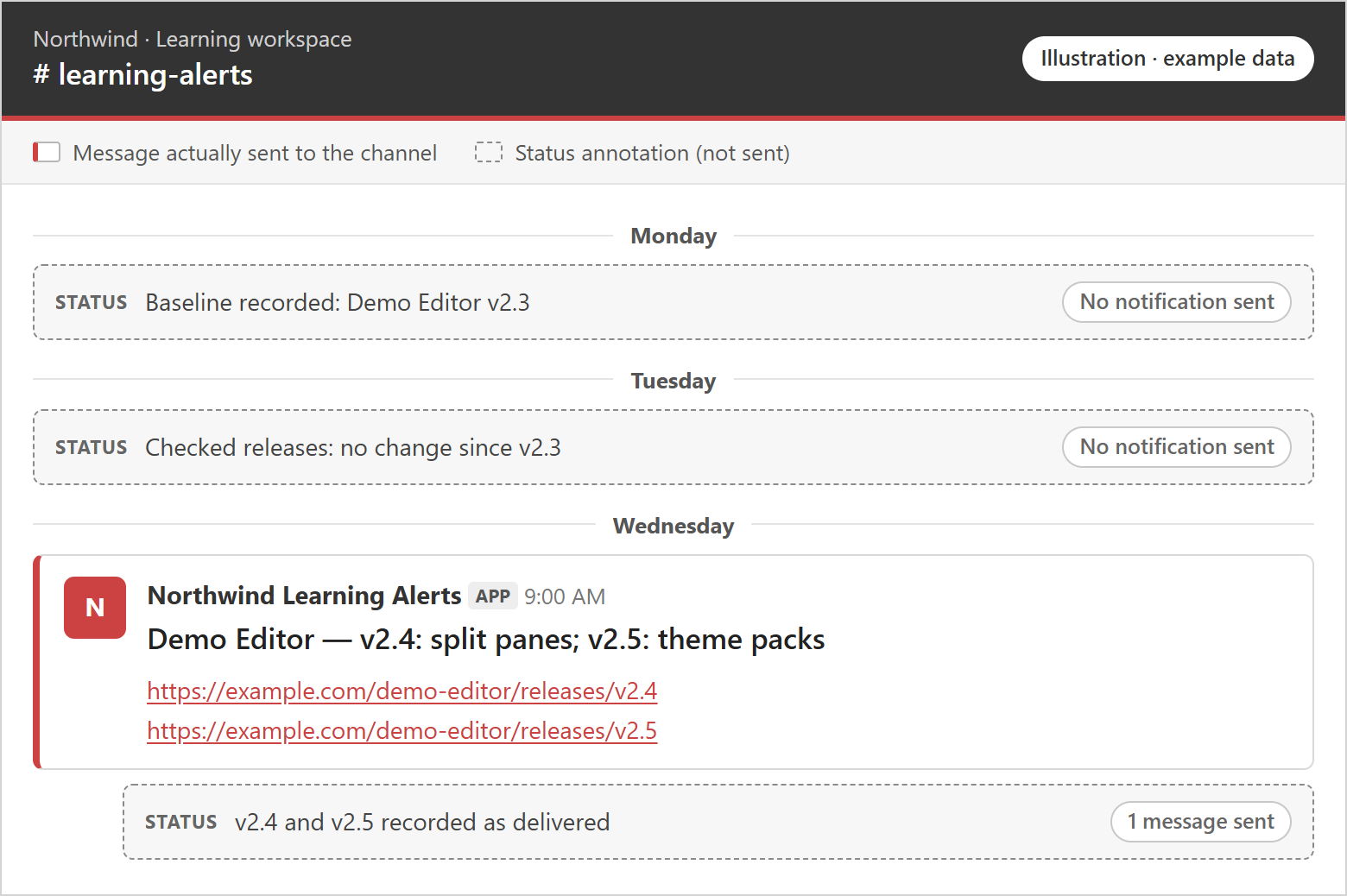
✅ Figure: Good example - The bot stays silent until Wednesday, then links both releases with a reason to open each
Test this sequence before relying on the bot: first run sends nothing; an unchanged run sends nothing; two new items produce one alert containing both; rerunning sends nothing. Also test a failed fetch and a failed delivery so neither loses an item or resets the baseline.
See it with real releases
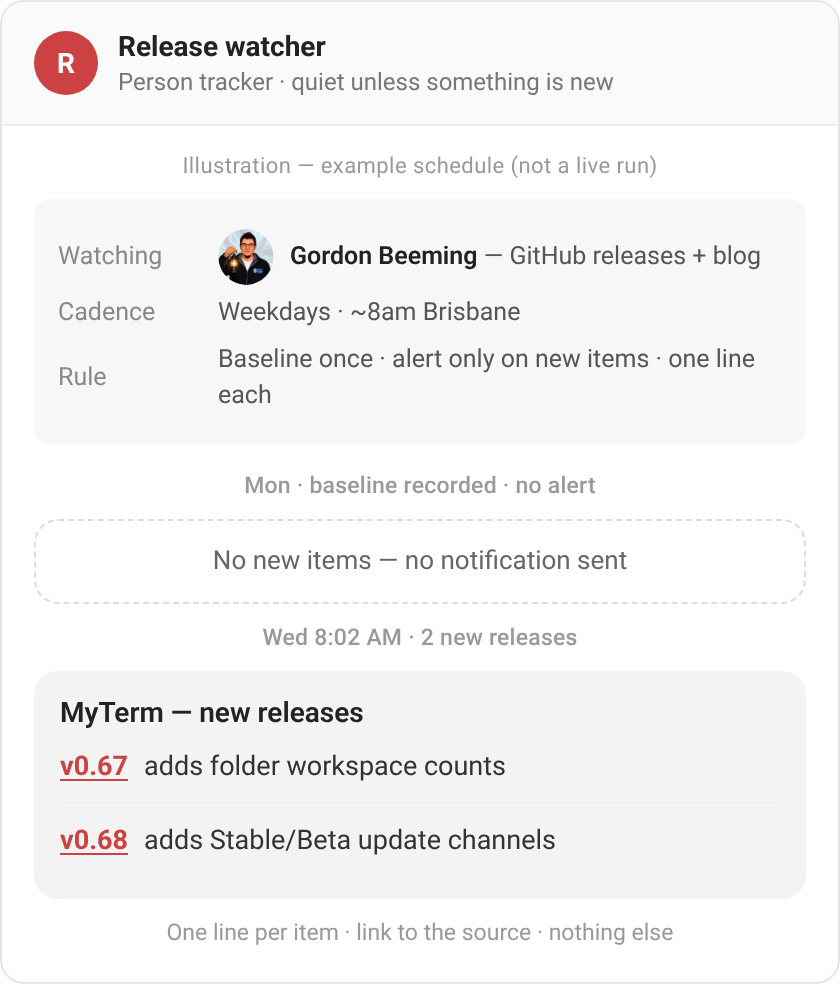
✅ Figure: Good example - Person tracker (illustration) — name the sources, set a cadence, stay quiet unless something is new, and send one linked line per item
The releases shown are real: MyTerm v0.67 and MyTerm v0.68 from Gordon Beeming.
Keep the feed useful
Review the watch list periodically and remove sources you no longer read. Check the bot's health separately: silence should mean no new work, not an unnoticed broken integration. Alerts report what was published; read the source and assess it before installing a tool or adopting advice.
This complements configuring GitHub notifications, which controls GitHub activity notifications. A team notifications channel gives alerts a home, while reviewing project history serves a different need: catching up on team activity. Bring useful discoveries to weekly AI meetings when relevant; the bot supplies candidates and people decide what is worth sharing.