Home
>
Database
>
SSW - Links to Software Updates
-
The 2 step method to getting my PC updated
-
Microsoft Update
Just go to
Microsoft Update

This will Update Windows, Office, and more.
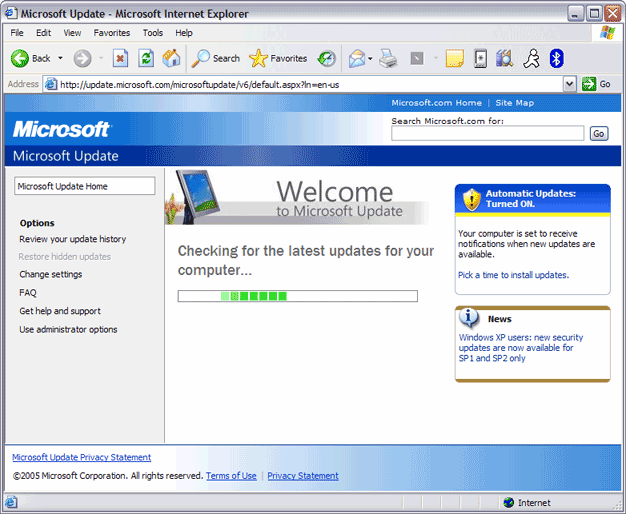
Figure: Run Microsoft Update First
-
Run SSW Diagnostics
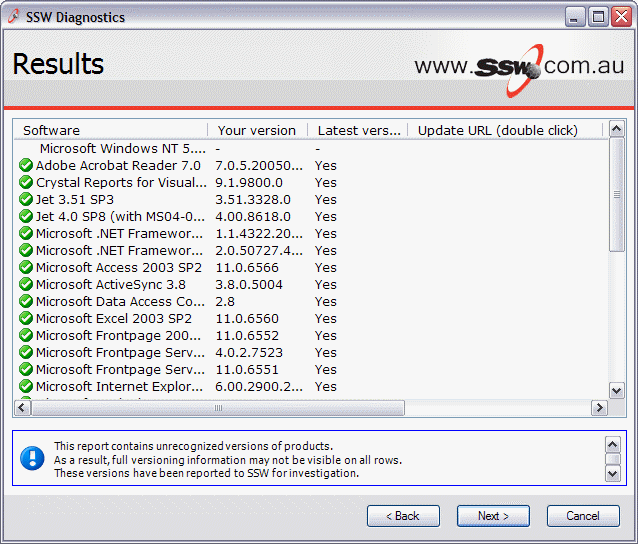
Figure: Run SSW Diagnostics - Get all Ticks
More Information
-
Microsoft .NET
-
Microsoft .NET Framework
-
The Microsoft .NET Framework includes everything you
need to run .NET Framework applications, including
the Common Language Runtime, the .NET Framework
class library, and ASP.NET.
-
You can find downloads and links for .NET framework
at
Microsoft's .NET Framework Developer Centre
.
-
Windows
Windows update
Windows update page
Microsoft Download Center
Great place for finding the latest service packs.
Select 'Keyword Search' and use the keyword
'service':
Download Center
Visual Basic 6 Runtime files
Some exes that SSW gives out require that you have
the Visual Basic 6 runtime files on your machine
(not many as we generally include a setup.exe). If
you need the VB6 runtime files, you can get them
from Microsoft's site in the file :
VB6 Runtime Files
Microsoft Personal Security Adviser
MPSA will scan your system and build a customized
report on items such as: missing security patches,
weak passwords.
MSPA page
Microsoft Soap Toolkit SDK 3.0
Required for the Soap Type Libraries. Also includes
the MS XML 4 Parser.
SOAP Toolkit Download Page
-
Office
Office Update
Automatically detect he latest product updates to
Office in one place. Microsoft recommends that all
Office customers scan their PC regularly to receive
the latest updates and optimal benefits. :
Microsoft Office
Outlook Security Update
In Outlook XP, you are unable to view any
attachments that have certain file extensions.
Details
on how you are able to specify which extensions you
want outlook to hide and which ones to view.
-
Access
Microsoft Snapshot Viewer
The Microsoft Snapshot Viewer enables you to view a
report snapshot WITHOUT having Microsoft Access 97,
2000 or 2002 or the run-time version of it.
Snapshot Viewer
Access 2000 and 2002 Users - Microsoft Jet version
4.0 Service Pack 8
The Jet40sp6.exe file is a service pack that
contains updated .dll files that are included with
Microsoft Access 2000, Microsoft Office 2000
Developer, Microsoft Visual Basic version 6.0 or
later, and other products that incorporate Microsoft
Jet database engine 4.x. There are two different
versions of SP5 available, depending on your
operating system.
Jet Service Pack 8
Access 97 Users - Microsoft Jet version 3.51,
Service Pack 3
The Jet35sp3.exe file is a service pack that
contains an update of seven .dll files that are
included with Microsoft Access 97, Microsoft Office
97 Professional Edition, Microsoft Visual Basic
version 5.0 or later, and other products that
incorporate Jet 3.5x.
Jet Service Pack 3
Microsoft Access 97, 2000 and 2002 Repair and
Compact Utility
The Jet compact utility, JETCOMP.exe, is a
stand-alone utility that compacts databases created
with Microsoft Jet database engine 3.x and 4.x. This
utility may be run in conjunction with Microsoft Jet
database engine 3.x and 4.x for recovering corrupted
databases.
Download at:
Access Repair Utility
-
SQL
Server 2000 Service Pack 4
SQL Server 2000 Service Pack 4
SQL Server 7.0 Service Pack 4
SQL Server 7.0 Service Pack 3
-
3rd Party Tools
Microsoft tools are the most important tools I have.
I spend most of my time using Outlook, Visual
Studio.NET, SQL Server Enterprise Manager and
Access. However Microsoft tools don't do everything
I want to do. Rather than spending my time
recreating the wheel, I am always on the look out
for non-Microsoft options or extensions that will
save me time.
The Best 3rd Party Tools
-
Other
FAQ
Related Microsoft Access/ASP/SQL Server Links