SSW Exchange Reporter
> SSW Exchange Reporter (Samples)
If you successfully deploy SSW Exchange Reporter, you
can browse reports under the SSW Exchange Reporter
(Samples) folder. Those samples can help you to analyze
your organizations email usage. Also you can use those
reports to search specific emails.
-
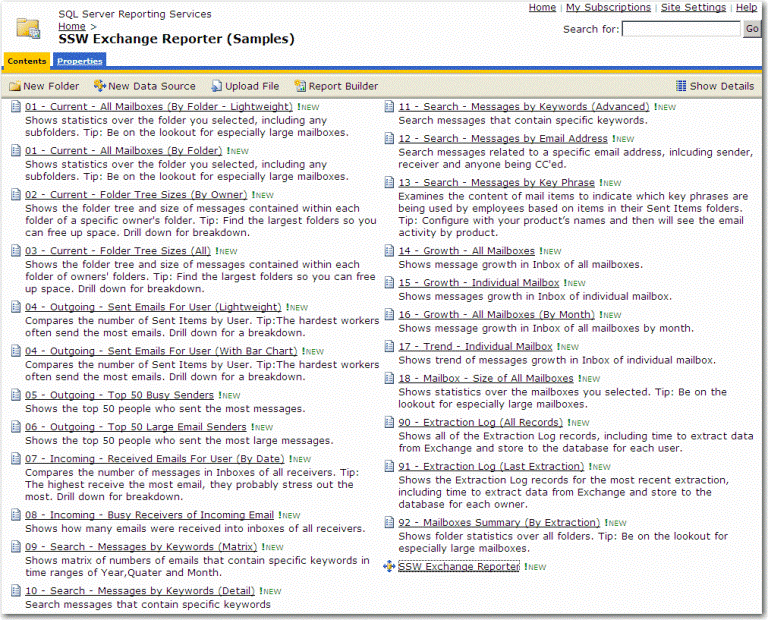
- Figure: SSW Exchange Reporter (Samples)
-
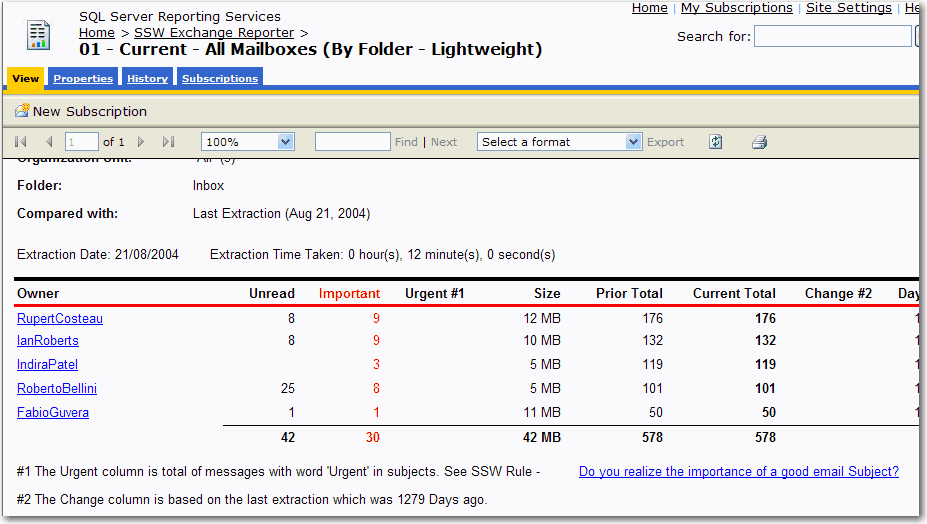
01 - Current - All Mailboxes (By Folder -
Lightweight)
Shows statistics over the folder you selected,
including any subfolders. Tip: Be on the lookout
for especially large mailboxes.
-
-
Figure: Current - All Mailboxes (By Folder -
Lightweight)
-
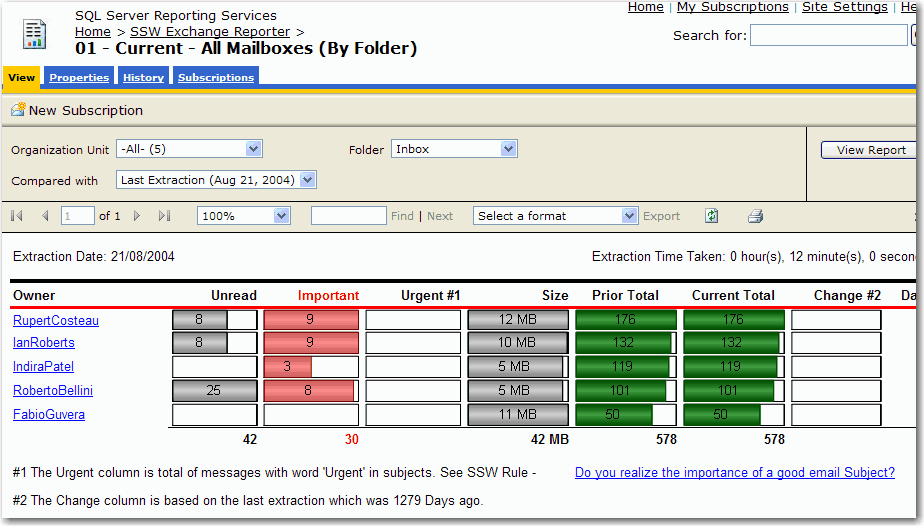
01 - Current - All Mailboxes (By Folder)
Shows statistics over the folder you selected,
including any subfolders. Tip: Be on the lookout
for especially large mailboxes.
-
-
Figure: 01 - Current - All Mailboxes (By Folder)
-
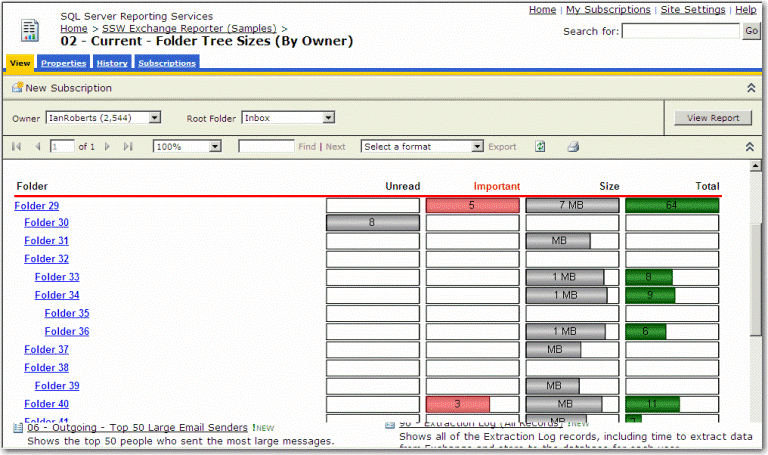
02 - Current - Folder Tree Sizes (By Owner)
Shows the folder tree and size of messages
contained within each folder of a specific owner's
folder. Tip: Find the largest folders so you can
free up space. Drill down for breakdown.
-
-
Figure: Current - Folder Tree Sizes (By Owner)
-
03 - Current - Folder Tree Sizes (All)
Shows the folder tree and size of messages
contained within each folder of owners' folders.
Tip: Find the largest folders so you can free up
space. Drill down for breakdown.
-
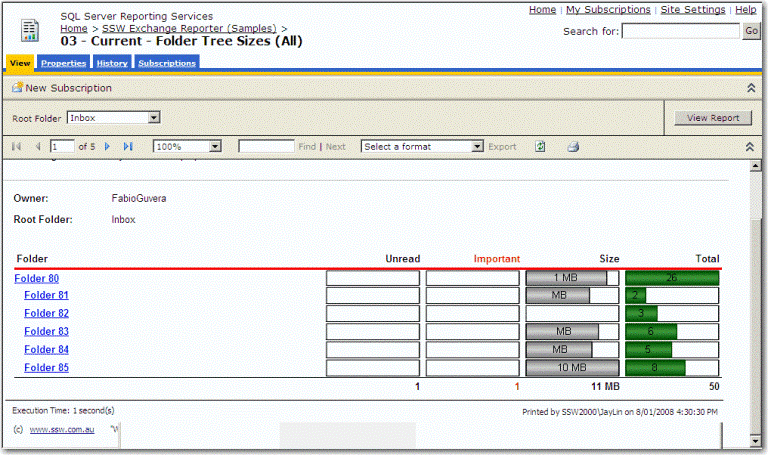
- Figure: Current - Folder Tree Sizes (All)
-
04 - Outgoing - Sent Emails For User (Lightweight)
Compares the number of Sent Items by User. Tip:The
hardest workers often send the most emails. Drill
down for a breakdown.
-
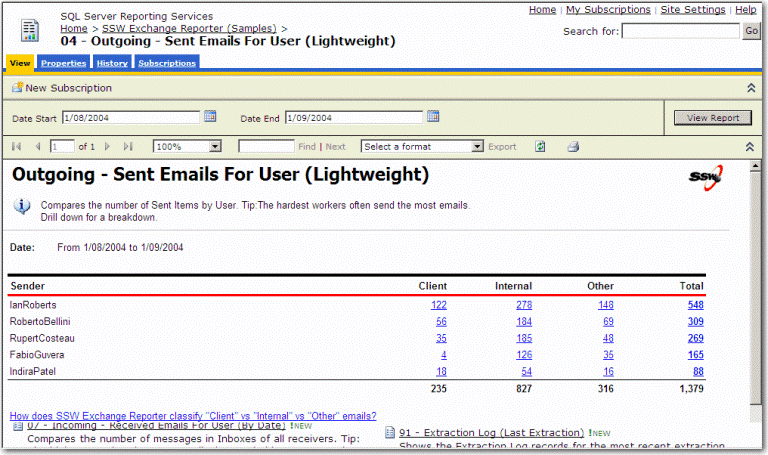
-
Figure: Outgoing - Sent Emails For User
(Lightweight)
-
04 - Outgoing - Sent Emails For User (With Bar
Chart)
Compares the number of Sent Items by User. Tip:The
hardest workers often send the most emails. Drill
down for a breakdown.
-
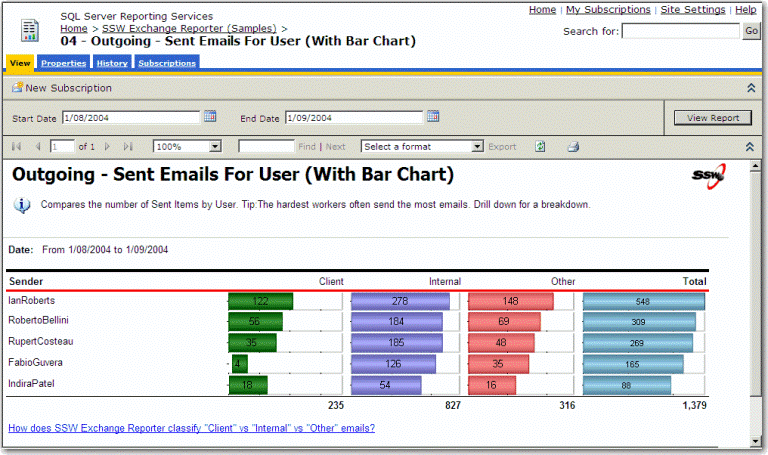
-
Figure: Outgoing - Sent Emails For User (With
Bar Chart)
-
05 - Outgoing - Top 50 Busy Senders
Shows the top 50 people who sent the most
messages.
-
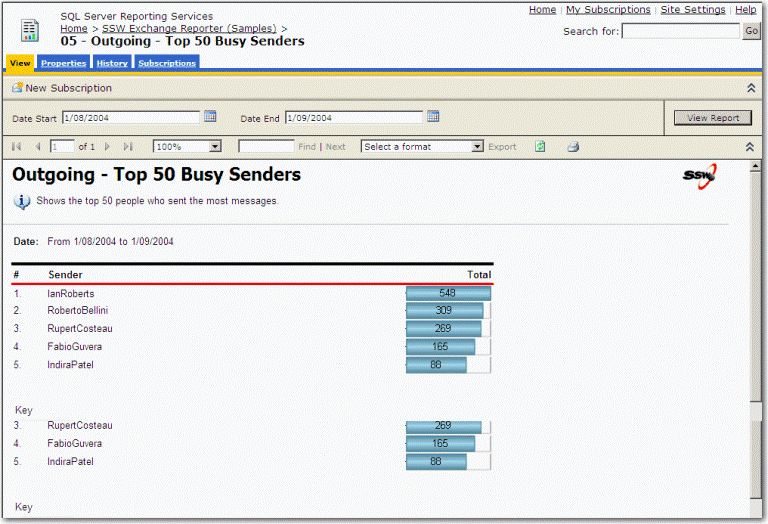
- Figure: Outgoing - Top 50 Busy Senders
-
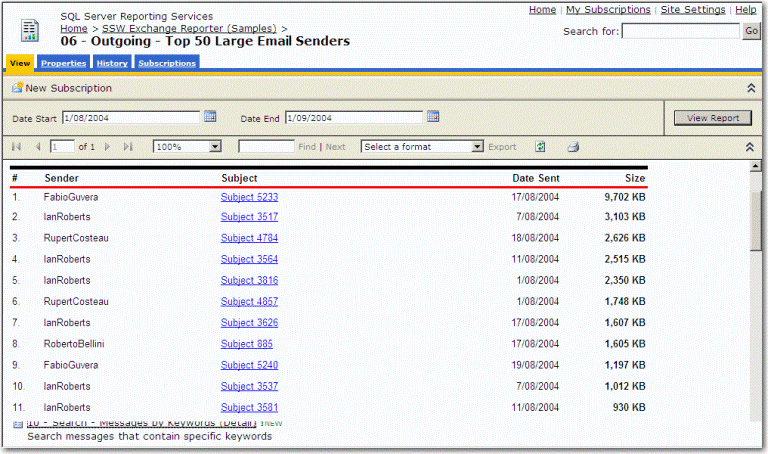
06 - Outgoing - Top 50 Large Email Senders
Shows the top 50 people who sent the most large
messages.
-
-
Figure: Outgoing - Top 50 Large Email Senders
-
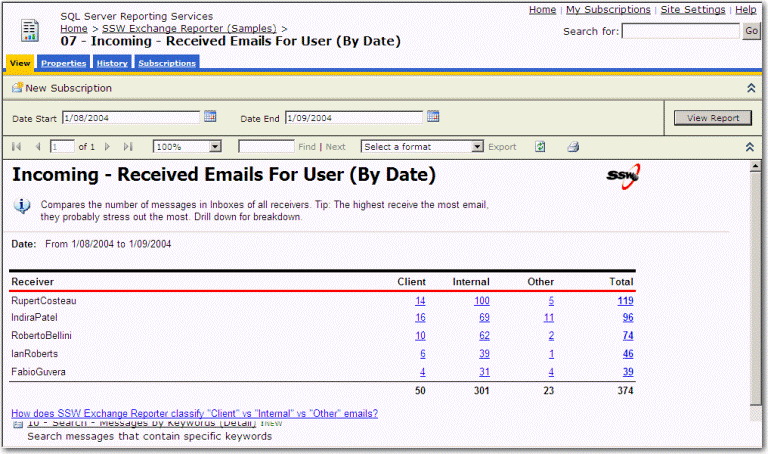
07 - Incoming - Received Emails For User (By Date)
Compares the number of messages in Inboxes of all
receivers. Tip: The highest receive the most
email, they probably stress out the most. Drill
down for breakdown.
-
-
Figure: Incoming - Received Emails For User (By
Date)