This product is no longer supported.
Email is a fundamental corporate communications tool
used every day to manage staff, establish contracts and
communicate with clients. Use SSW LookOut! to organize
and manage your email and help ensure email is always an
advantage to your business and not a liability! With
tons of rules and auditing checks, SSW LookOut! also
notifies the user whether emails are from people with
their corporate Access or SQL Server database.
Prerequisites
Installation Guide
When you run the install exe there is a simple wizard
interface to guide you thru the setup process. All you
have to do is select which directory you want SSW
LookOut! to be installed into.
Note #1: SSW LookOut! contains a third party dll called
Outlook Redemption that is used to bypass the security
measures in Outlook 2000 SR2 and Outlook 2002. A virus
could be written to target this dll. We advise against
opening exe and script files from unknown or unexpected
sources.
Note #2: Refer to
this KB article
regarding removing the SSW LookOut! toolbar when you
uninstall SSW LookOut!.
Settings
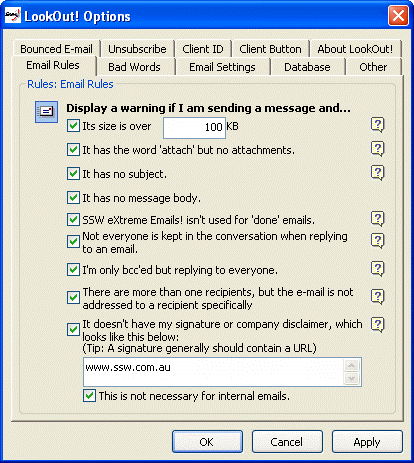
Figure: Access SSW LookOut! through Tools/Options in
Outlook
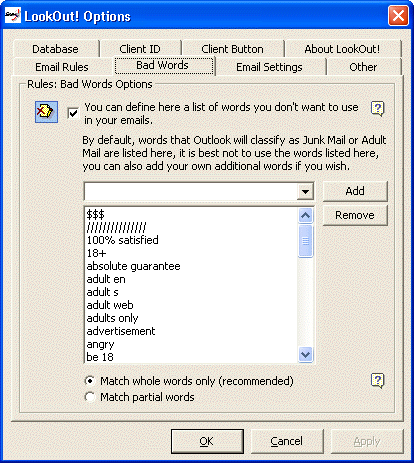
Figure: Adjust the "Bad Words" settings
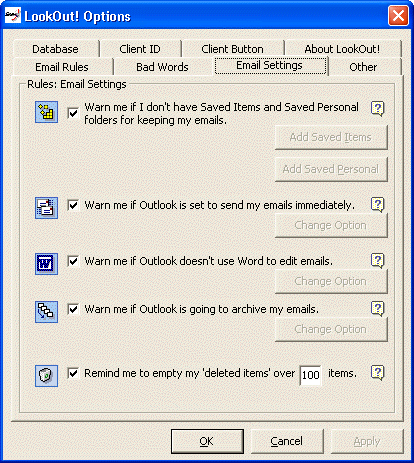
Figure: Optimise your Outlook settings through
LookOut!
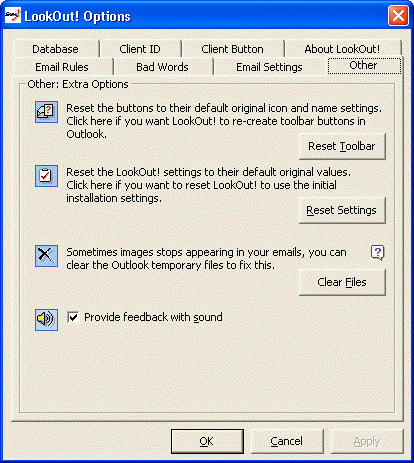
Figure: Determine the extra available options
Advanced Database Settings (Programming required)
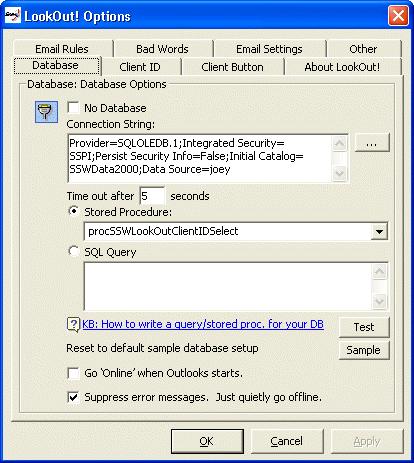
Figure: Set the database connections to a SQL
Statement, Query or Stored Procedure
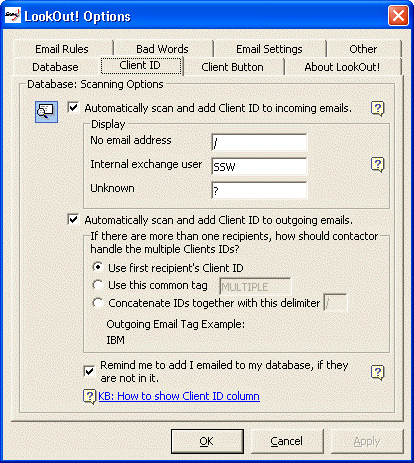
Figure: Set the desired scanning behaviours
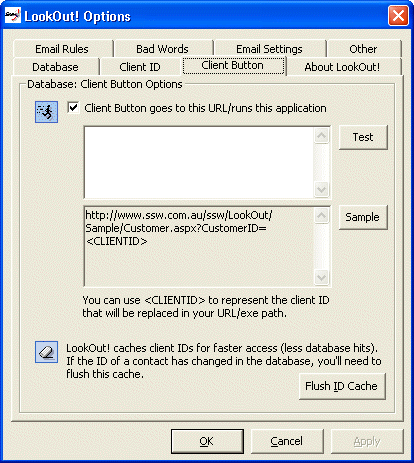
Figure: Determine the Client Button settings
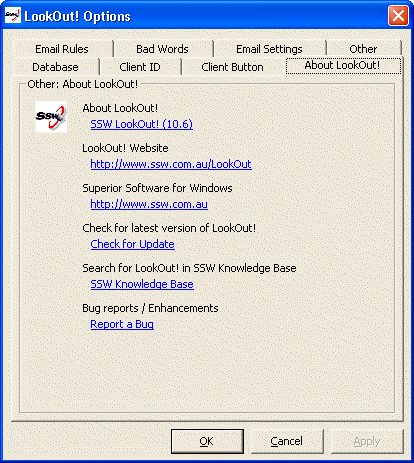
Figure: Keep up to date with the latest version
Note: If you're using Outlook 2000, you need to add the
ClientID field manually into your Outlook View. (This is
not the case with Outlook 2000/XP, as you will notice
that it is added automatically when you click "Scan
Selection".
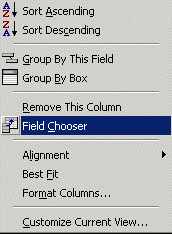
Figure: If you're using Outlook 2000, you need to add
the ClientID field manually into your Outlook View
Sample Stored Procedure
* LookOut! requires a stored procedure (SQL Server) or
query (Access) to be placed in the database that is
selected on the property page.
For SQL Server, the Stored Procedure is passed a
char(50) argument (the email address). It returns at
least a single column recordset with the field name of
'ClientID'. Below is an example that we use at SSW.
- Example stored procedure for SQL Server backend
                                  CREATE PROC procSSWLookOutClientIDSelect


                                  @pstrEmail varchar(50)


                                  AS


                                  SELECT ClientContact.ClientID


                                  FROM ClientContact


                                  WHERE Email = @pstrEmail


                                  OR EmailSecond = @pstrEmail


                                  OR BouncedEmail = @pstrEmail


                                  GO
|
|
Figure: Stored procedure for SQL Server
backend
|
- Example query for Access backend (Simple)
, save it as "qrySSWLookOutEmailSelect"
                                  SELECT Customers.CustomerID


                                  FROM Customers


                                  WHERE (Customers.Email = [@EMAIL]);
|
|
Figure: Query for Access backend (Simple)
|
- Example query for Access backend (Complex)
, save it as "qrySSWLookOutEmailSelect"
Remember, your Stored Procedure/Query will be passed
one argument (the email) and it must return at least
one column. Any extra columns returned, if more than
one, are ignored for now and only the first column
will be used. Here's an example of a slightly more
complex query, this query is included in the sample
Northwind database packaged with SSW LookOut!:
                                  SELECT '(E)' + EmployeeID FROM Employees


                                  WHERE Email = [@Email]


                                  UNION SELECT '(C)' + CustomerID FROM Customers


                                  WHERE Email = [@Email]


                                  UNION SELECT '(S)' + SupplierID FROM Suppliers


                                  WHERE Email = [@Email];
|
|
Figure: Query for Access backend (Complex)
|
LookOut now have the ability to integrate with your
database to process bounced emails. Here are some simple
query to show you the arguments available.
-
Sample query for SQL Server Backend to process bounced
emails:
                                  CREATE PROC procBouncedEmailUpdate


                                      @pstrBouncedEmail
                                  NVARCHAR(50),


                                      @pintIsHardBounce INT = 0,


                                      @pdteBouncedDate
                                  DATETIME = NULL


                                  AS


                                  UPDATE Customers


                                  SET IsBouncedEmail = true,


                                      LastBounceDate =
                                  @pdteBouncedDate,


                                  WHERE Email = @pstrBouncedEmail


                                  GO
|
|
Figure: Stored procedure to process bounced
email for SQL Server backend
|
-
Sample query for Access Backend to process bounced
emails, save as qrySSWLookOutBounceUpdate:
                                  UPDATE Customers SET Customers.IsBouncedEmail
                                  = Yes


                                  WHERE
                                  (((Customers.Email)=[@pstrBouncedEmail]));
|
|
Figure: Stored procedure to process bounced
email for Access backend
|
LookOut now have the ability to integrate with your
database to process Unsubscribe emails. Here are some
simple query to show you the arguments available.
-
Sample query for SQL Server Backend to process
unsubscribe emails:
                                  CREATE PROC procSSWLookOutUnsubscribeUpdate


                                      @pstrEmail varchar(50)


                                  AS


                                  UPDATE Customers


                                  SET    OffMailingList = 1


                                  WHERE  Email = @pstrEmail
|
|
Figure: Stored procedure to process bounced
email for SQL Server backend
|
-
Sample query for Access Backend to process unsubscribe
emails, save as qrySSWLookOutUnsubscribe:
                                  UPDATE Customers SET Customers.IsSubscribed =
                                  No


                                  WHERE (((Customers.Email)=[@Email]));
|
|
Figure: Stored procedure to process bounced
email for Access backend
|