According to Statista, 376 billion emails are sent per day in 2025. Emails can pile up quickly, and before you know it, your inbox becomes a mess. Keeping it under control helps you stay organized and professional.
Treat your inbox as a simple to-do list and regularly file or delete messages so it always reflects an accurate record of your work.
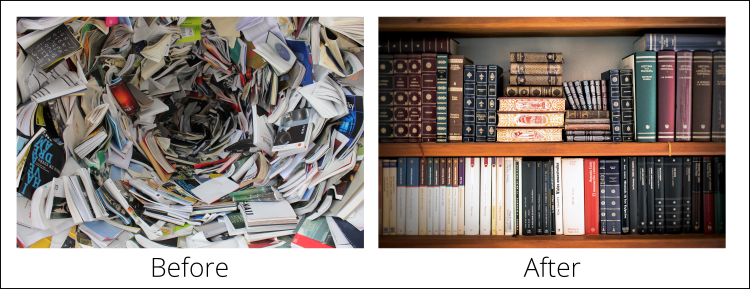
Figure: Don't let your inbox become a vortex of doom - keep it organized!
Note: Remember that emails are legal records and should be kept with care. Never permanently delete them, as they may be needed to confirm agreements, decisions, or conversations.
Your inbox should be a task list and should be kept clean. When cleaning up their inbox people tend to go from top to bottom. A better way to do it is to search for a specific topic and clean up all related emails .
There are many types of emails which you receive but will never actually reply to. For example, a client may email "Sounds great - please go ahead." These kinds of emails should be kept as a reference for the future.
If someone asks you to perform a task by email, don't reply "OK, I will do that" or fail to reply at all. Instead, do the task and reply "Done" when the task has been completed, and then delete the email. This way the person requesting the task knows that it has been done, and doesn't waste time following you up.
The most dangerous time in a task's life cycle is in a handover. This is the most likely time for a misunderstanding to occur leading to a task getting lost and not being completed.
Always make sure you clearly reallocate a task with an email to the person who will complete the task.
OK - so now you've got your important emails identified, don't let them get lost in the quagmire. If you use Outlook make use of its inbuilt functionality. Always sort your emails by the Received, but add a secondary sort by "Important". This way your important emails always stay at the top to haunt you until they are done.
In your inbox, it's a good idea to reduce noise by giving more attention to emails where you're on the "To" field, and dim the ones you're CC'd on.
You should never empty your Sent Items folder. This folder will in most cases be the only record you have of the emails you have sent to customers and clients.
You may be involved in different tasks simultaneously every day. The best way to organize your tasks and follow each task individually is grouping your emails by conversation. By default, Outlook sorts the emails by Date.
Sometimes you get the same task from 2 different people. Sometimes even the same person sends over-lapping emails. Sometimes you find duplicated PBIs.
Whether you keep a backlog or are just using your email inbox as a to-do list, you have a choice to make:
There is a hidden cost that every task or email in your inbox adds that is easy to miss, and that is that every time you scan over an item and decide not to do it, you are really just kicking the can down the road, and your future self will have to later scan that item again, and possibly again decide that it’s not worth doing yet, and so kick it further down the road.
Throughout your years of surfing the net, you're sure to have subscribed to some newsletters that may have interested you at the time. As your interests and preferences change, you will find that you're still on many different lists.
Some employees receive more emails than others and often do not dedicate enough time to managing their inbox. It's important that inboxes are managed and cleaned with a goal of getting to 0.
We have some rules about how to manage your inbox
To mitigate this problem, organizations should have an Inbox Zero team. This team should follow Scrum.
If you've ever missed important emails from an Outlook Group, despite being a member, it's likely you weren't following the group in your inbox. This can be especially confusing when those messages don't show up in search results or your inbox, even though you technically "have access."
SysAdmins get through many tasks in a day. These tasks are generally prioritized based on their importance, but some tasks will have a due date - or a ticking clock ⏰. It's important to have a system in place to make sure these tasks are done on time.
Otherwise, you might not get a new starter's account created before their start date, or you might not give a dev the access they need to complete their Sprint goal.
Of course, this does not just apply to SysAdmins - use this rule for any teams or tasks that fall outside of Scrum.