This product is no longer supported.
The SSW .NET Toolkit is an example of a distributed
multi-layer application based on the Microsoft Northwind
database. Designed by Developers for Developers, the
real-world source can be used as a model and basis for
custom-designed applications perfect for small and
medium enterprise (SME) applications. Microsoft's
examples like Duwamish and IBuySpy are code intensive
and marketed towards architects, not developers. The SSW
.NET Toolkit delivers more functionality using less
code.
The .NET Toolkit currently contains three parts:
-
Part A demonstrates how to use extended providers for
validation, and how to implement searching through
records in a database, as well as how to implement SSW
Exception Reporter (an extended version of the
Configuration Block).
-
Part B shows demonstrations on our standard Rules to
Better Interfaces
-
Part C implements database deployment from one of our
most popular products SSW SQL Deploy. This
demonstrates how we deal with the on-going SQL script
changes for Client databases.
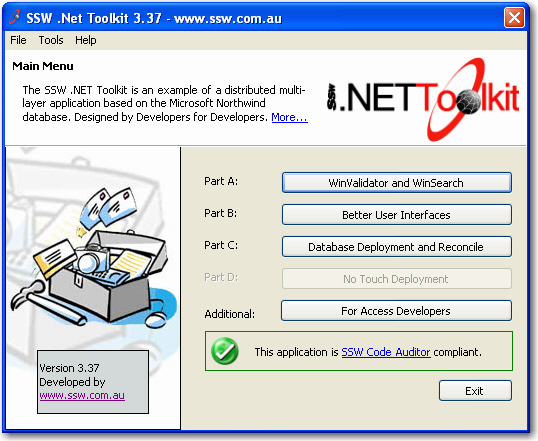
Figure: Main menu of the SSW .NET Toolkit
Prerequisites
Part A - SSW Framework Components and Tools
Provides details for using components from our
framework library and some code blocks showing how to
implement them in your own applications.
-
WinValidator - Client Side Validation using Extended
Providers
-
WinSearch - The standard way we do database search
-
Standard Data Entry Forms - Clean, standard data
entry forms
-
Exception Reporter - Handling and storing exceptions
in a central location
-
WizardForm - Simple, fading wizard forms
-
Configuration - Managing the storage of application
configuration settings
-
Version Checker - Check new version easily
-
Progress bars/Status forms
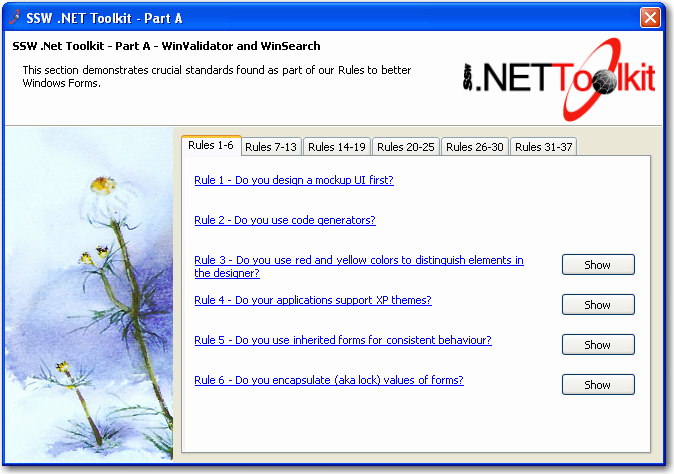
Figure: Part A shows examples and implementations of
our Rules to Better Windows Forms
Part B - Better User Interfaces
Elaborates on our Rules to better Interfaces found at
http://www.ssw.com.au/ssw/Standards/Rules/RulesToBetterInterfaces.aspx
by providing live examples of our best practices.
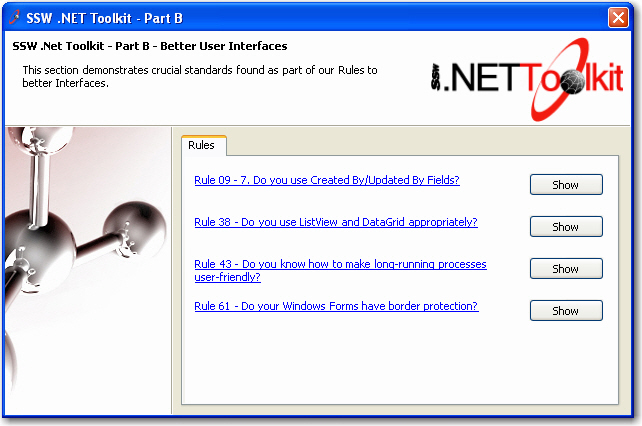
Figure: Part B shows examples of our Rules to Better
Interfaces
Part C - Database Deployment and Reconcile
Provides actual implementation of one of our most
successful products
SSW SQL Deploy
.
-
-
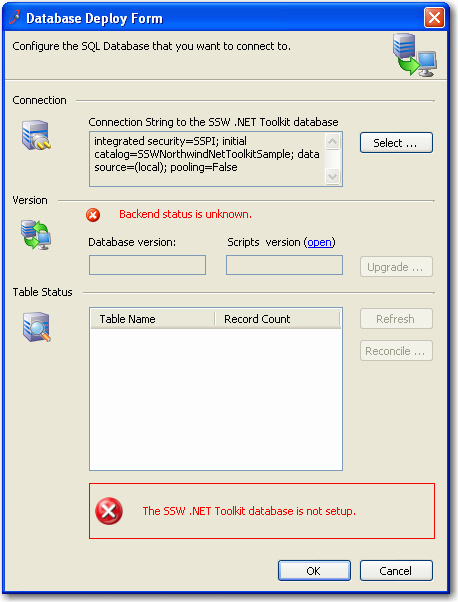
Figure: A practical implementation of our database
deployment engine in action. Use this to deploy the
sample database that all of the samples use.
Click 'Select ... ' to create a new sample database or
specify an existing one. Before doing this, please make
sure your account has enough privileges to access your
database server and is able to create and drop databases.
Normally, a 'Database Creator' will be enough.
-
-
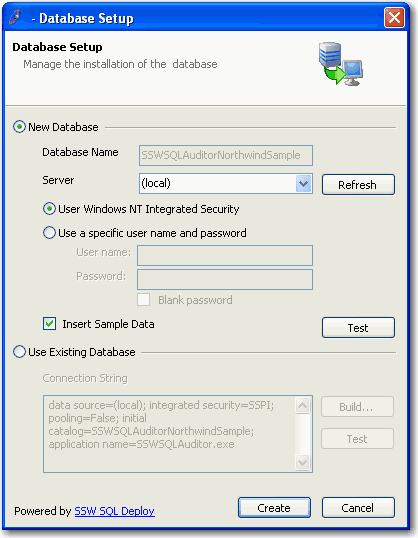
Figure: SSW database setup control - configure Link
Auditor database
-
-
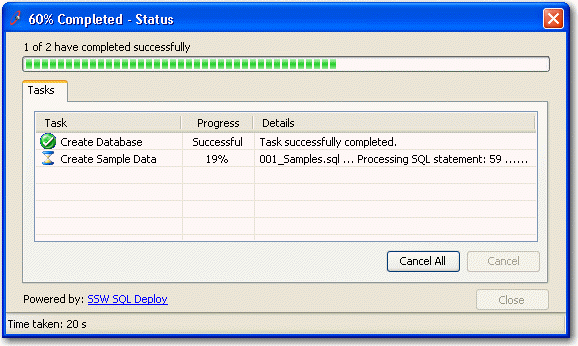
Figure: SSW database setup control - creating Link
Auditor database